
Send forms inside WhatsApp
Send a meetergo form as a native WhatsApp form. Your contact fills it in without leaving the chat, and the answers are saved as a form submission and on the contact.
Send a published form straight into a WhatsApp chat. Your contact taps the button in the message, fills in the form inside WhatsApp and sends it. No link, no browser.
The answers are saved like any other submission of the form:
- They appear under the form's Results.
- The contact is created or updated in the CRM and linked to the chat.
- Workflows with the trigger Form completed run, so the next step starts on its own.
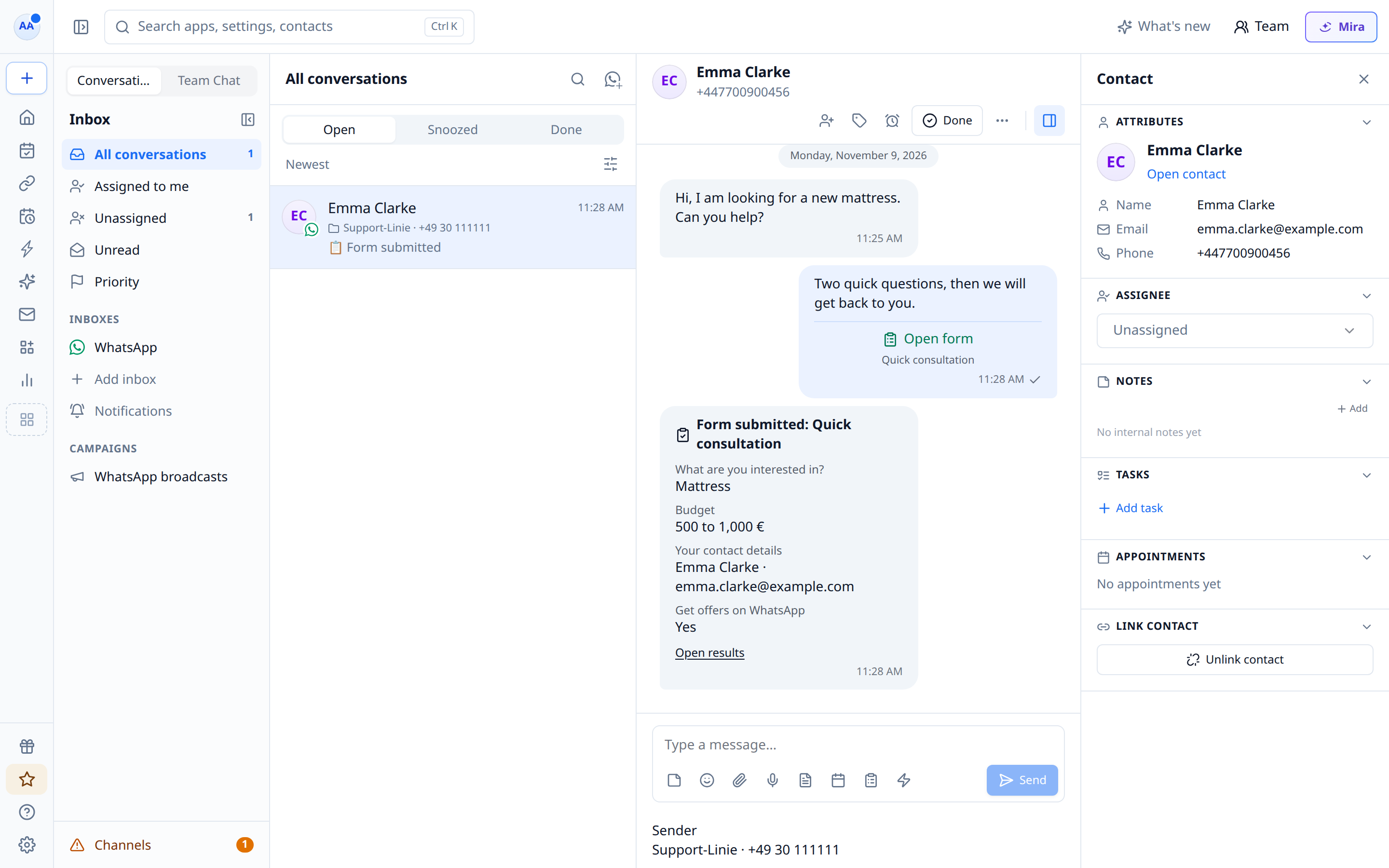
- The chat shows the answers as a card.
You need a directly connected WhatsApp number. Meta only allows WhatsApp forms for businesses it has verified and whose message quality is high. If Meta refuses, meetergo shows Meta's reason.
Send a form from a chat
- Open the chat in Conversations.
- Select the Send form icon below the message field.
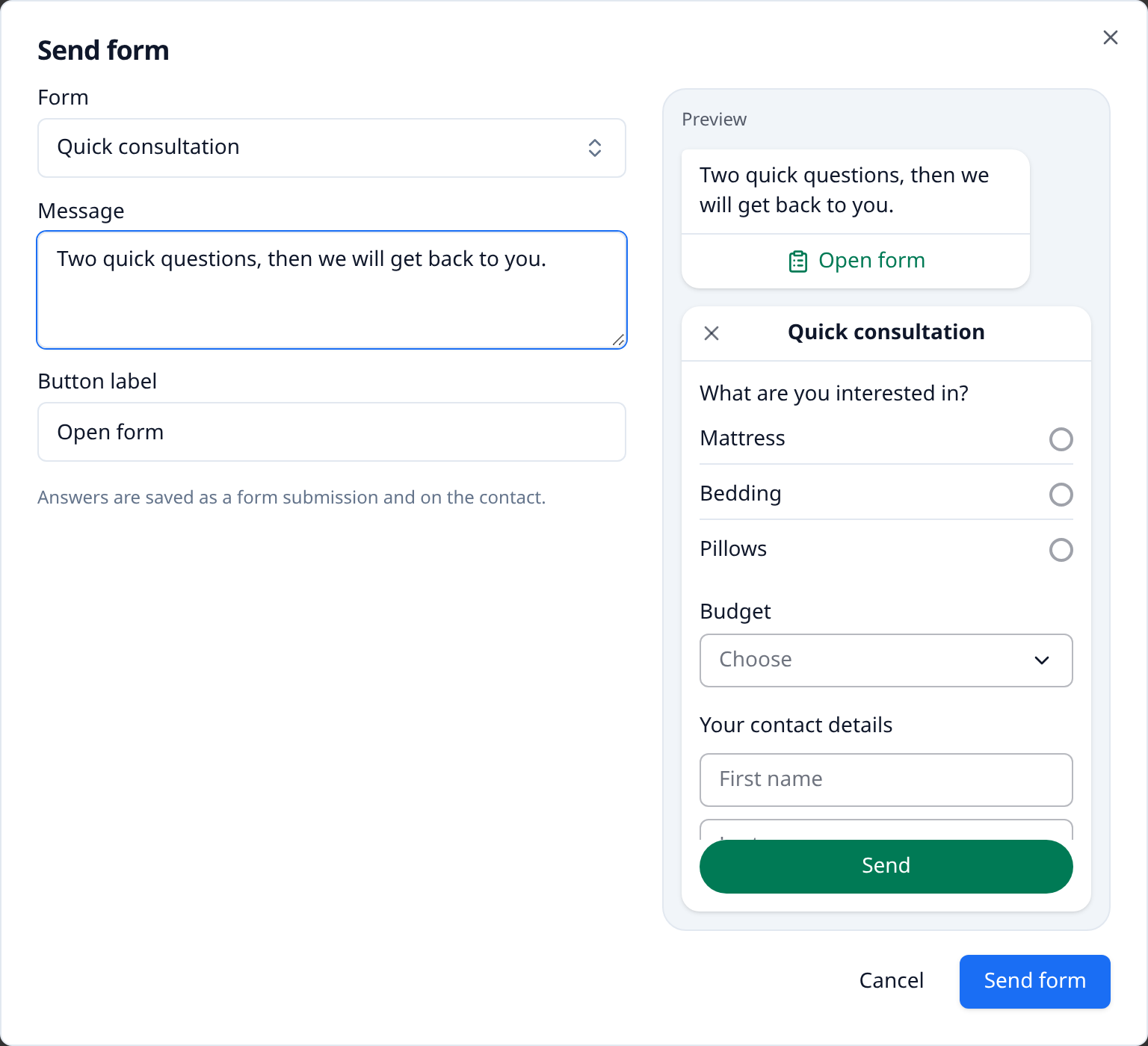
- Choose a published form. Edit the message and the button label if you like.
- Check the preview on the right, then select Send form.
When your contact sends the form, the answers appear in the chat. Open results takes you to the form's results.
A form message reaches your contact only within 24 hours of their last message. After that, use a template with a form button (see below).
Send a form from the form editor
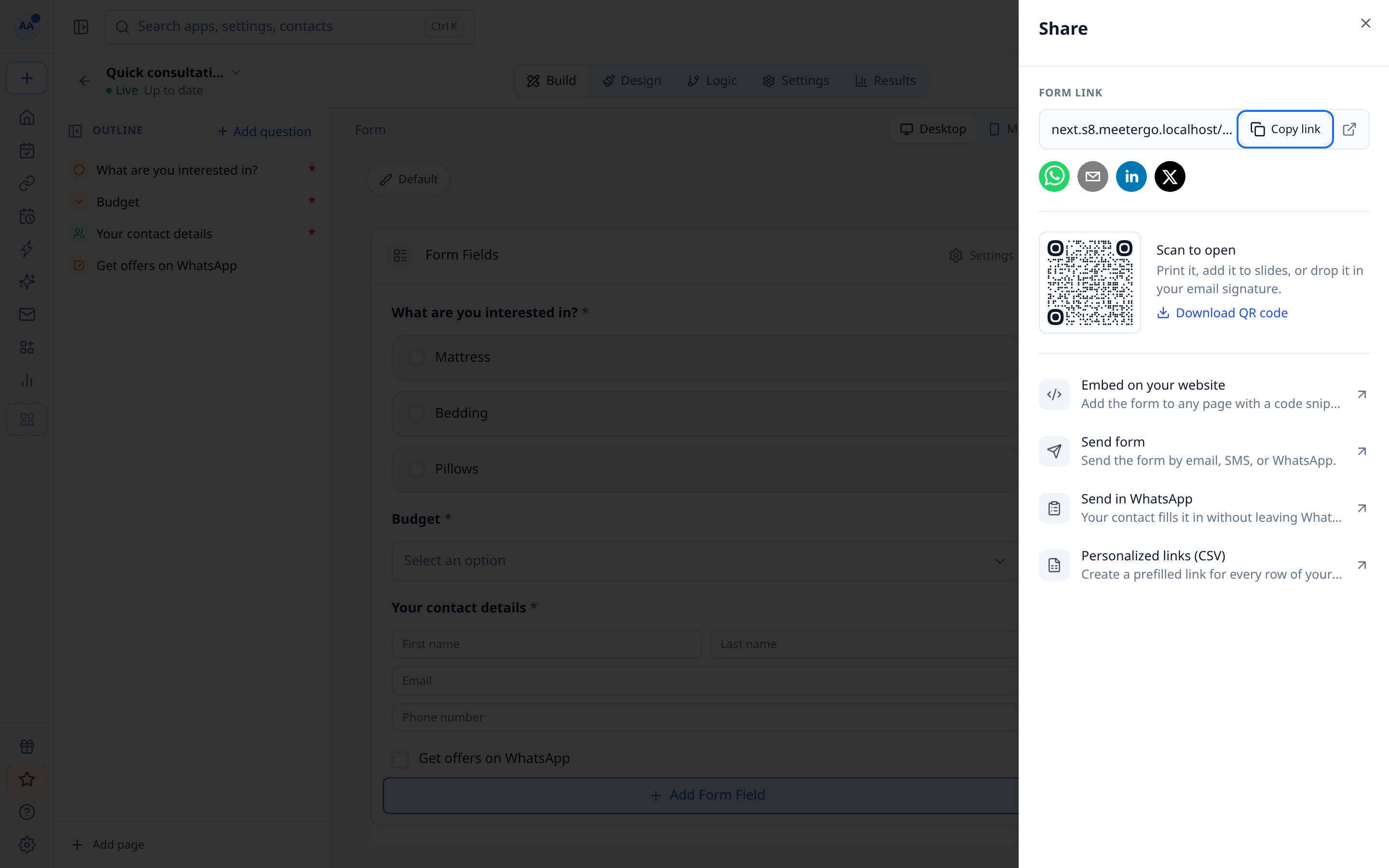
- Open the form and select Share.
- Select Send in WhatsApp.
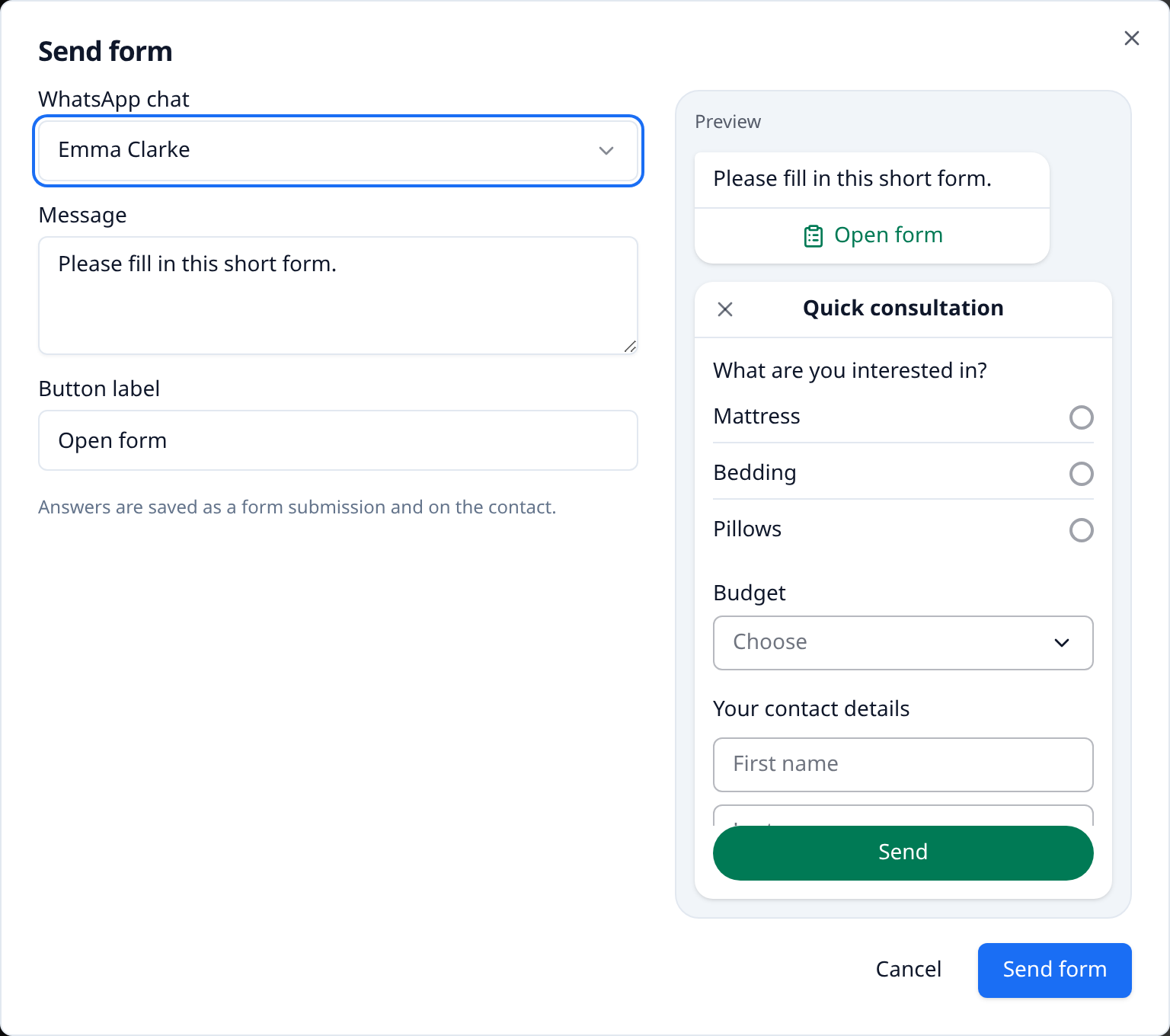
- Choose one of your open chats and select Send form.
Reach contacts after 24 hours: a template with a form button
To send a form to anyone, at any time, add a form button to a WhatsApp template. You can then use the template in the chat, in broadcasts and in workflows.
- Open Conversations → Channels → WhatsApp → WhatsApp templates and select New template.
- Under Buttons, select Form.
- Enter the button label and choose the form.
- Select Submit to Meta and wait for approval.
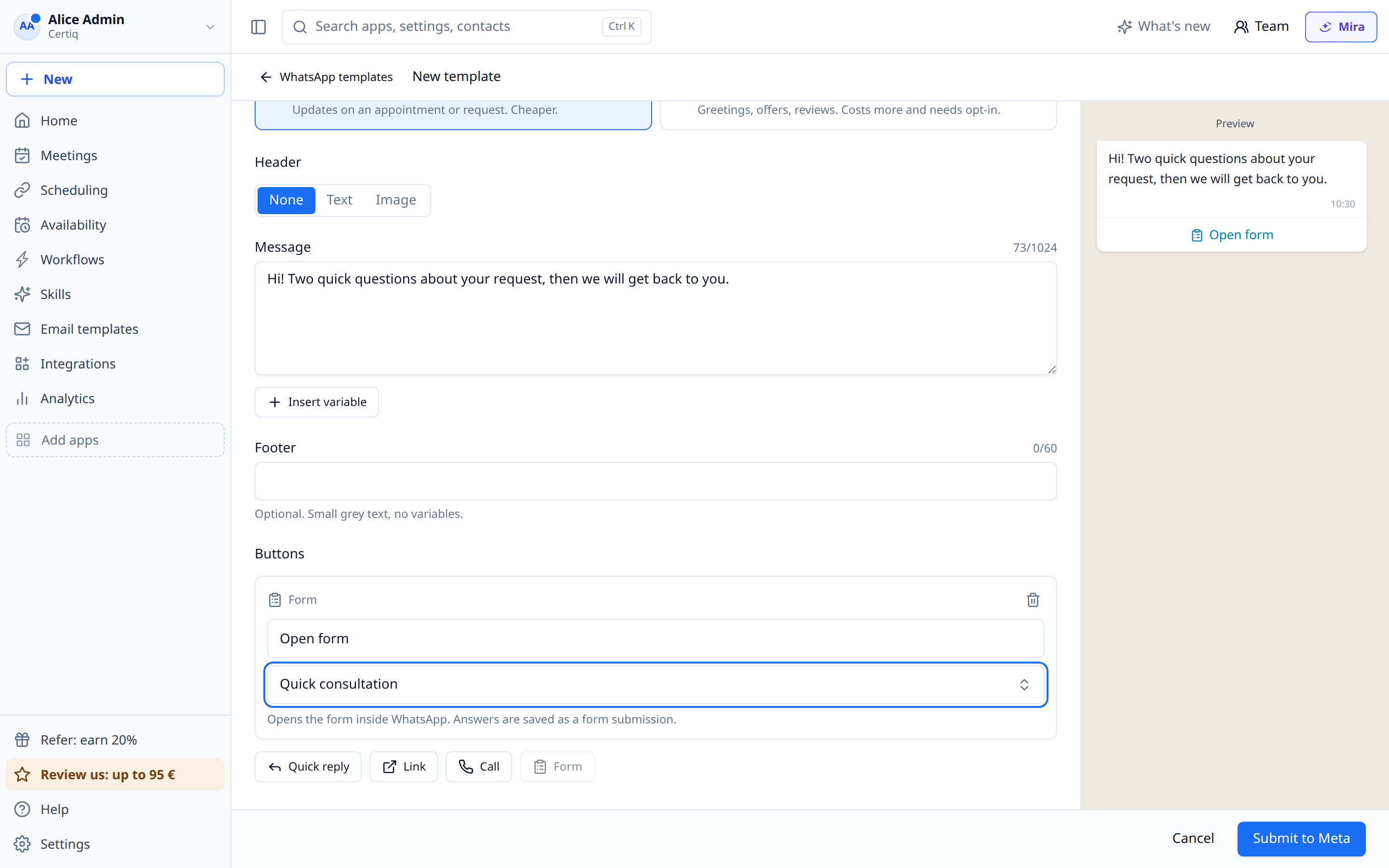
The template opens the version of the form it was saved with. After you change the form, edit the template and save it again so it sends the new version. Meta reviews the template again.
Send a form from a workflow
- Workflows started by a WhatsApp message (for example On any inbound WhatsApp message): add the Send form step. Choose the form, the message and the button label. The form opens in the chat that started the workflow.
- All other workflows (meetings, CRM, form reminders): add a Send WhatsApp step with a template that has a form button.
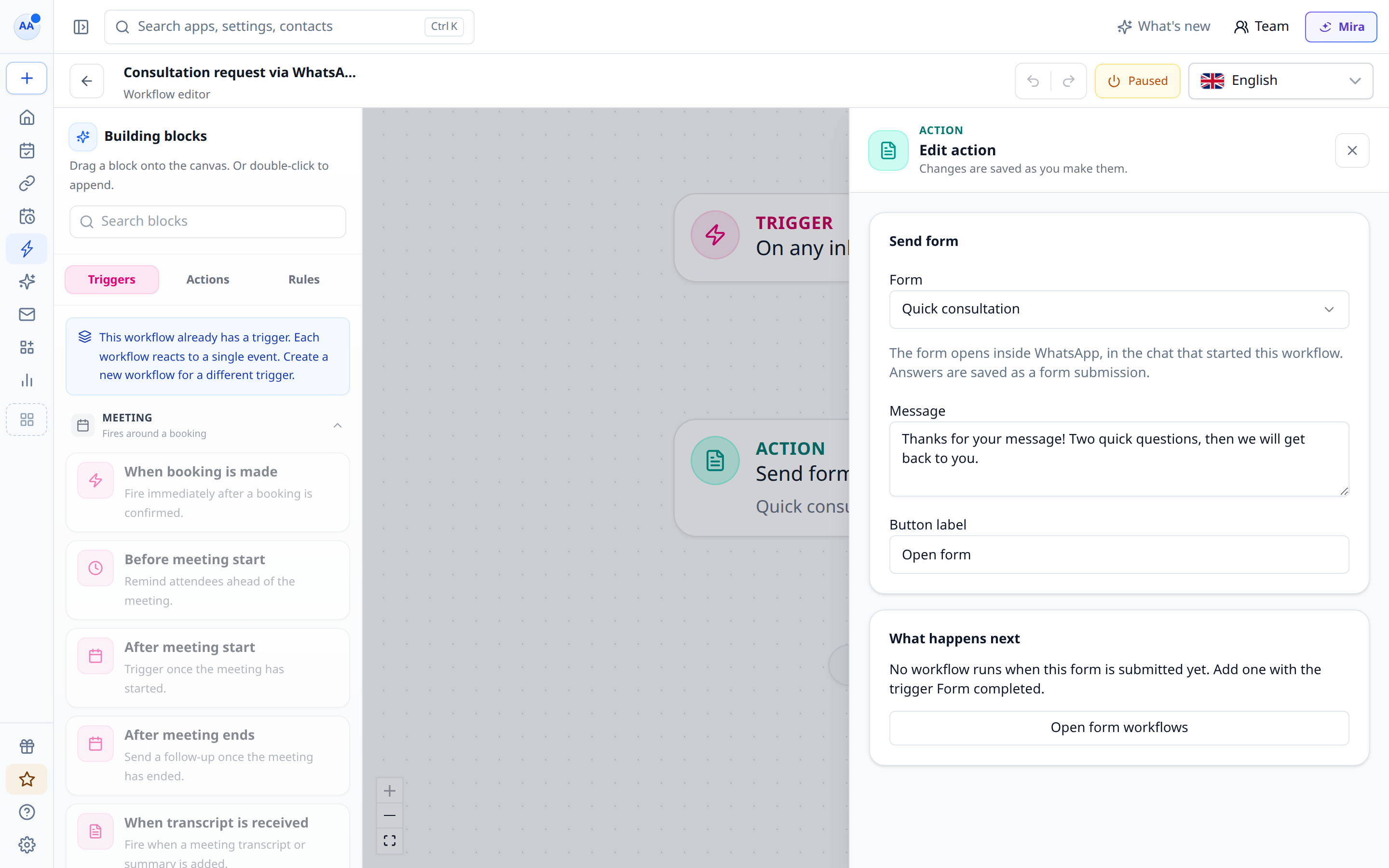
To act on the answers, create a workflow for the form with the trigger Form completed. Submitting a form does not count as a new message, so it does not start your WhatsApp message workflows again.
What WhatsApp can ask
| Question type in meetergo | In WhatsApp |
|---|---|
| Short text, email, phone, number, link | Text field |
| Long text | Text area |
| Single choice, dropdown, yes/no | Choice list or dropdown |
| Multiple choice | Checkboxes |
| Date, date of birth | Date picker |
| Checkbox (consent) | Opt-in |
| Contact details | First name, last name, email. The phone number comes from WhatsApp |
Uploads, signatures, addresses and ratings can't be asked in WhatsApp. If such a question is optional, WhatsApp leaves it out. If it's required, the form can't be sent this way: make the question optional or send the form link instead.
Questions with conditions are always shown in WhatsApp and are optional there.
Related articles
Was this article helpful?
Let us know if this article answered your questions.