
Canceling a Booking as a Host
Cancel a scheduled booking as the host from the bookings list, add an optional reason, and notify the attendee automatically by email.
As a host, you may sometimes need to cancel a scheduled booking. This article will guide you through the simple process of canceling a booking, ensuring both you and your attendee are promptly notified.
Are you an attendee looking to cancel? Check out our attendee cancellation guide.
 1 / 5
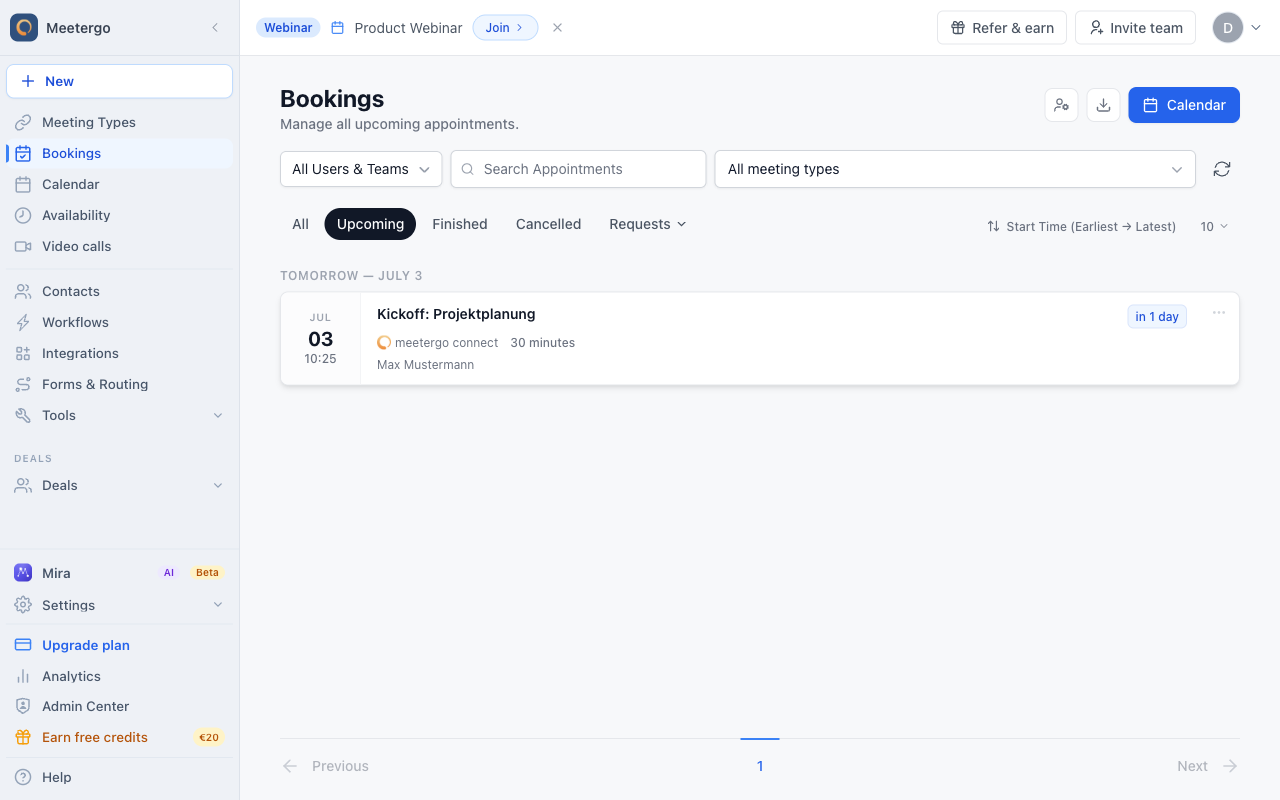
1 / 5Find the upcoming booking in the list. Use search, meeting type filters, or the scope picker if the list is long.
Find the booking
Locate the booking
Find the upcoming booking in the list. Use search, meeting type filters, or the scope picker if the list is long.
Open cancellation
Open the actions menu
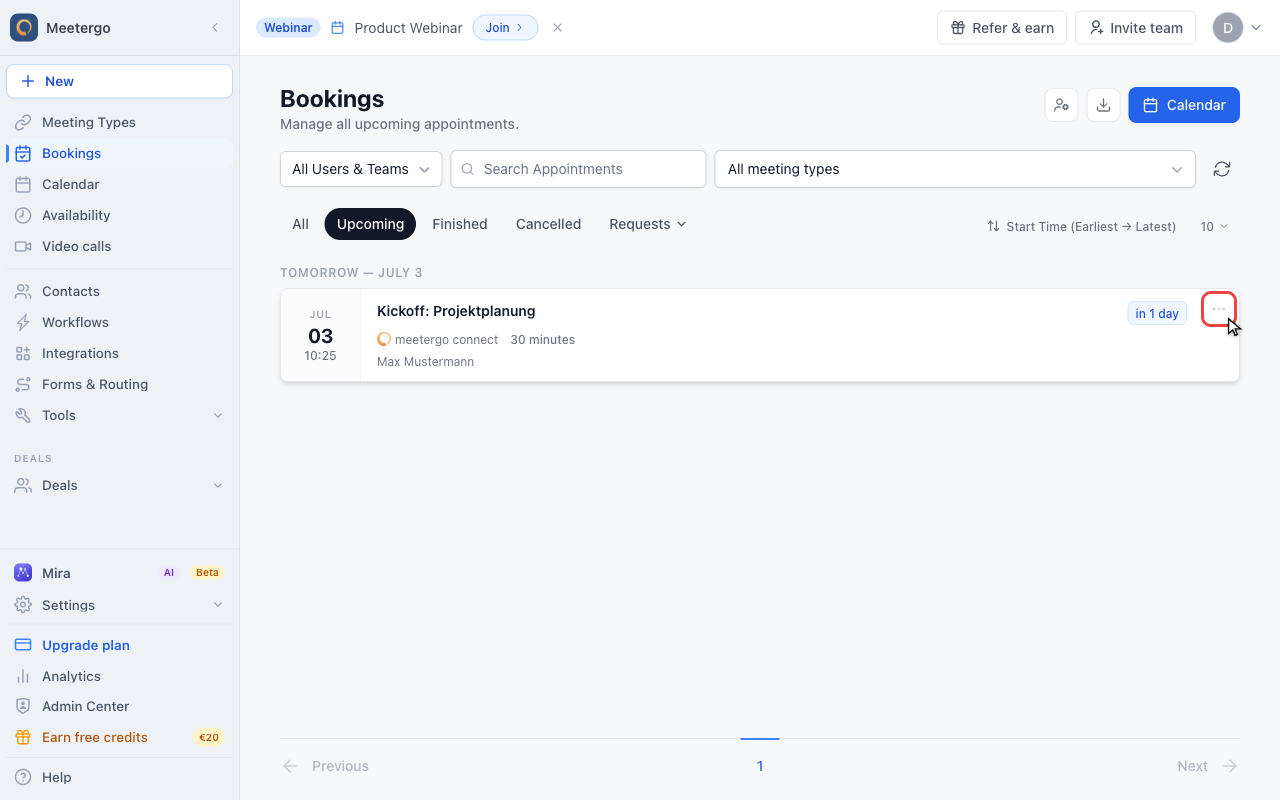
Click the three-dot menu on the booking row to open the available host actions.
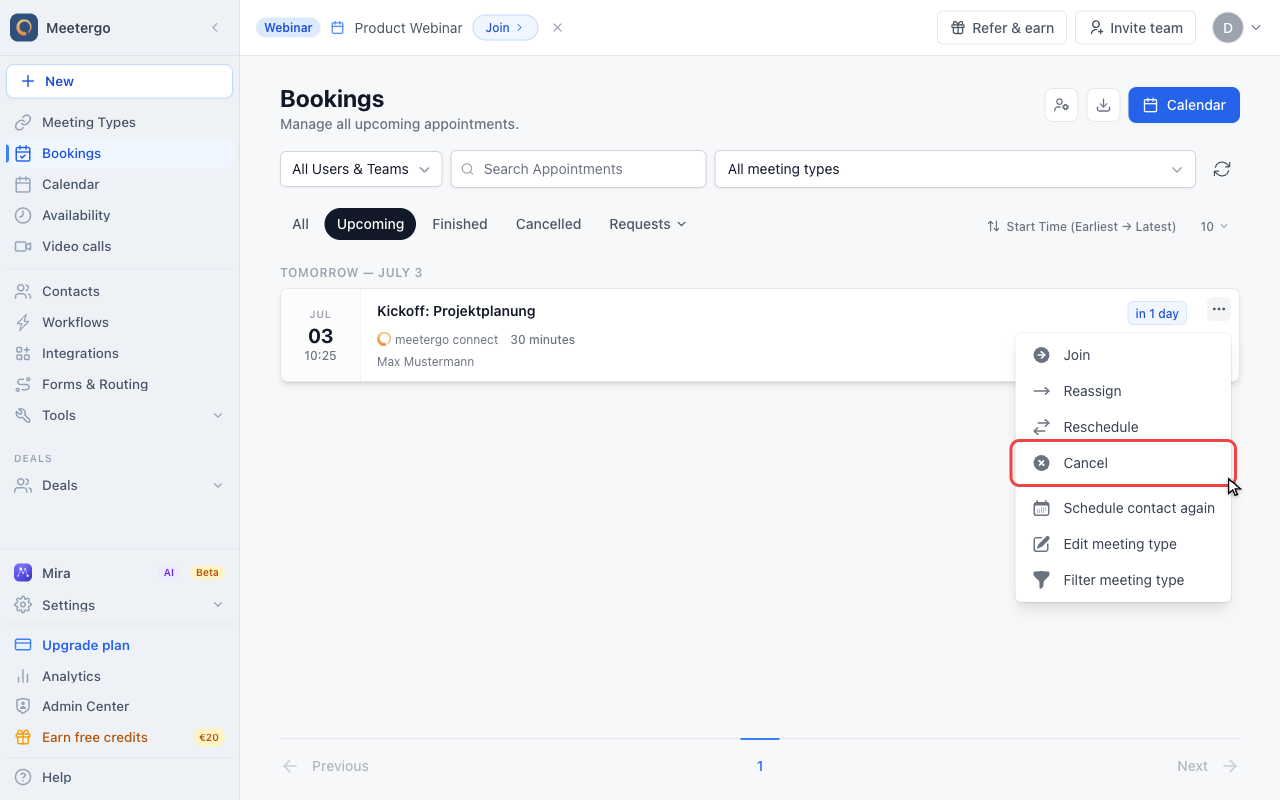
Select Cancel
Choose Cancel from the menu. This only opens the confirmation dialog, so the booking is not canceled yet.
Review before canceling
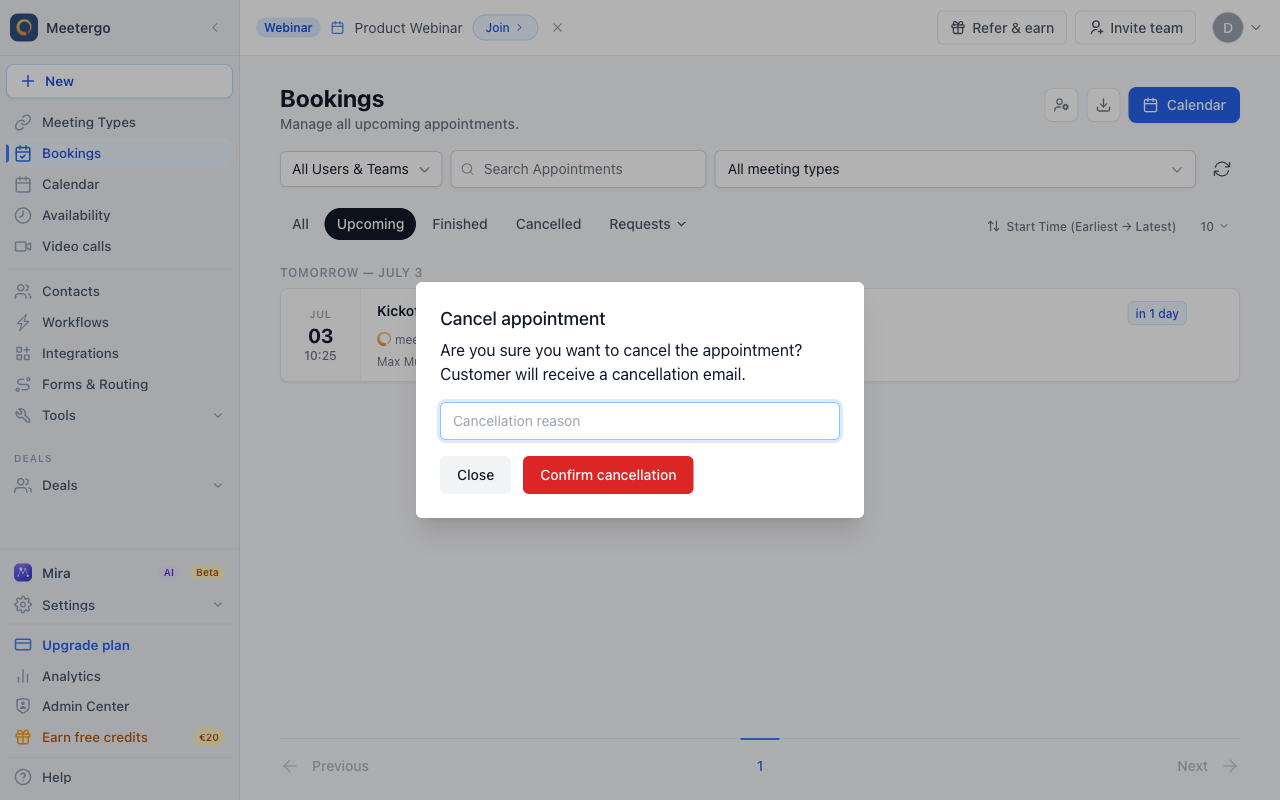
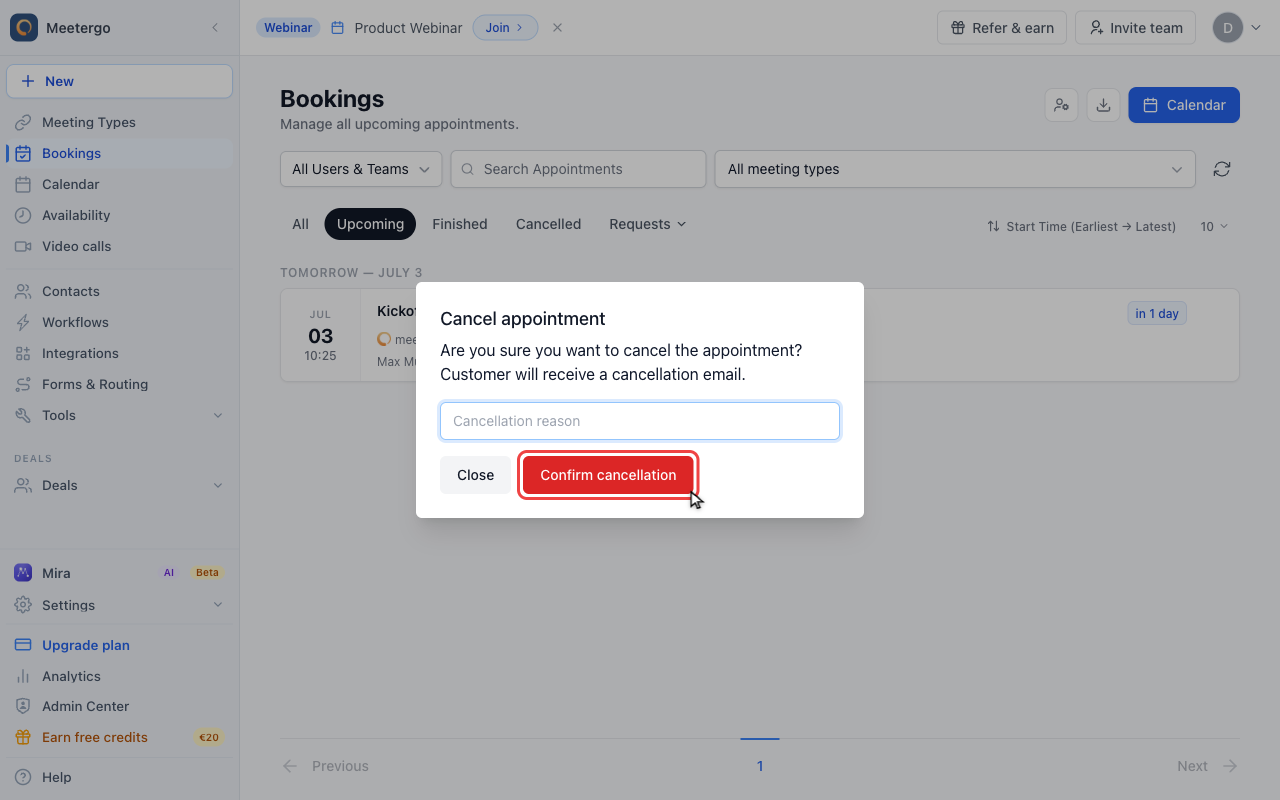
Review the cancellation dialog
Check the dialog and add an optional cancellation reason if the attendee should receive more context.
Confirm only when you are sure
Click Confirm cancellation only after the booking and optional reason are correct. The attendee will be notified by email.
Cancel several bookings at once
Choose Select above the list to show the checkboxes. On desktop, you can also hover over a booking’s date to select it. Tick individual bookings or choose Select all. The bottom toolbar shows your selection. Click Cancel, add an optional reason and confirm. Choose Done to leave selection mode.
Only upcoming bookings can be cancelled this way. The dialog tells you how many of the selected bookings will change and how many stay as they are because they are already over or cancelled. Every affected attendee receives the same cancellation email as with a single cancellation.
Open More actions in the bottom toolbar for Mark as no-show on bookings that have started or Delete on cancelled or finished ones.
Cancel a booking that is already over
A meeting that never took place can still be cancelled afterwards, so your bookings, analytics and CRM show it correctly. Open the three-dot menu on the finished booking, or the menu in its details panel, and choose Cancel.
By default the attendee is not notified, since the meeting is already over. Tick Email the invitee about the cancellation in the dialog if they should receive the cancellation email. Webhooks and CRM integrations receive the cancellation as usual.
Additional Information
When you cancel a booking, meetergo takes care of notifying your attendee, so you don't have to worry about sending a separate message. The cancellation reason you provide (if any) will be included in this notification, helping to maintain clear communication with your attendees.
Remember, it's always best to cancel booking as soon as you know you won't be able to keep them. This courtesy gives your attendees time to adjust their schedules accordingly.
FAQ
What if an attendee wants to cancel their booking with me?
If an attendee needs to cancel their booking, they should follow a different process. Please direct them to our Attendee Cancellation Guide for instructions.
Can I undo a cancellation?
Once a booking is canceled, it cannot be reinstated. If you've canceled an appointment by mistake, you'll need to schedule a new one with your attendee.
Will canceling affect my stats?
While frequent cancellations may impact your overall scheduling efficiency, occasional cancellations are a normal part of managing appointments. Focus on providing clear communication and rescheduling when necessary to maintain positive relationships with your attendees.
Was this article helpful?
Let us know if this article answered your questions.
Related articles
- Booking Analytics and InsightsTrack booking performance with completed events, no-shows, conversion metrics, and team analytics
- Export bookings and attendee lists as CSV (Excel)Download your bookings, seminar registrations and the answers from your booking form as a CSV file for Excel or Google Sheets, and see what else in meetergo can be exported.
- Host ApprovalRequire hosts to confirm bookings before they're finalized, set the approval expiry window, and approve or decline requests.
- How to Show Cancellation Reason in EmailsLearn how to display the cancellation reason in your email notifications when a meeting is cancelled.