
Setting Up Out of Office
Automatically reassign your appointments and remove yourself from round robin queues while you're away
The out-of-office feature automates everything that needs to happen when you go on vacation, take sick leave, or are otherwise unavailable for an extended period. Instead of manually handing off appointments and adjusting your round robin queues, meetergo handles it all in one step.
Out of office requires Premium or higher. If you don't see the option, ask your organization admin to upgrade.
 1 / 10
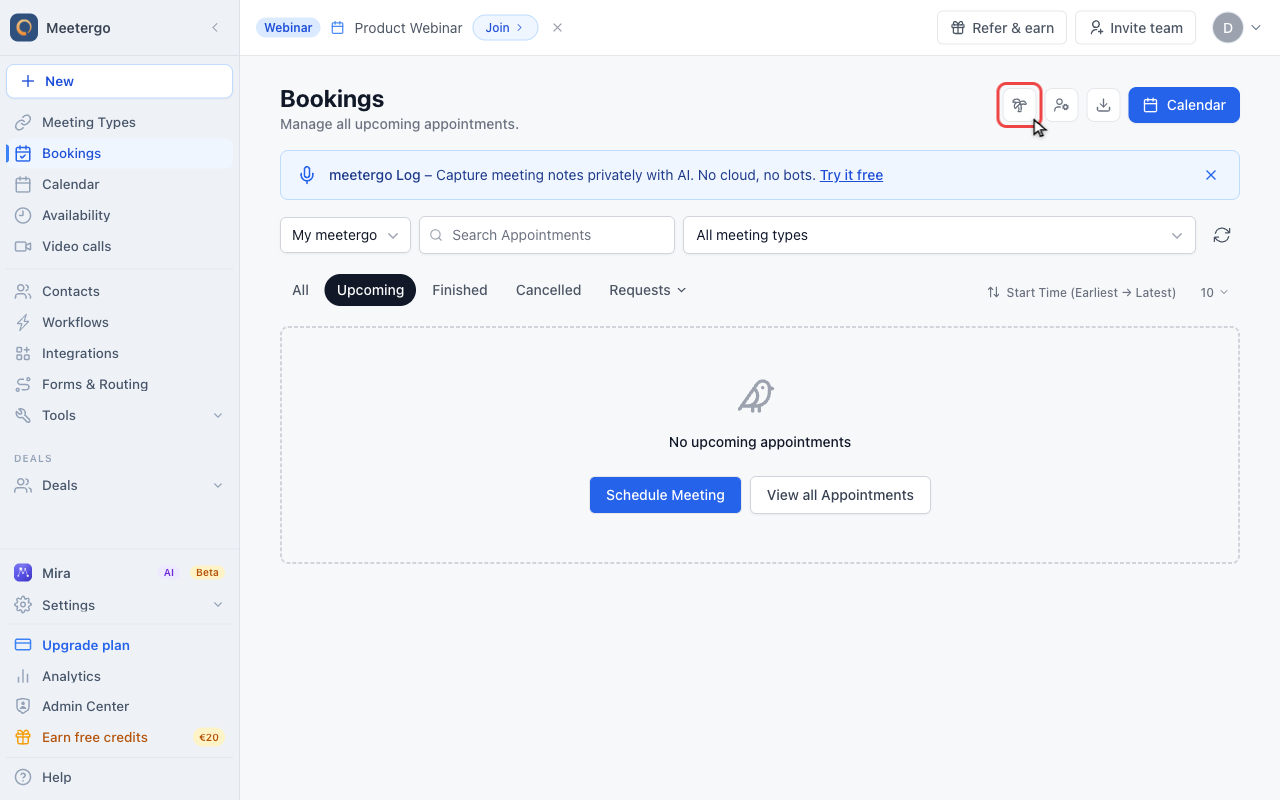
Click the palm tree icon to open the out-of-office setup dialog.
Start the setup
Click Out of office
Click the palm tree icon to open the out-of-office setup dialog.
Configure the absence
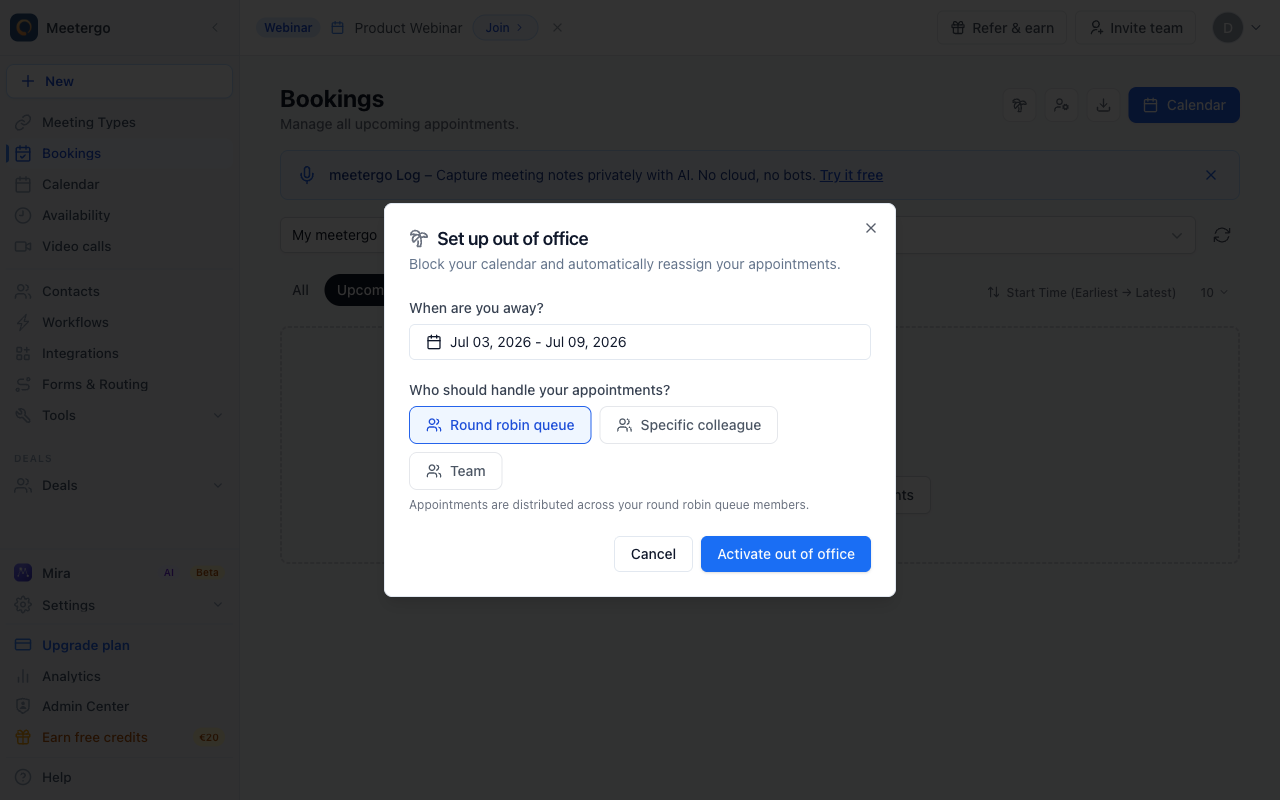
Review the setup dialog
The dialog starts with a default absence period and the round-robin queue strategy.
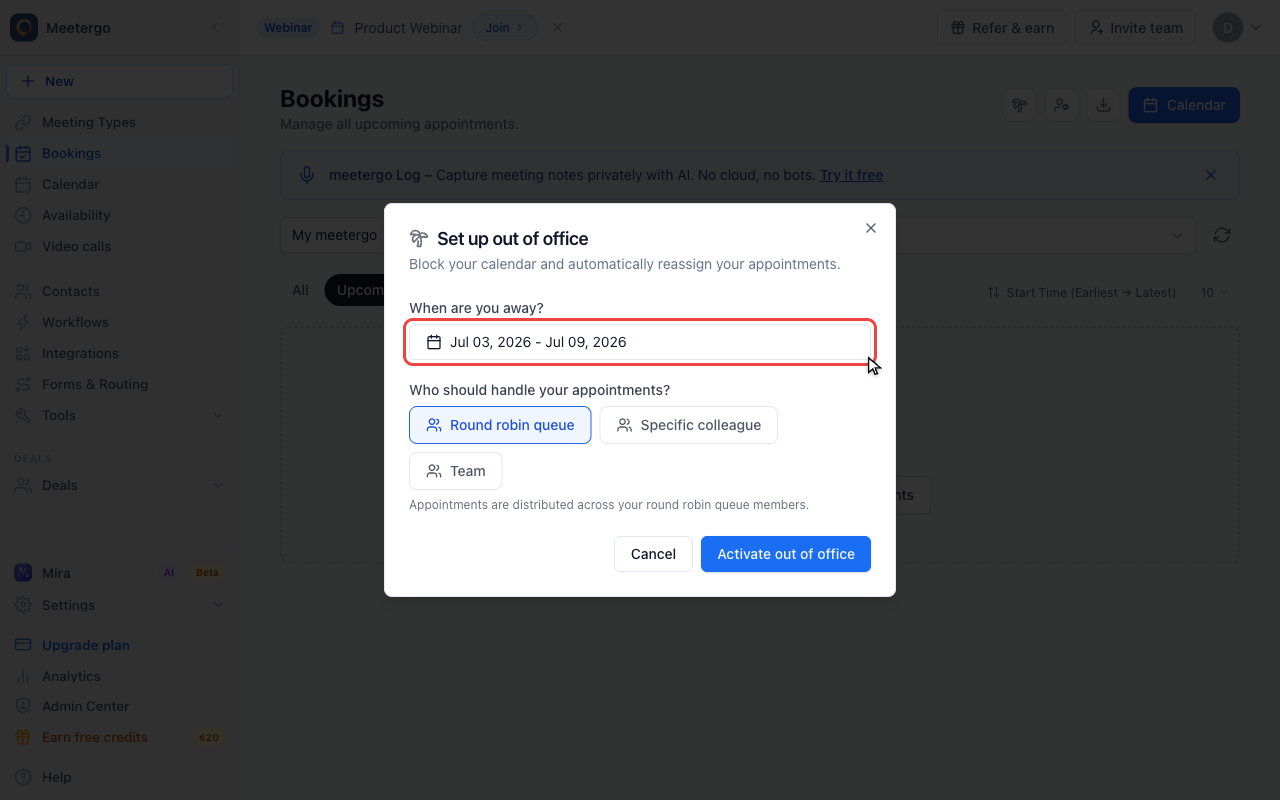
Set the absence period
Use the date range picker to choose the first and last day of your absence.
Choose the handoff strategy
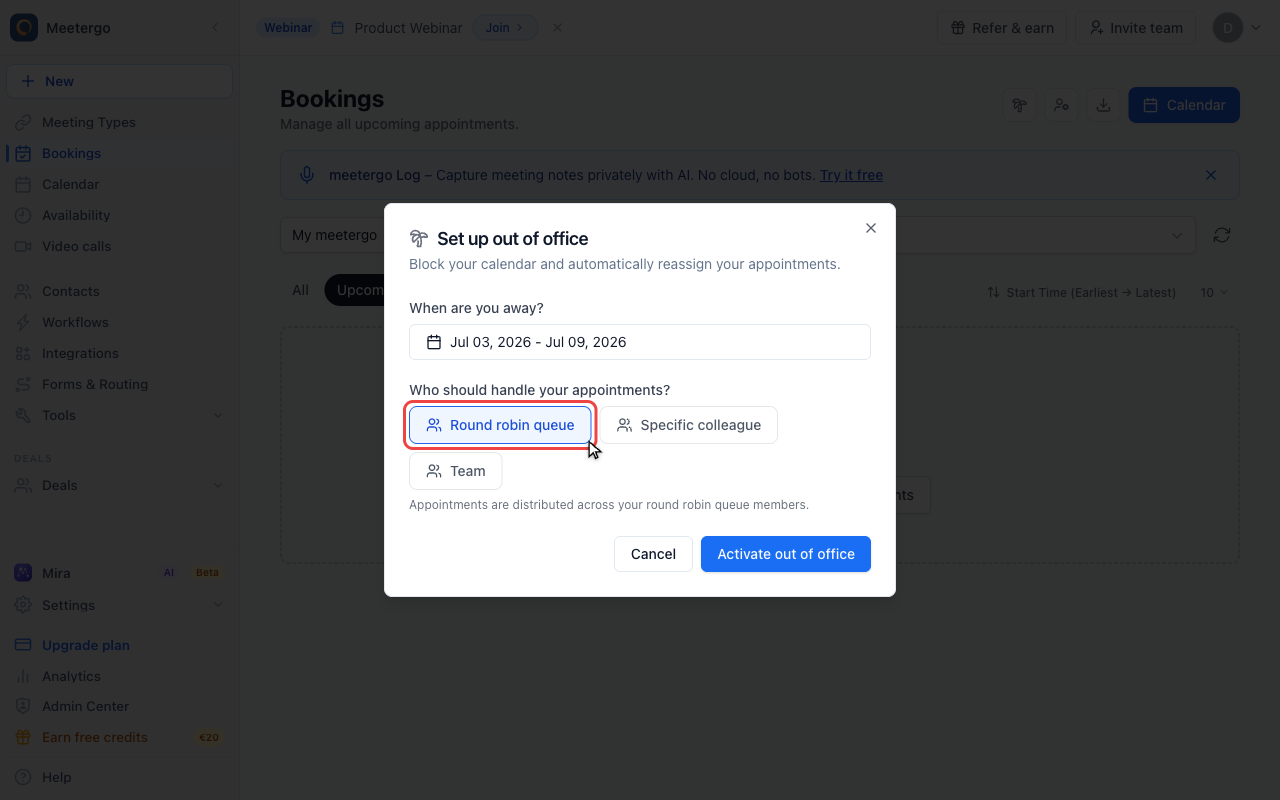
Use the round-robin queue strategy
Choose Round robin queue when appointments should be distributed across the other members of your existing round-robin queues.
Choose a specific colleague
Select Specific colleague when one backup person should handle all affected appointments.
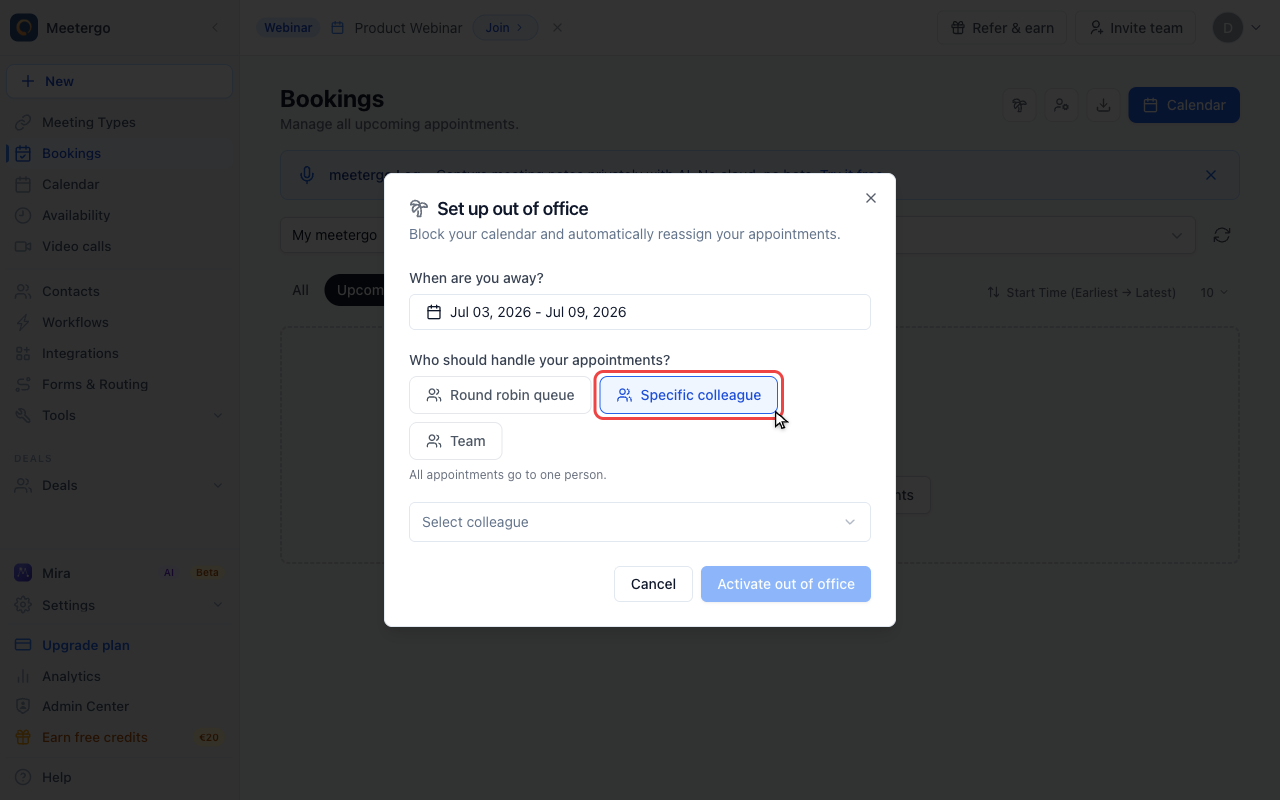
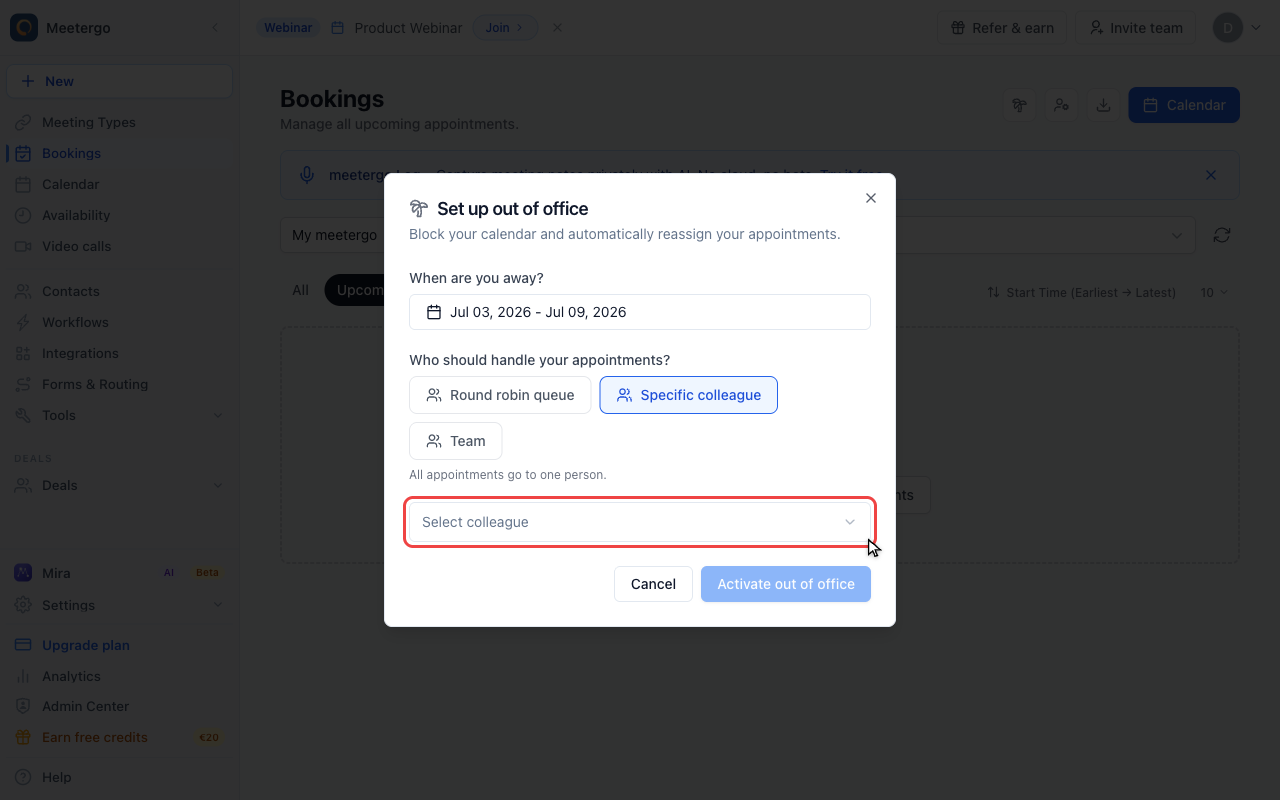
Select the backup person
Use the colleague selector to choose who should receive your appointments.
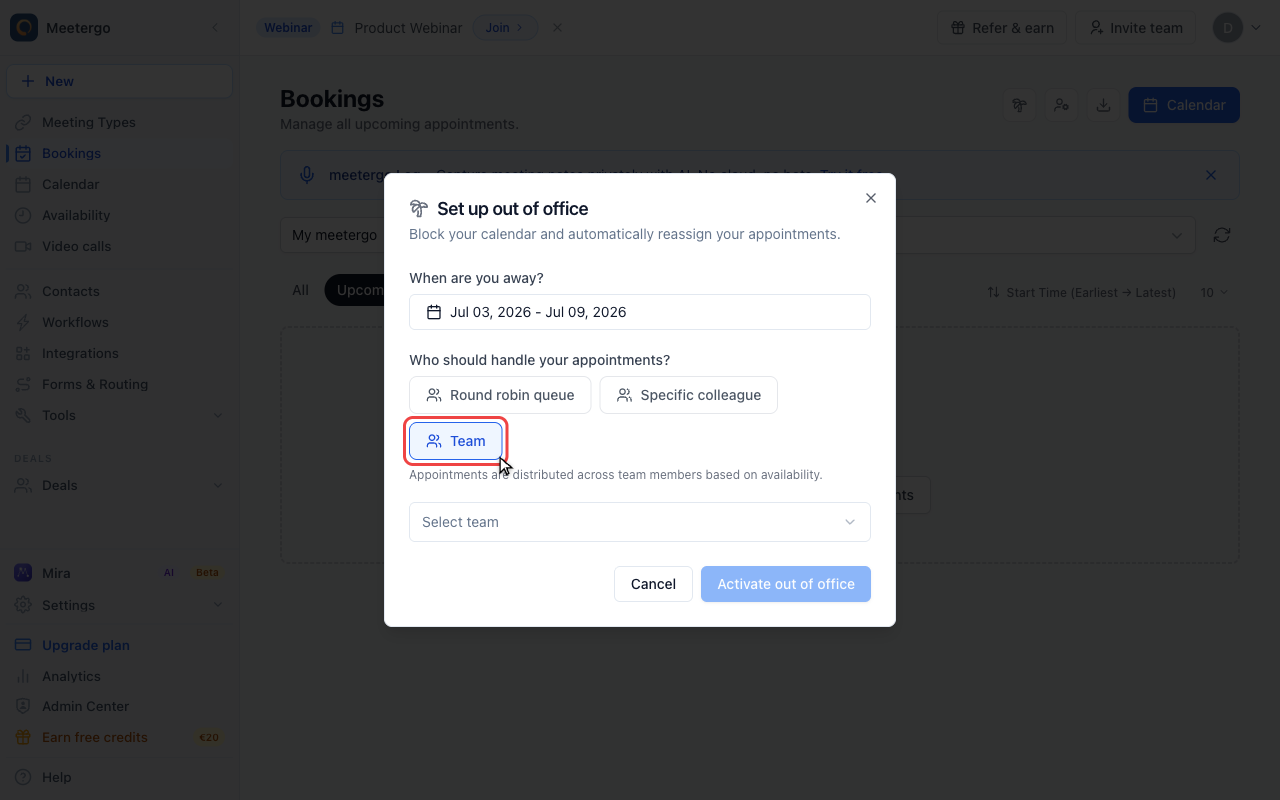
Switch to the team strategy
Choose Team when appointments should be distributed across a workspace instead of a single person.
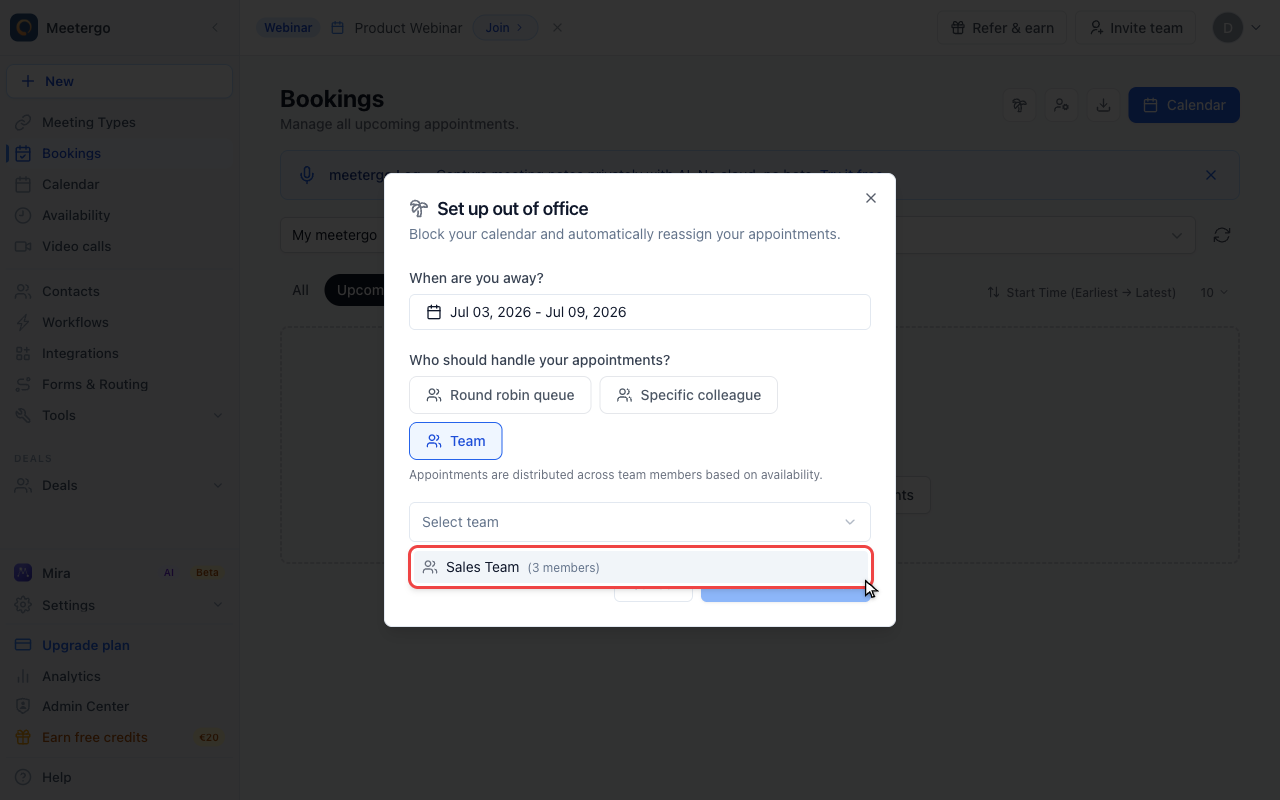
Open the team selector
Use the team selector to choose the workspace whose members should cover the absence.
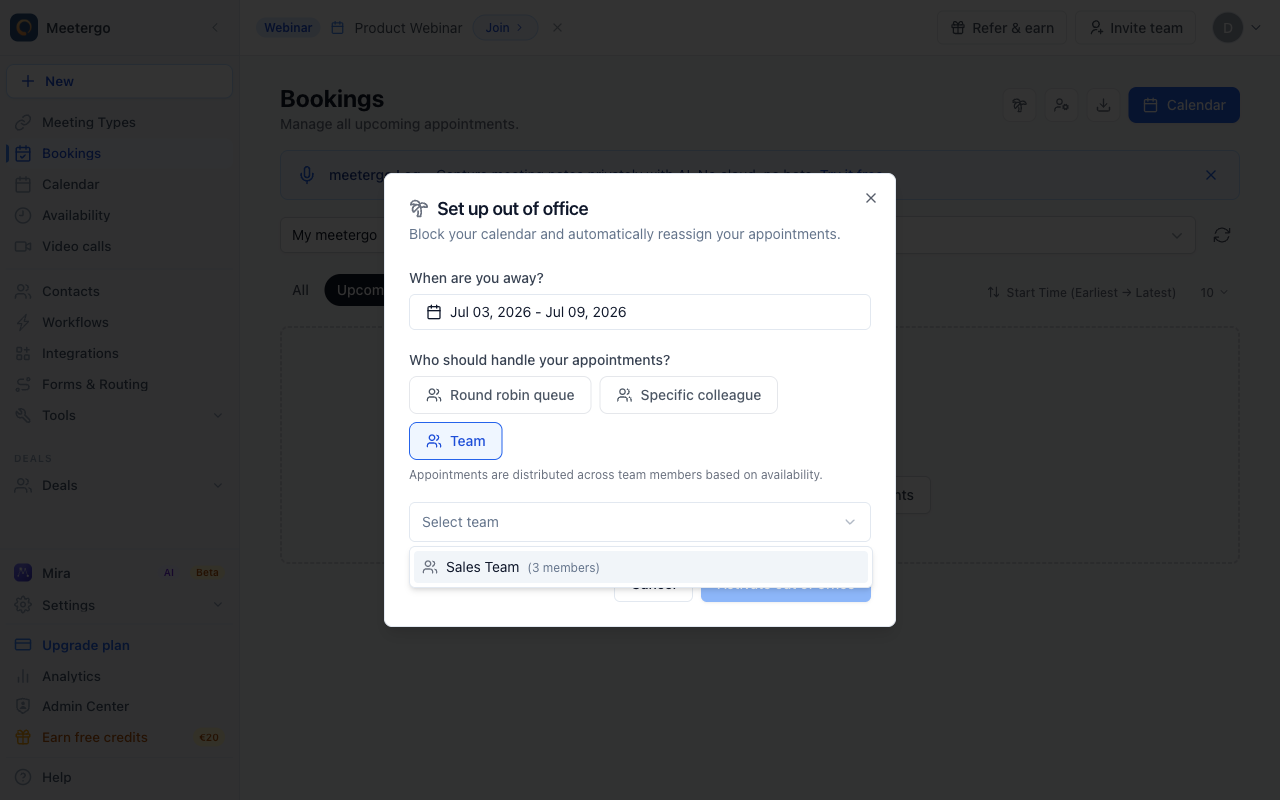
Choose Sales Team
Select the team that should receive appointments during your absence.
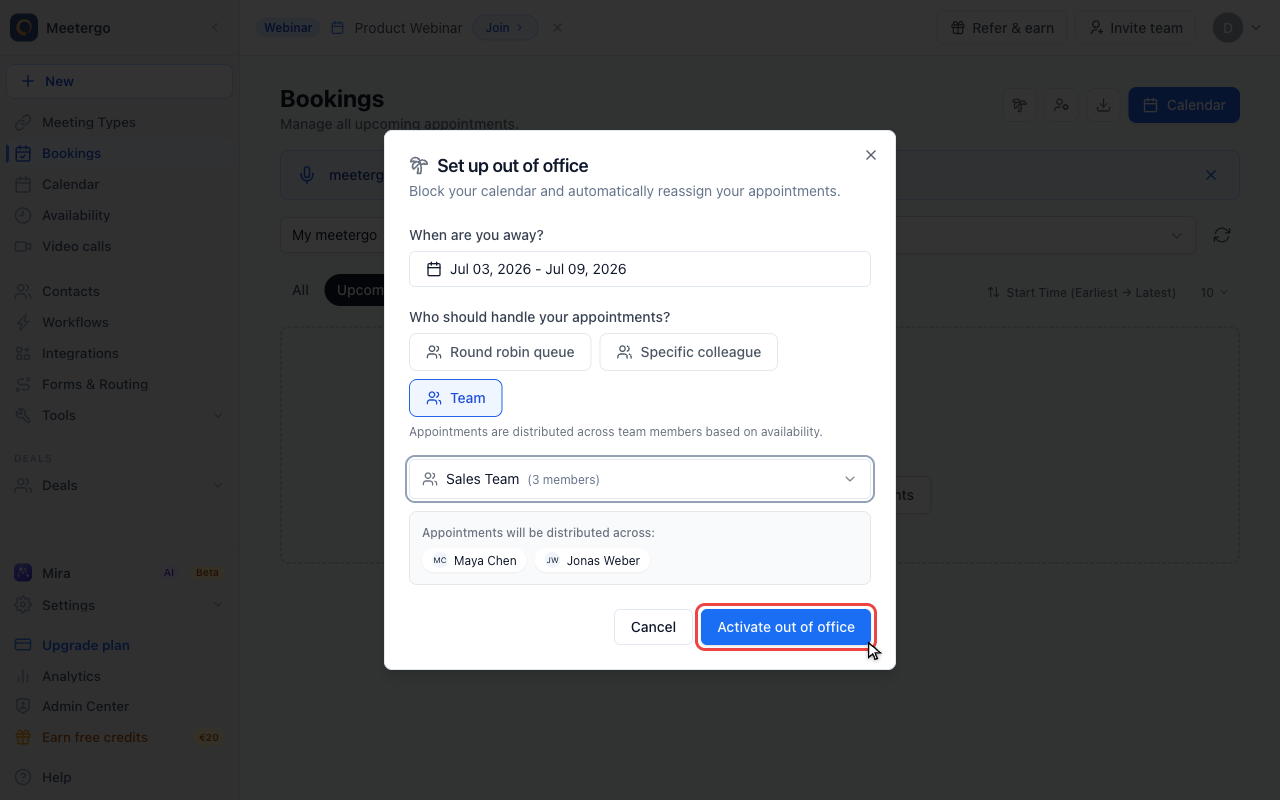
Activate after checking the setup
Click Activate out of office only after the date range and handoff strategy are correct.
What Happens When You Activate Out of Office
When you activate an out-of-office period, meetergo automatically:
- Reassigns your existing appointments to other team members during the absence period
- Removes you from all round robin queues so no new bookings are assigned to you
- Restores everything when your absence ends — you're automatically added back to your queues
This means you don't have to coordinate with colleagues or remember to update your settings — it all happens automatically.
How to Set Up Out of Office
- Go to Bookings in the left navigation
- Click the palm tree icon 🌴 in the top-right corner
- Choose your absence period using the date range picker
- Select who should handle your appointments (see below)
- Click Activate out of office
Choosing a Handoff Strategy
You have three options for how your appointments are redistributed:
| Strategy | How it works | Best for |
|---|---|---|
| Round robin queue | Appointments are distributed across other members of your round robin queues based on their availability | Teams using round robin scheduling |
| Specific colleague | All your appointments go to one designated person | When you have a dedicated backup |
| Team | Appointments are distributed across members of a selected workspace/team | Spreading the load across a group |
If you use round robin scheduling, the Round robin queue strategy is usually the best choice — it respects existing queue membership and distributes appointments based on real-time availability.
The Out-of-Office Banner
Once activated, a banner appears at the top of your Bookings page showing:
- Your out-of-office status (Scheduled or Active)
- The absence period
- How many appointments were reassigned
When an admin views another user's appointments (via the scope picker), they can also see that user's out-of-office status.
Ending Out of Office Early
If you return earlier than planned:
- Go to Bookings
- Click End early on the out-of-office banner
This immediately:
- Restores your round robin queue memberships
- Allows new bookings to be assigned to you again
Ending early restores your queue memberships but does not undo appointment reassignments that already happened. Those appointments stay with the new hosts.
Scheduled vs. Active Status
| Status | Meaning |
|---|---|
| Scheduled | The out-of-office period is in the future. Your queues and appointments haven't been modified yet. |
| Active | The out-of-office period has started. Your appointments have been reassigned and you've been removed from queues. |
If you set a start date in the future, the out-of-office is created as Scheduled and automatically activates when the start date arrives.
If you set a start date that is today or in the past, it activates immediately.
Out of Office vs. Manual Handoff
| Out of office | Manual handoff (Reassign wizard) | |
|---|---|---|
| Queue management | Automatically removes and restores you from round robin queues | Does not change queue membership |
| New bookings | Automatically prevented (removed from queues) | Still possible unless you manually block availability |
| Automation | Fully automated — set and forget | Requires manual steps for queue removal and availability blocking |
| Scope | Only your own appointments | Admin can reassign any user's appointments |
Use out of office when you're planning an absence in advance. Use the manual handoff wizard when an admin needs to quickly reassign someone else's appointments.
FAQ
Can I have multiple out-of-office periods at the same time?
No. You can only have one active or scheduled out-of-office period at a time. If you need to change the dates, cancel the current one first and create a new one.
What happens to new bookings during my absence?
Since you're removed from all round robin queues, new bookings are automatically distributed to other queue members. You won't receive any new appointments.
Can an admin cancel my out of office?
Yes. Organization admins can cancel any team member's out-of-office period.
What if there are no other members in my queue?
If you're the only person in a round robin queue, removing you means that queue has no available hosts. The booking page for that meeting type will show no availability until you return or someone else is added to the queue.
Do attendees get notified about the reassignment?
Yes. When appointments are reassigned, attendees receive an email with the updated host information, just like with a manual handoff.
What happens when the out-of-office period ends?
meetergo automatically restores your round robin queue memberships. You'll start receiving new bookings again immediately.
Related Articles
Was this article helpful?
Let us know if this article answered your questions.