
Why Are New Appointments Not Appearing in My Calendar?
Troubleshoot new meetergo appointments missing from your calendar by checking calendar sync settings and the connection status.
If you've noticed that your new meetergo appointments aren't showing up in your calendar, you're in the right place. This article will help you troubleshoot calendar sync issues and ensure your appointments appear where you need them.
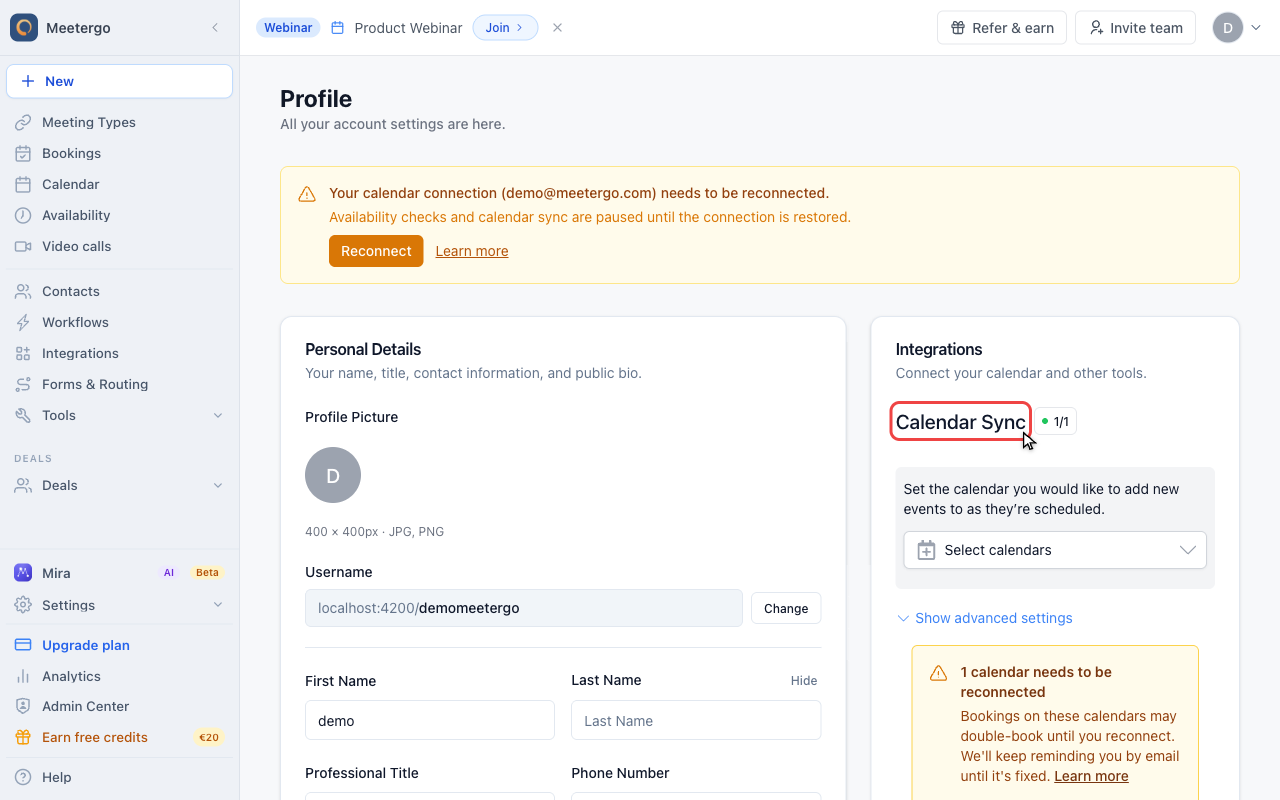 1 / 4
1 / 4Calendar Sync controls which connected account meetergo uses for new bookings.
Check calendar sync
Find Calendar Sync
Calendar Sync controls which connected account meetergo uses for new bookings.
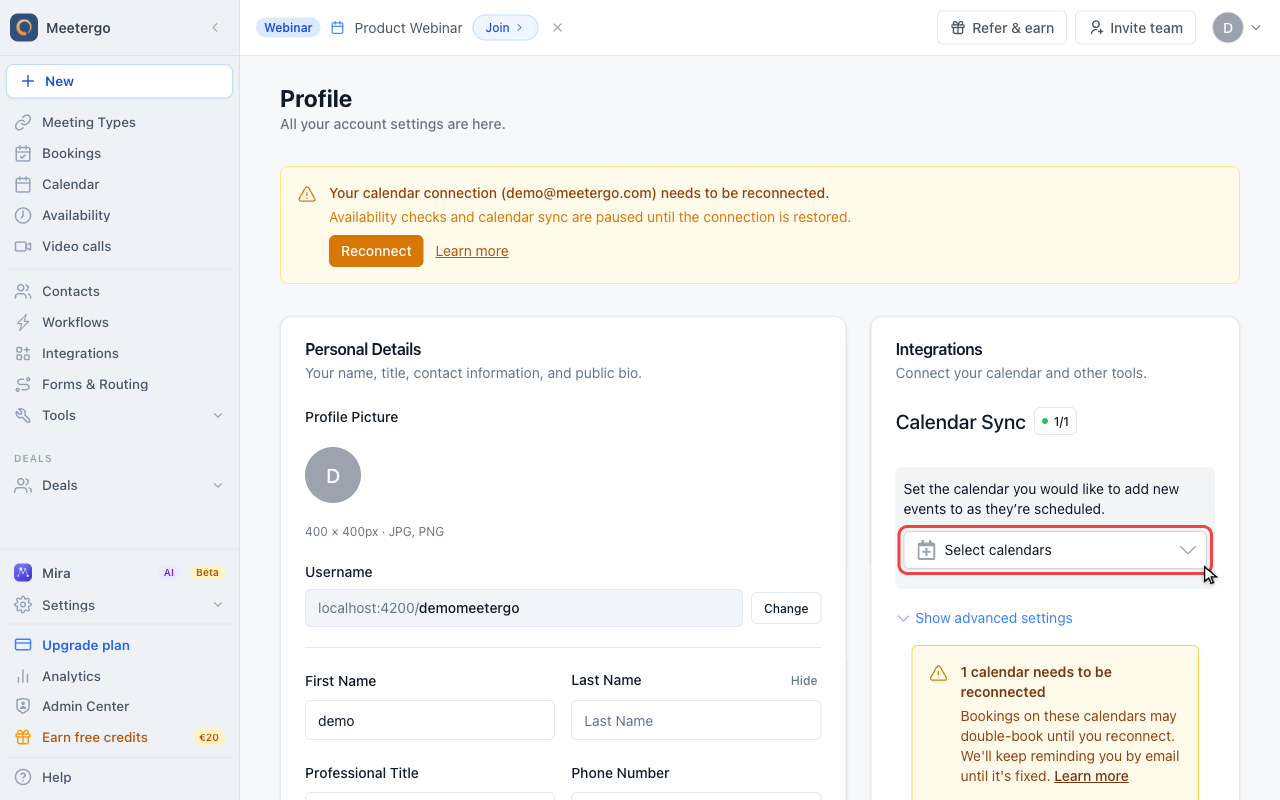
Open the account selector
Open the selector to see which connected calendar accounts are available for new bookings.
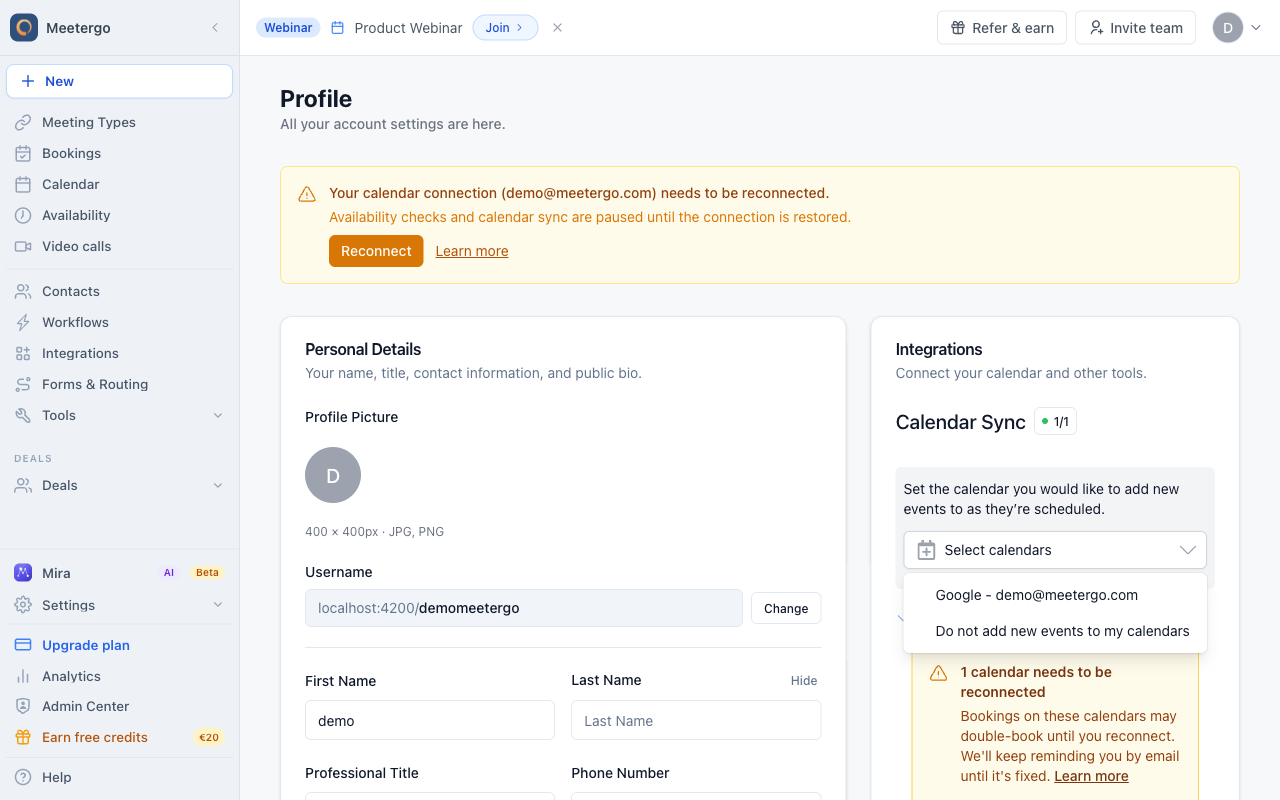
Confirm the account
If the list is empty or the wrong account is selected, new appointments may not be written to the calendar you expect.
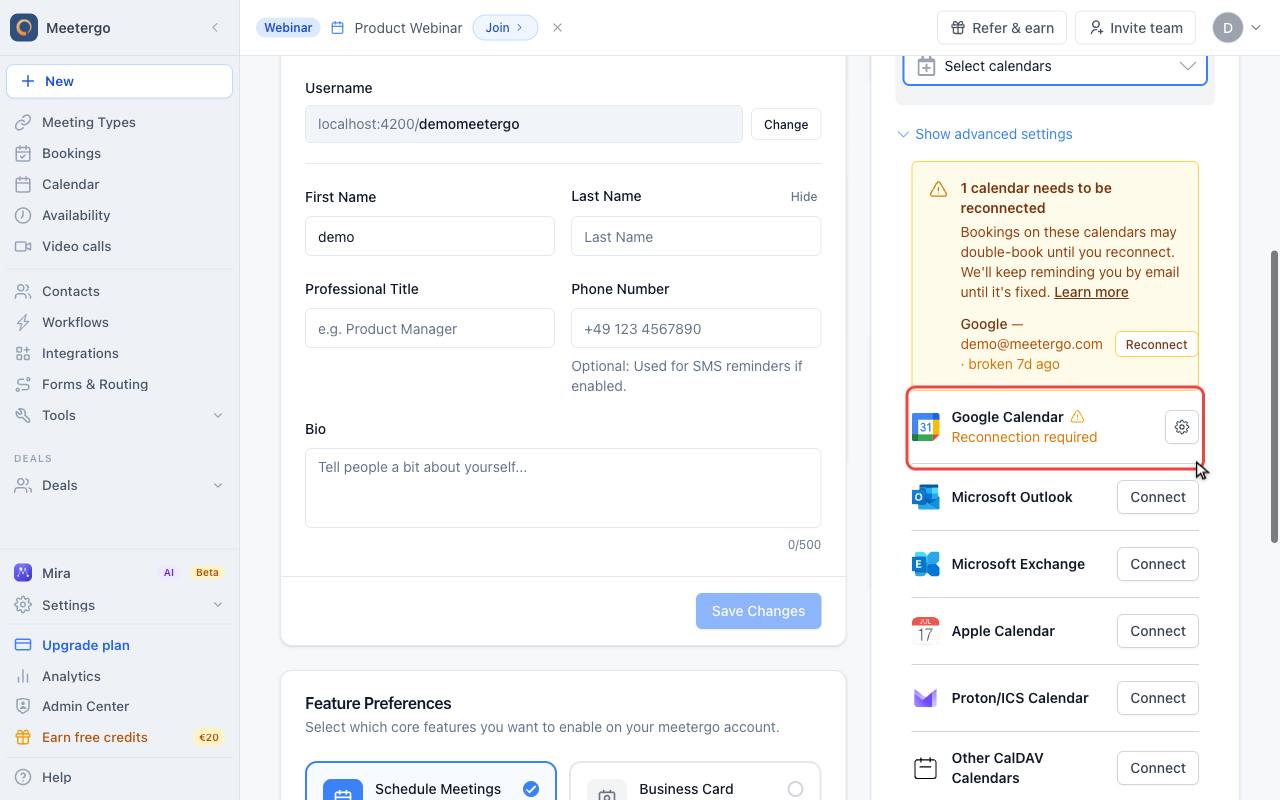
Check the calendar connection
Find the connected calendar
The integrations list shows whether the calendar account is connected or needs to be reconnected.
Check the destination calendar
Calendar Sync selects the connected account that receives new meetergo bookings. For Outlook, Main Calendar selects the calendar inside that account where meetergo writes them.
Open the settings for the selected Outlook connection and confirm that Main Calendar points to the calendar you are viewing in Outlook.
Enabled Calendars has a different purpose. It controls which Outlook calendars meetergo reads to find conflicts. It does not control where new bookings are written.
A Main Calendar does not have to be listed under Enabled Calendars. This write-only setup is supported. New bookings are still written to the Main Calendar, but events from that calendar are not read for conflict checks.
What to check
If a new booking is missing from your external calendar, check that:
- The intended account is selected under Calendar Sync
- The calendar you are viewing is selected as Main Calendar for that connection
- The connection is active and does not need to be reconnected
- After reconnecting the same account, Calendar Sync and Main Calendar still show the intended destination
- After switching accounts, you selected the new Calendar Sync account and its Main Calendar
meetergo creates the external event as part of the booking. If it is missing, recheck the selected destination and connection instead of waiting for a delayed sync.
FAQ
Why are my old appointments not showing in my calendar?
meetergo's calendar sync only applies to appointments created after you select the Calendar Sync account and destination calendar. Existing appointments are not added retroactively. Add any affected appointment to your external calendar manually from its confirmation page.
Which calendar services can I connect to meetergo?
For information about supported calendar services and how to connect them, please check our help center.
Can I sync appointments to multiple calendars?
meetergo writes new bookings to one Main Calendar at a time. You can enable multiple calendars for conflict checks because Enabled Calendars is independent from the write destination.
Why did my calendar sync suddenly stop working?
Calendar syncing may stop if
- Your calendar service connection expired or was revoked
- You changed your calendar service password
meetergo will send you a notification whenever your calendar connection is lost, so you'll know immediately if there's an issue that needs fixing.
If sync suddenly stops working, reconnect the calendar service in your profile settings. When reconnecting the same account, verify the saved Calendar Sync account and Main Calendar. When switching accounts, select the new account and its Main Calendar. Appointments created before this correction are not added retroactively.
Was this article helpful?
Let us know if this article answered your questions.
Related articles
- Booking Analytics and InsightsTrack booking performance with completed events, no-shows, conversion metrics, and team analytics
- Calendar View: Managing Appointments and AvailabilityNavigate the calendar, compare team schedules, create blockers, choose which event types and card rows are shown, colour appointments by meeting type, and show event titles from connected calendars instead of Private Event.
- Canceling a Booking as a HostCancel a scheduled booking as the host from the bookings list, add an optional reason, and notify the attendee automatically by email.
- Canceling a meetergo meeting as an attendeeCancel a booked meetergo appointment as an attendee using the cancellation link from your email, no login required.