
How to change meeting duration
Set a fixed duration or let attendees choose their preferred meeting length
You can easily change how long your meetings last. meetergo lets you set a fixed duration or offer multiple options so attendees can pick what works best for them.
 1 / 4
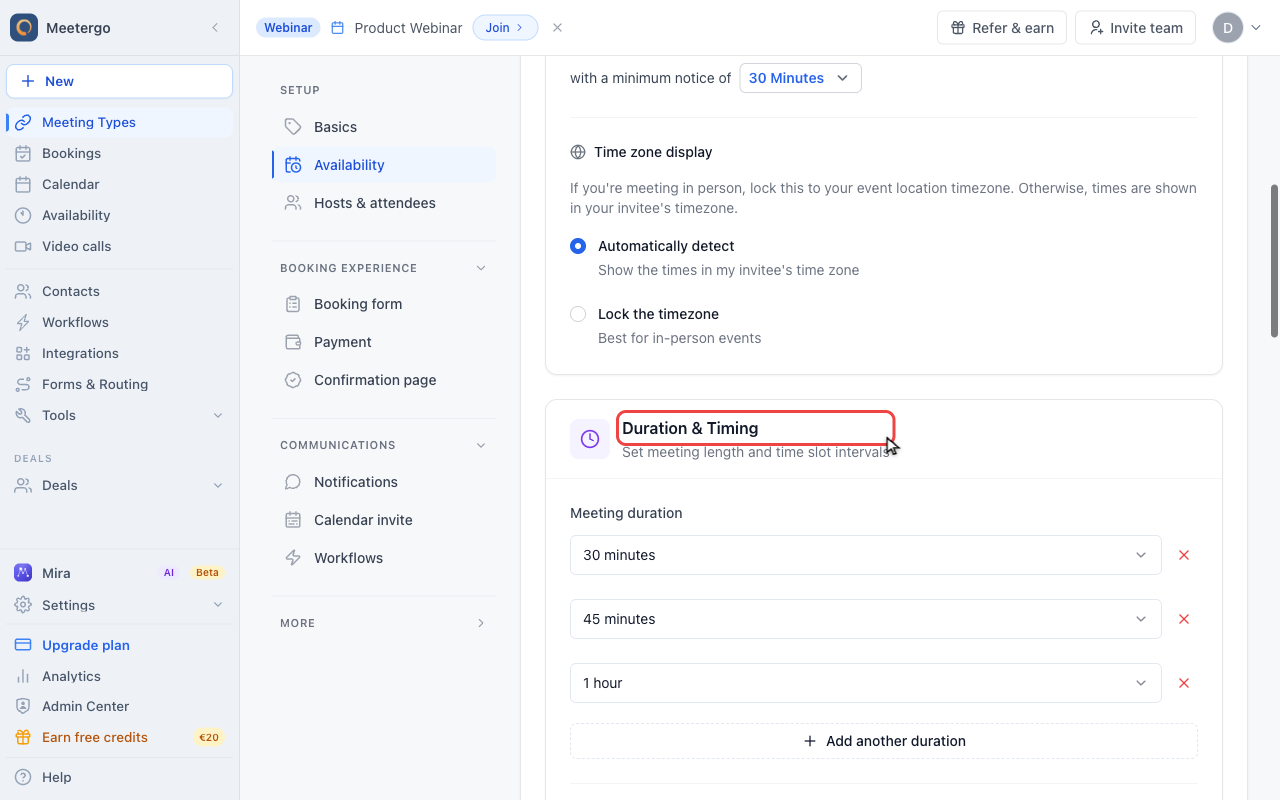
1 / 4Duration & Timing contains both the meeting length and the start-time interval shown on the booking page.
Open Availability
Find Duration & Timing
Duration & Timing contains both the meeting length and the start-time interval shown on the booking page.
Change meeting duration
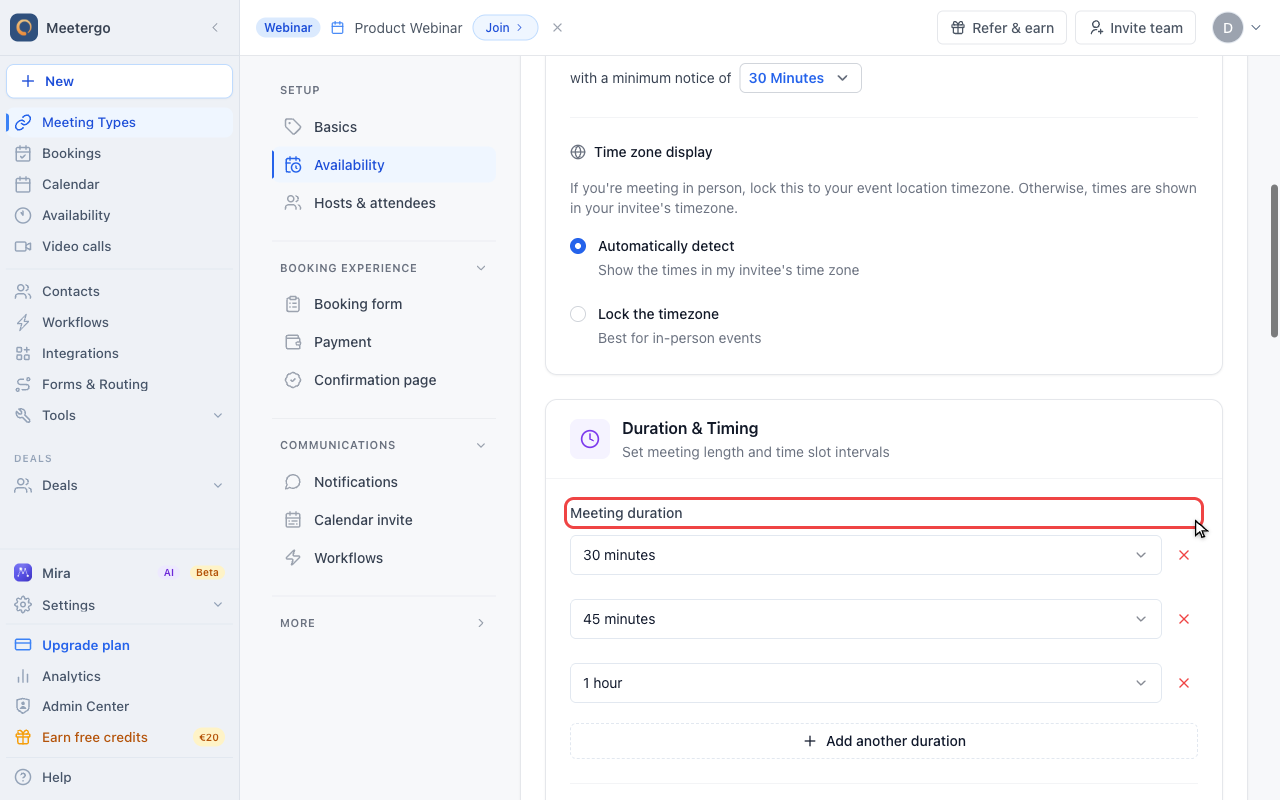
Find Meeting duration
Meeting duration controls how long a booked appointment lasts.
Open the duration dropdown
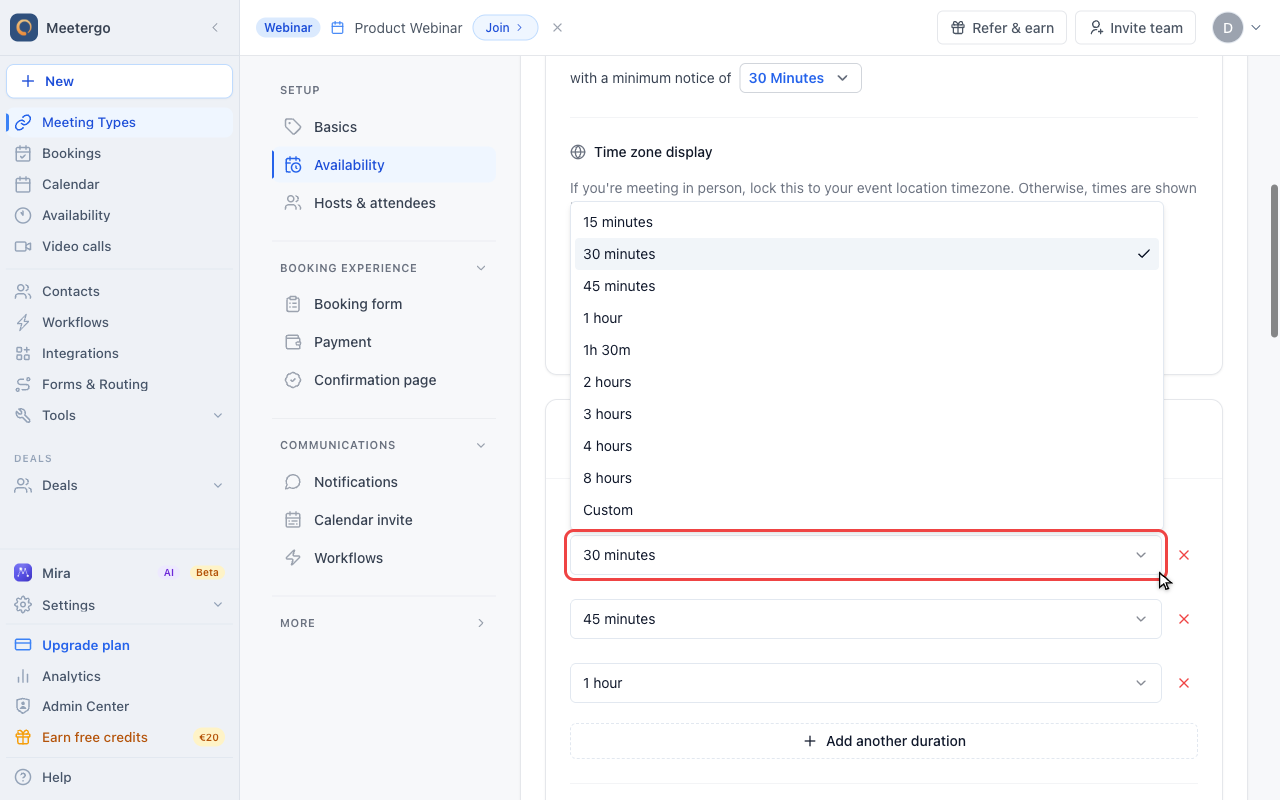
Open a duration dropdown to choose a common length or switch to a custom value.
Offer multiple durations
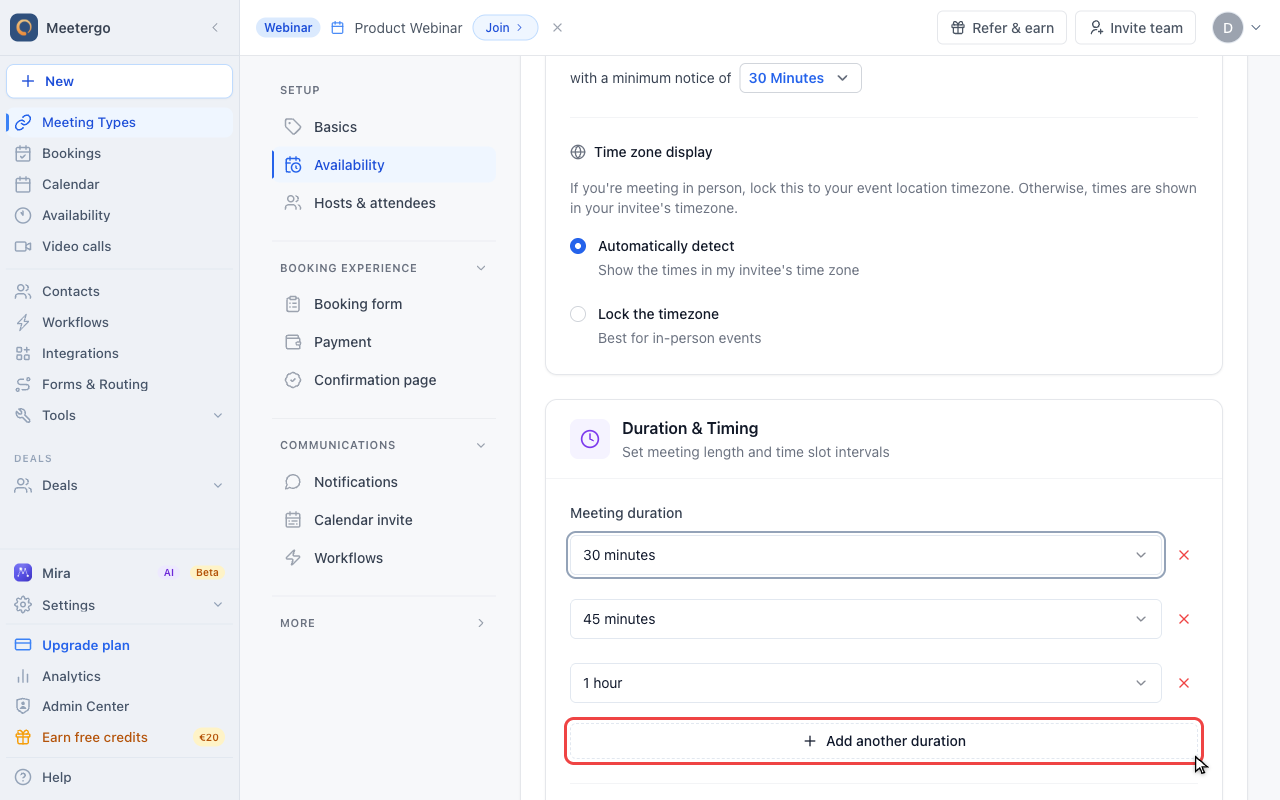
Offer another duration
Use Add another duration to let invitees choose between more meeting lengths.
Changing the duration
- Navigate to your Meeting Types
- Click on the meeting type you want to edit
- Go to the "Availability" tab
- Find the "Duration" setting
- Select your preferred duration from the dropdown (15, 30, 45, 60 minutes, etc.)
- Save your changes
Offering flexible durations
Instead of a fixed length, you can add more durations with Add another duration and let invitees pick one on the booking page. See Offer multiple meeting durations for the details, including the default duration and how the choice changes the slots on offer.
Common duration examples
| Meeting type | Suggested duration |
|---|---|
| Quick check-in | 15 minutes |
| Discovery call | 30 minutes |
| Consultation | 45-60 minutes |
| Product demo | 45-60 minutes |
| Coaching session | 60-90 minutes |
| Strategy meeting | 90-120 minutes |
Tips
If you offer flexible durations, consider setting different prices for different lengths using the payment integration.
Remember to adjust your buffer times if you change duration significantly. A 15-minute meeting might need less buffer than a 60-minute session.
FAQ
Does changing duration affect existing bookings?
No, changing the duration only affects new bookings. Existing appointments keep their original duration.
Can different meeting types have different durations?
Yes, each meeting type has its own duration settings. Your quick calls can be 15 minutes while your consultations are 60 minutes.
What's the maximum duration I can set?
You can set durations up to several hours. For very long meetings, consider whether a different format (like a workshop or event) might work better.
Was this article helpful?
Let us know if this article answered your questions.
Related articles
- Account Owner MatchingRoute round-robin bookings to the user who already owns the booker as a contact
- Allow or Disable Guest InvitationsControl whether attendees can add additional guests to their bookings
- Booking Confirmation: Why It Happens and How to Turn It OffFind out which setting makes attendees or hosts confirm a booking again, change the confirmation deadline, resend a confirmation email, and switch booking confirmation off for your whole company or a single meeting type.
- Booking questions and the booking button textAdd your own questions to the booking form, and change the booking button text: rename the Book now button, edit field labels, help text and placeholders, and find where the other text on your booking page comes from.