
How to Create a Booking Link Where Attendees Can Choose Their Host
Enable host selection on a round-robin meeting type so attendees pick a specific team member instead of the fastest available host.
Allow your clients to choose their preferred host when booking meetings with your team. This feature is perfect for consultants, medical practices, or any business where clients may prefer to work with specific team members.
 1 / 6
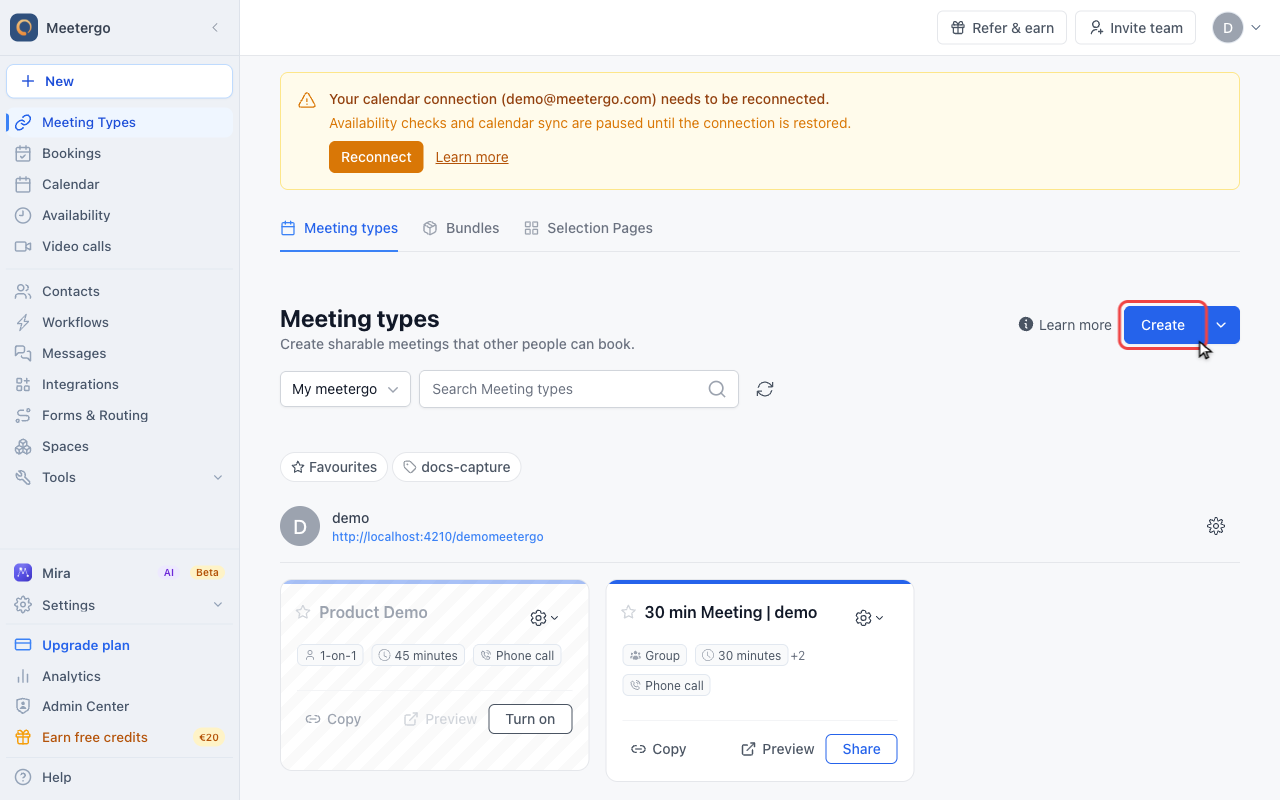
1 / 6Use Create to create a reusable meeting type for your team.
Create a team meeting type
Click Create
Use Create to create a reusable meeting type for your team.
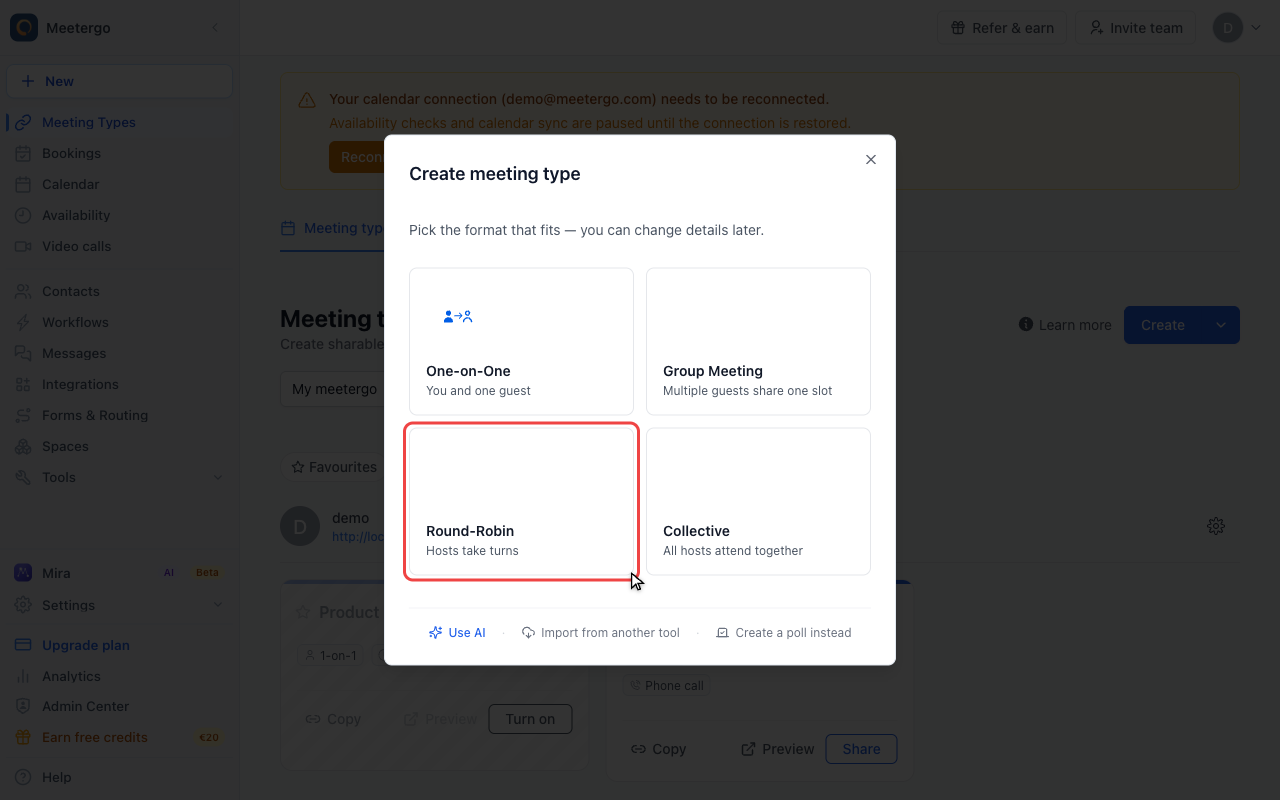
Choose Round-Robin
Round-Robin distributes bookings across the host pool and is the base for attendee host selection.
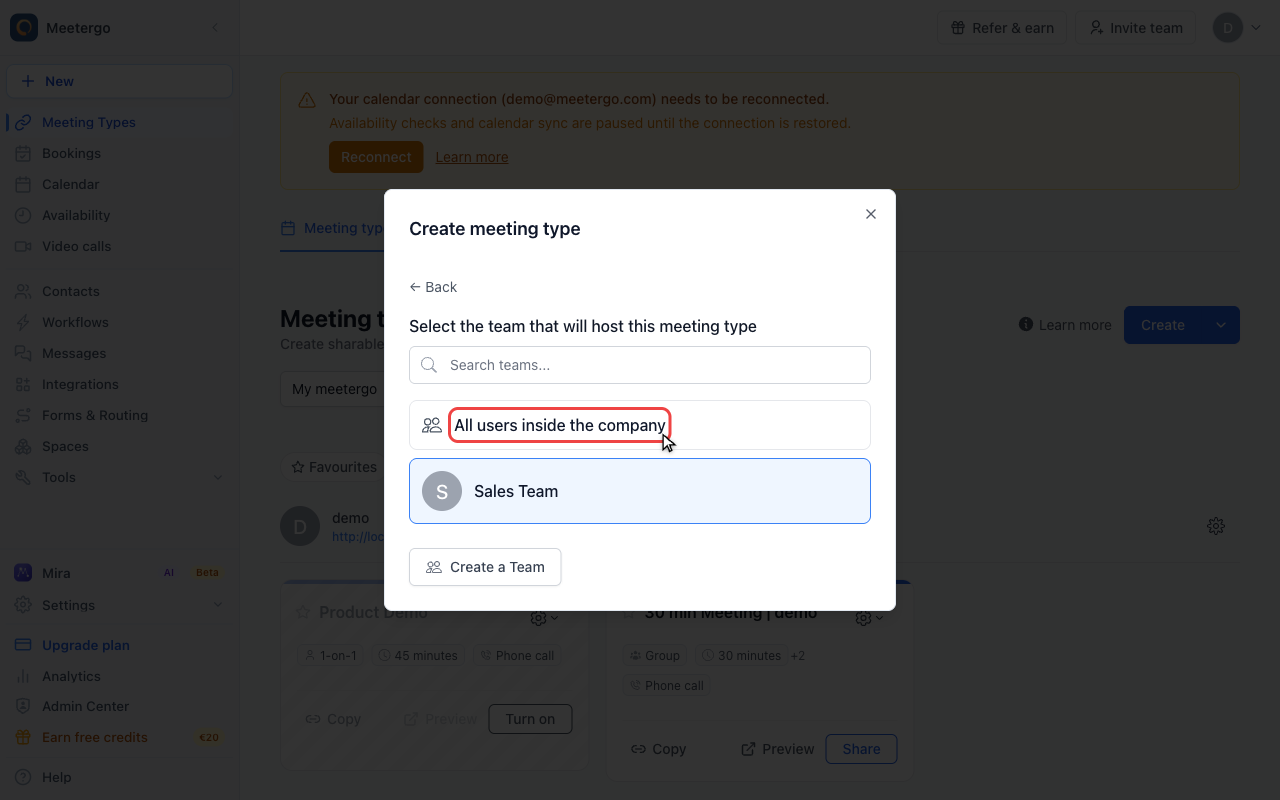
Select the team workspace
Choose the team or company scope that should own the booking link.
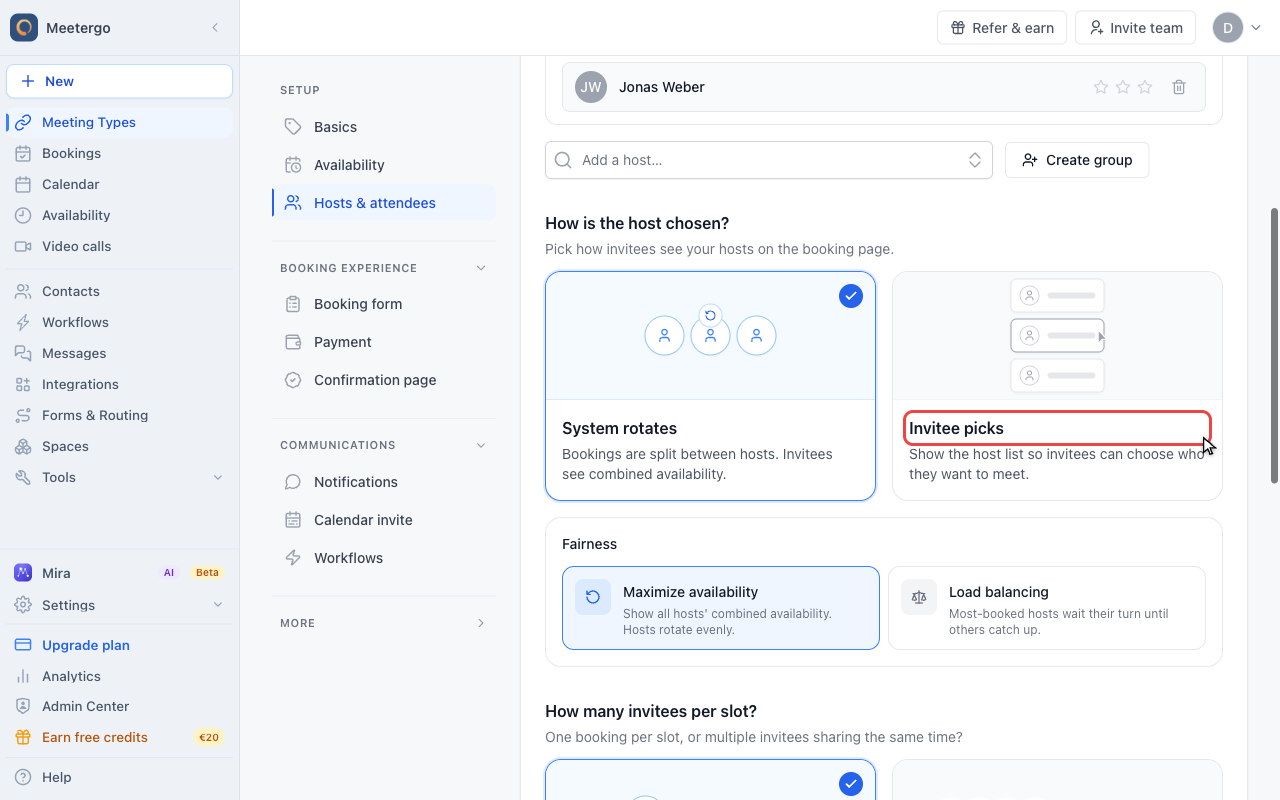
Enable host selection
Find host selection mode
Host selection mode controls whether attendees see the combined host availability or choose a person before selecting a time.
Enable host selection
Enable host selection when attendees should choose a specific host from the booking page.
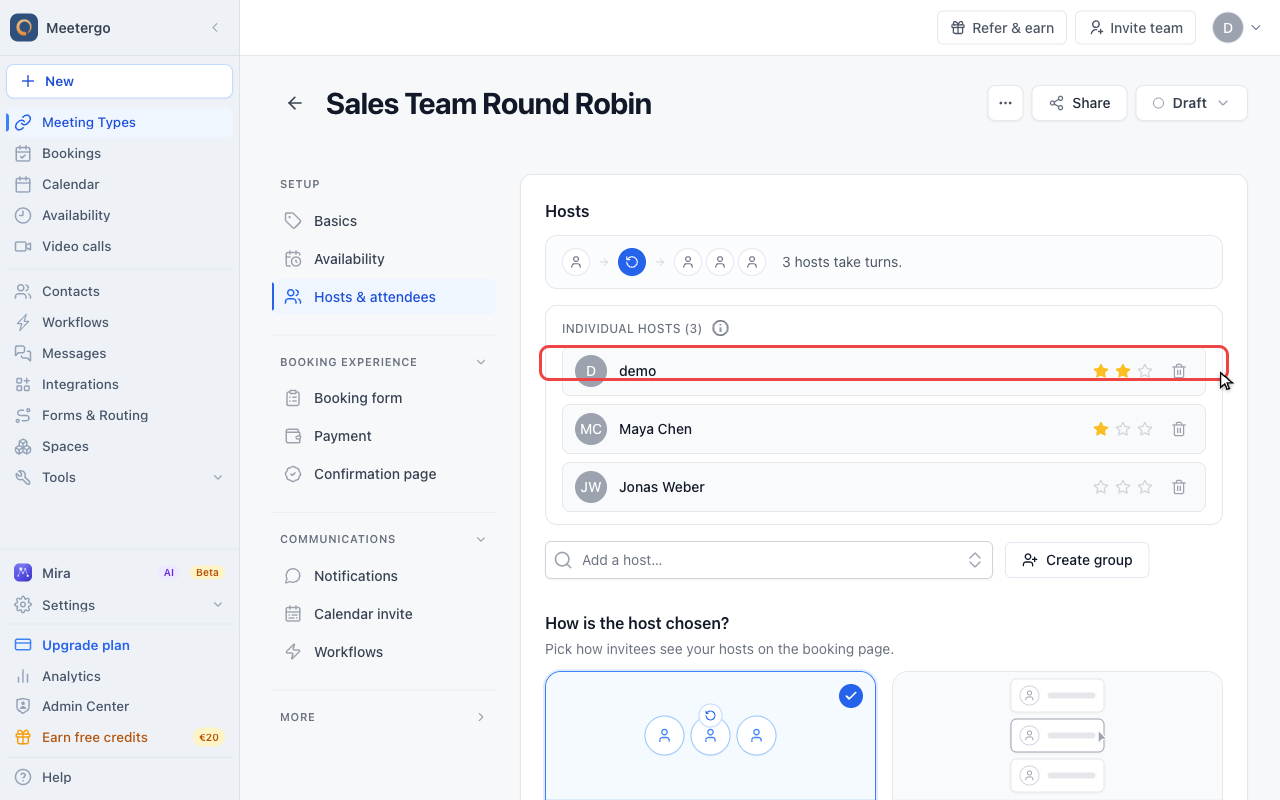
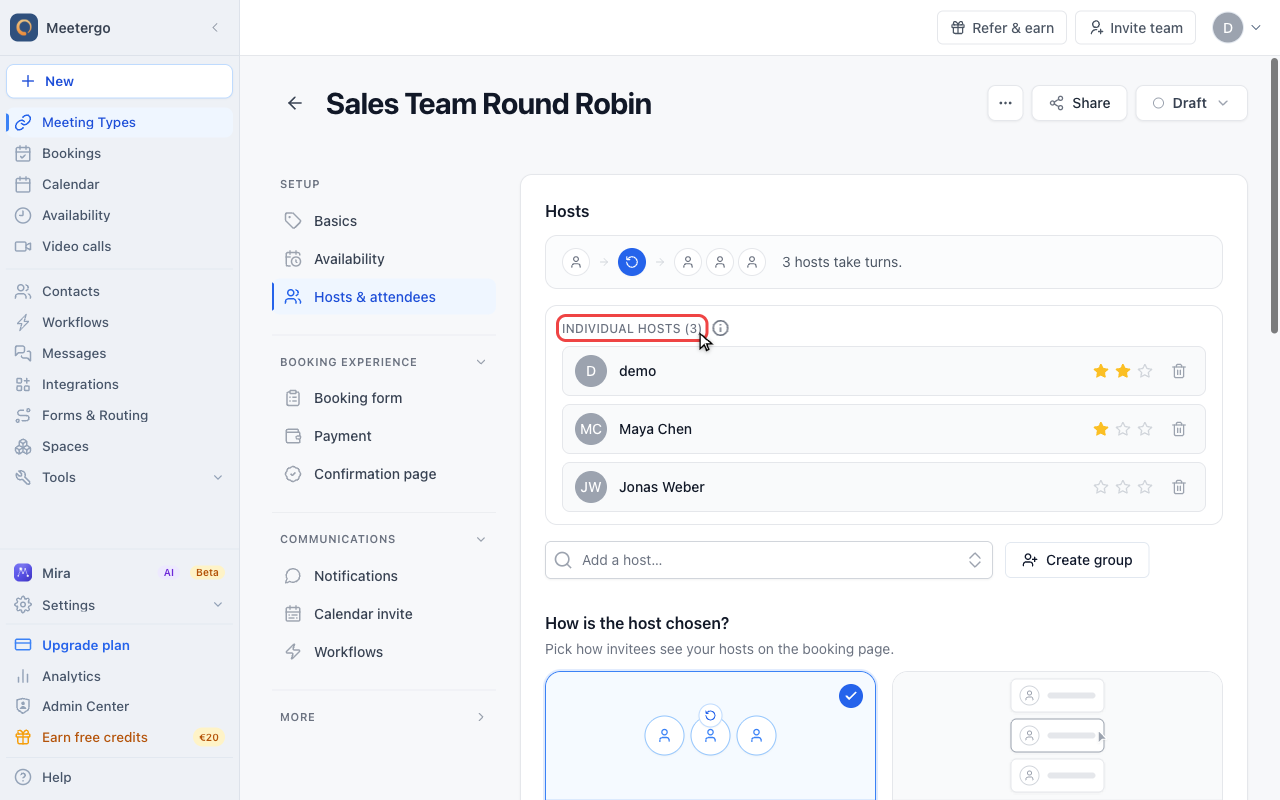
Review the host pool
Adjust the round-robin pool
Review the individual hosts in the round-robin pool. Only hosts in this pool can be chosen by attendees.
Host Selection Options
Require Host Selection
When enabled, this option makes host selection mandatory for bookings. Your clients must choose a specific host when scheduling a meeting.
When disabled, clients will see a "Fastest Available" option. Selecting this option means no specific host is chosen, and meetergo will assign hosts using round-robin logic to distribute meetings evenly.
FAQ
What happens if a host becomes unavailable?
If a host is removed from the host pool, any existing meetings with that host will remain scheduled. For future bookings, that host will no longer appear as an option.
Can I have different Meeting Types with different host pools?
Yes! You can create multiple team Meeting Types, each with its own unique host pool and settings.
How does round-robin scheduling work with host selection?
When clients choose "Fastest Available" instead of a specific host, meetergo distributes meetings using round-robin logic to ensure even distribution among available hosts.
Was this article helpful?
Let us know if this article answered your questions.
Related articles
- Account Owner MatchingRoute round-robin bookings to the user who already owns the booker as a contact
- Allow or Disable Guest InvitationsControl whether attendees can add additional guests to their bookings
- Booking Confirmation: Why It Happens and How to Turn It OffFind out which setting makes attendees or hosts confirm a booking again, change the confirmation deadline, resend a confirmation email, and switch booking confirmation off for your whole company or a single meeting type.
- Booking questions and the booking button textAdd your own questions to the booking form, and change the booking button text: rename the Book now button, edit field labels, help text and placeholders, and find where the other text on your booking page comes from.