
Limit Future Bookings
Set how far ahead your booking page offers slots, as a rolling day count, a fixed date range, or no limit
The booking window decides how far into the future your booking page offers slots. You find it in the meeting type editor under Availability, in the Booking Window card, and it takes one of three shapes: a rolling number of days, a fixed date range, or no limit at all. New meeting types start at 30 calendar days.
 1 / 15
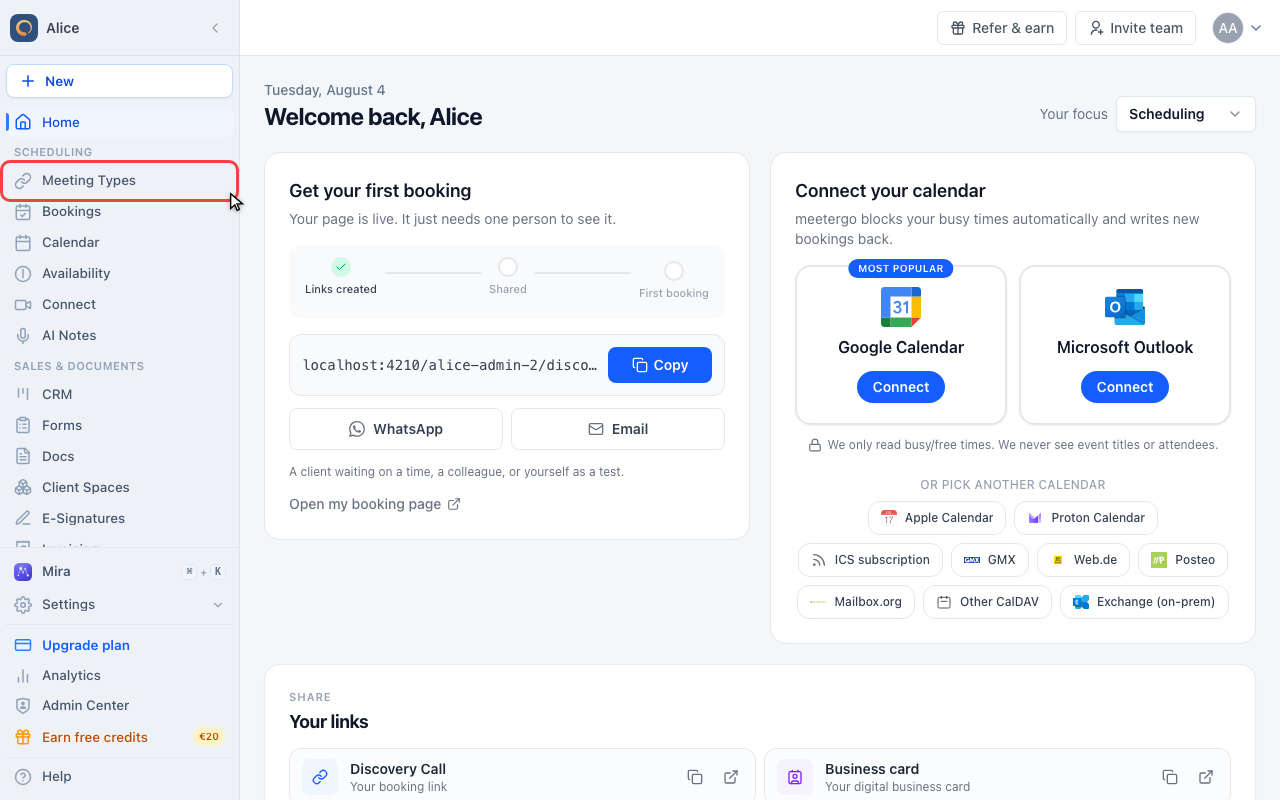
The booking window is set per meeting type, so start in Meeting types in the sidebar.
Open the booking window settings
Open Meeting types
The booking window is set per meeting type, so start in Meeting types in the sidebar.
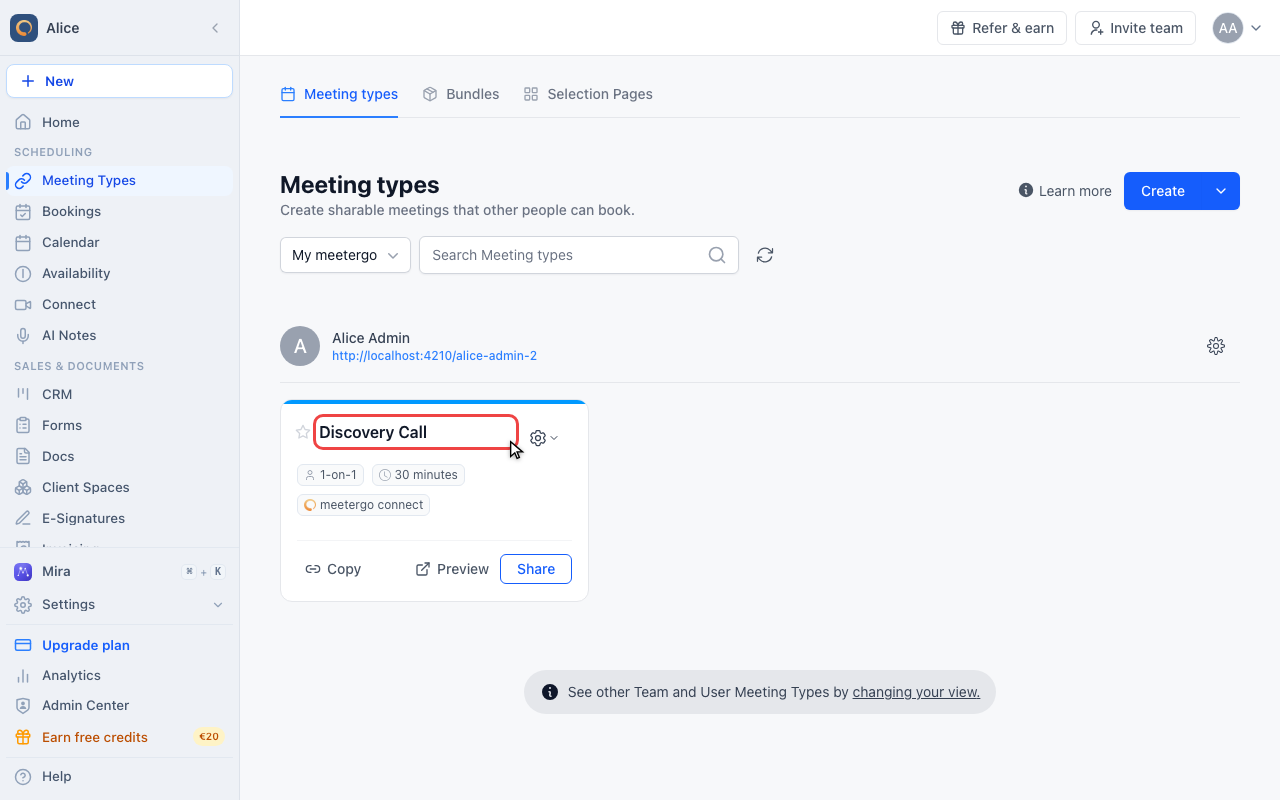
Open the meeting type you want to limit
Click the name of the meeting type. Each one carries its own booking window, and a duplicate copies the setting it was made from.
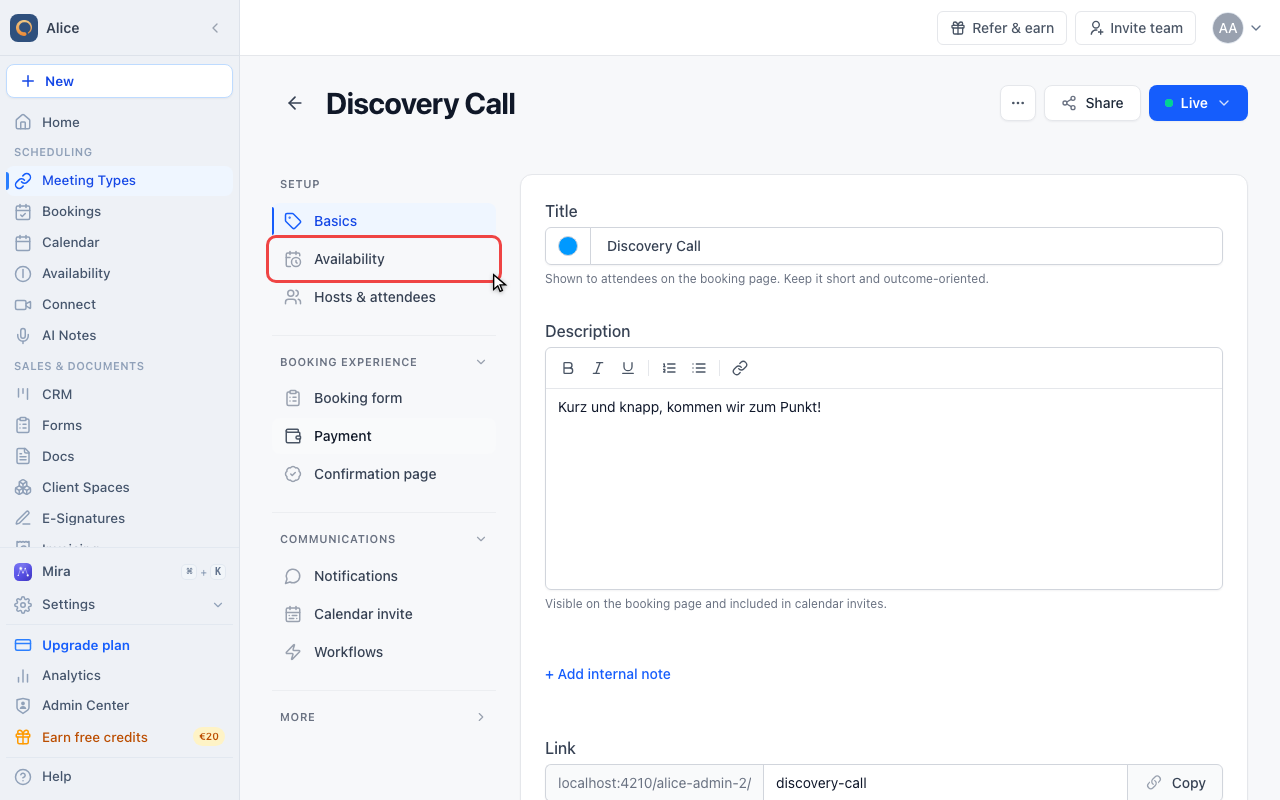
Click Availability
In the editor sidebar, Availability is the second entry under Setup. It holds everything about when people can book.
Find the Booking Window card
The first card on the page holds the date range, the time zone display, and the minimum notice.
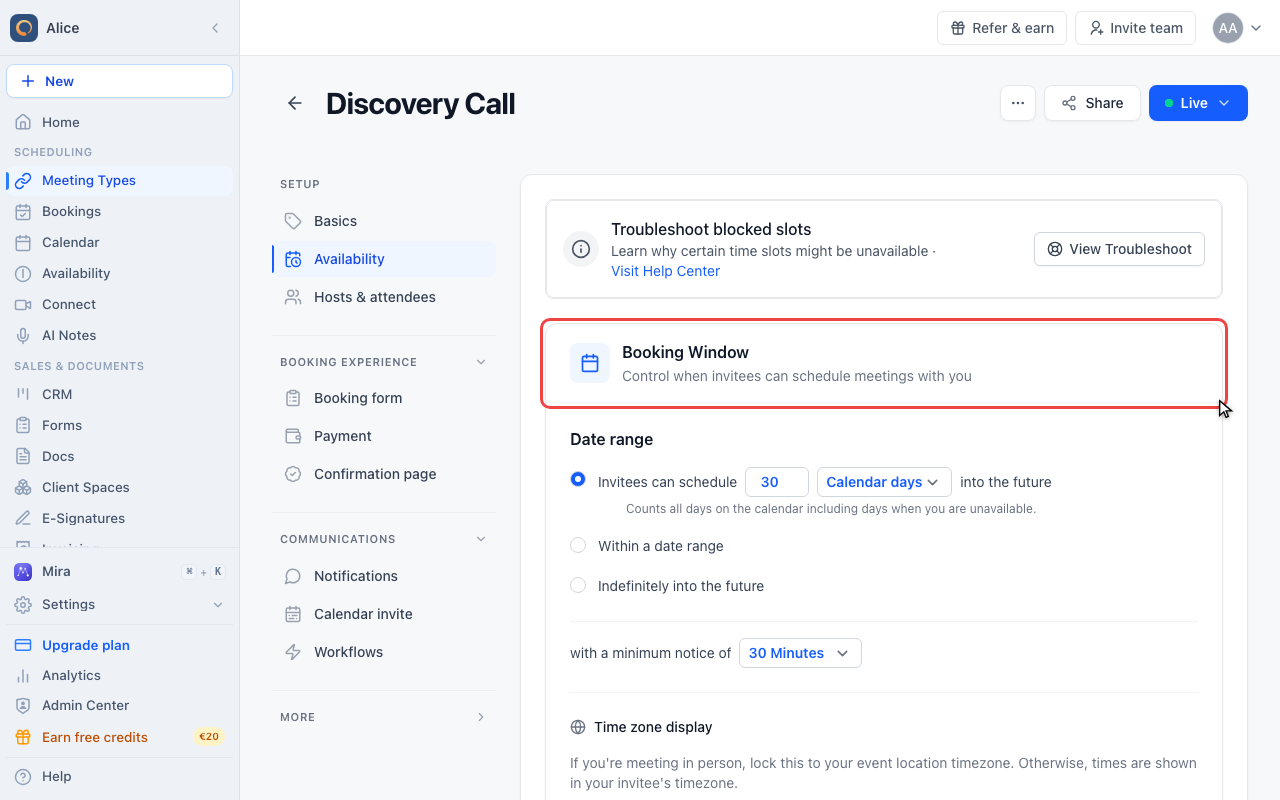
Limit how far ahead people can book
Read the three date range options
Date range offers exactly three choices, and only one of them can be active: a rolling number of days, a fixed date range, or no limit.
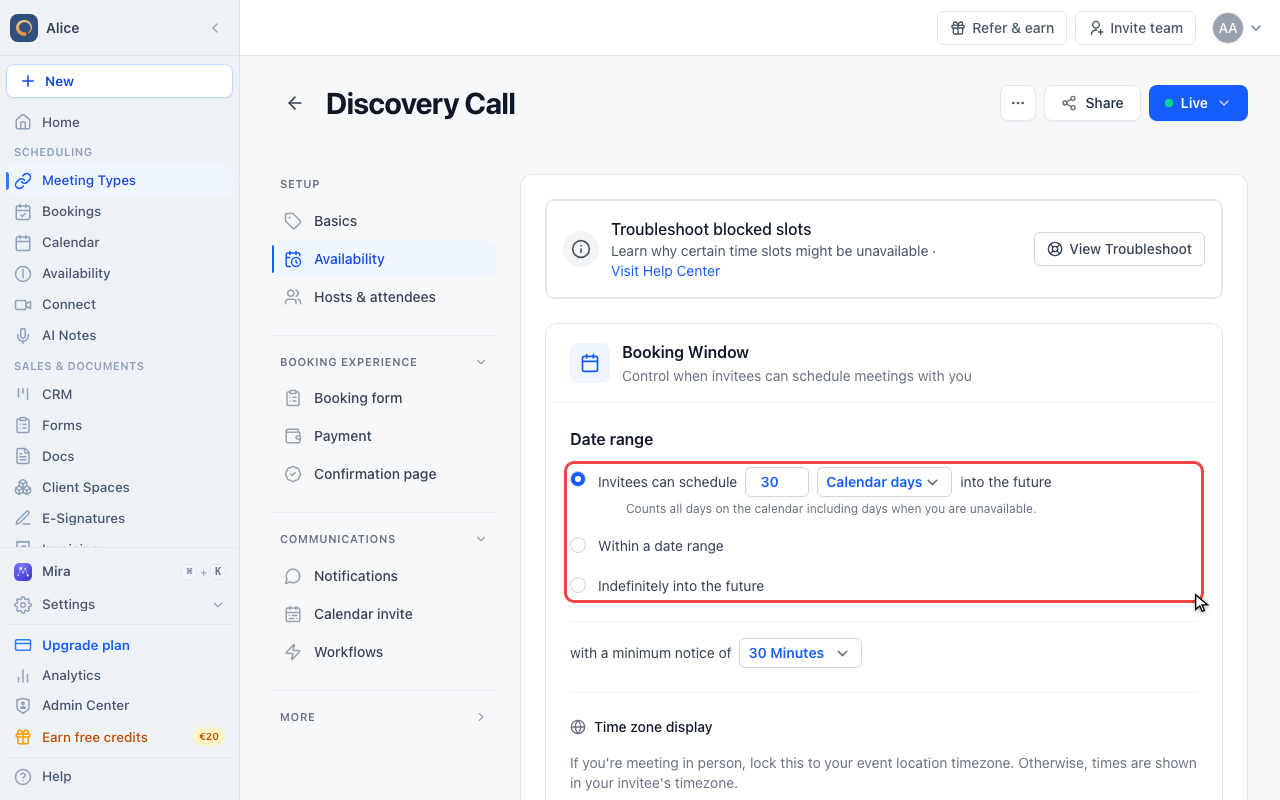
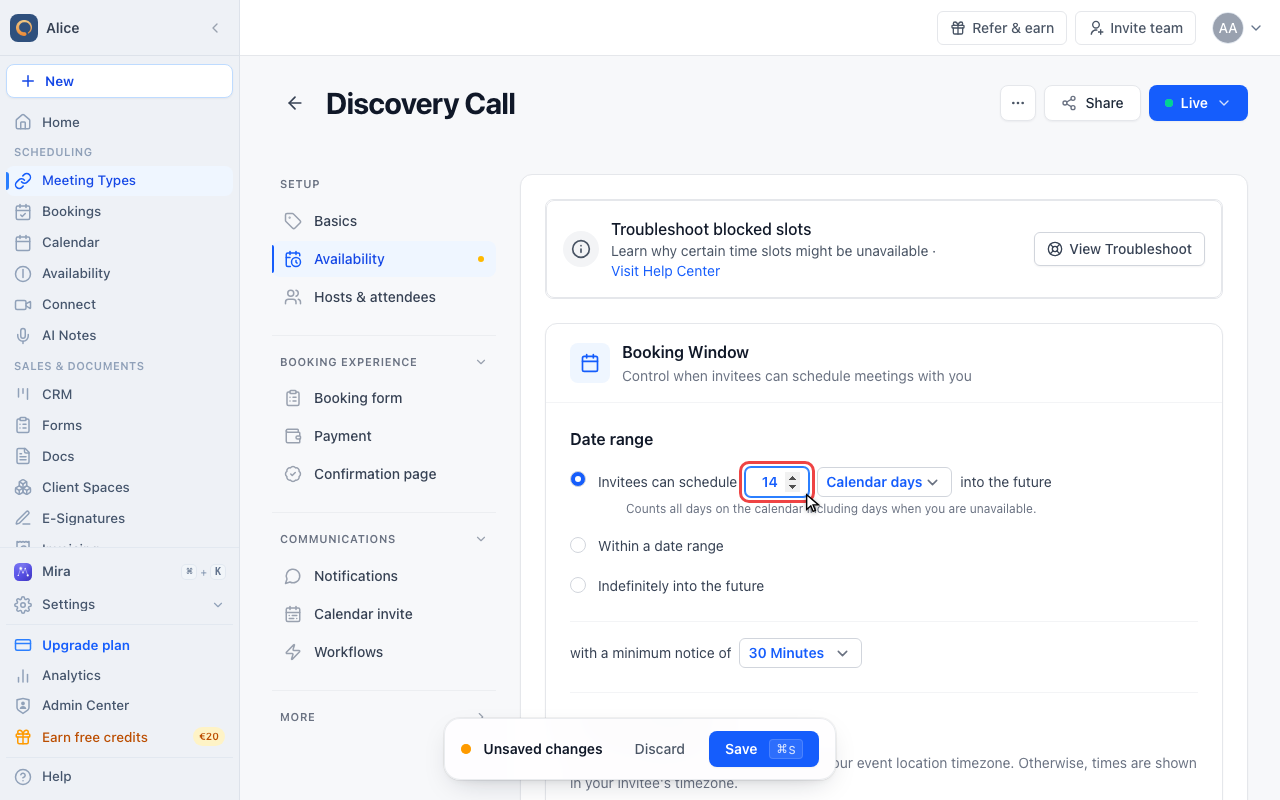
Enter how many days ahead people may book
The first option reads as a sentence: invitees can schedule this many days into the future. The window rolls forward with every day that passes, so a 14 here always means the next 14 days.
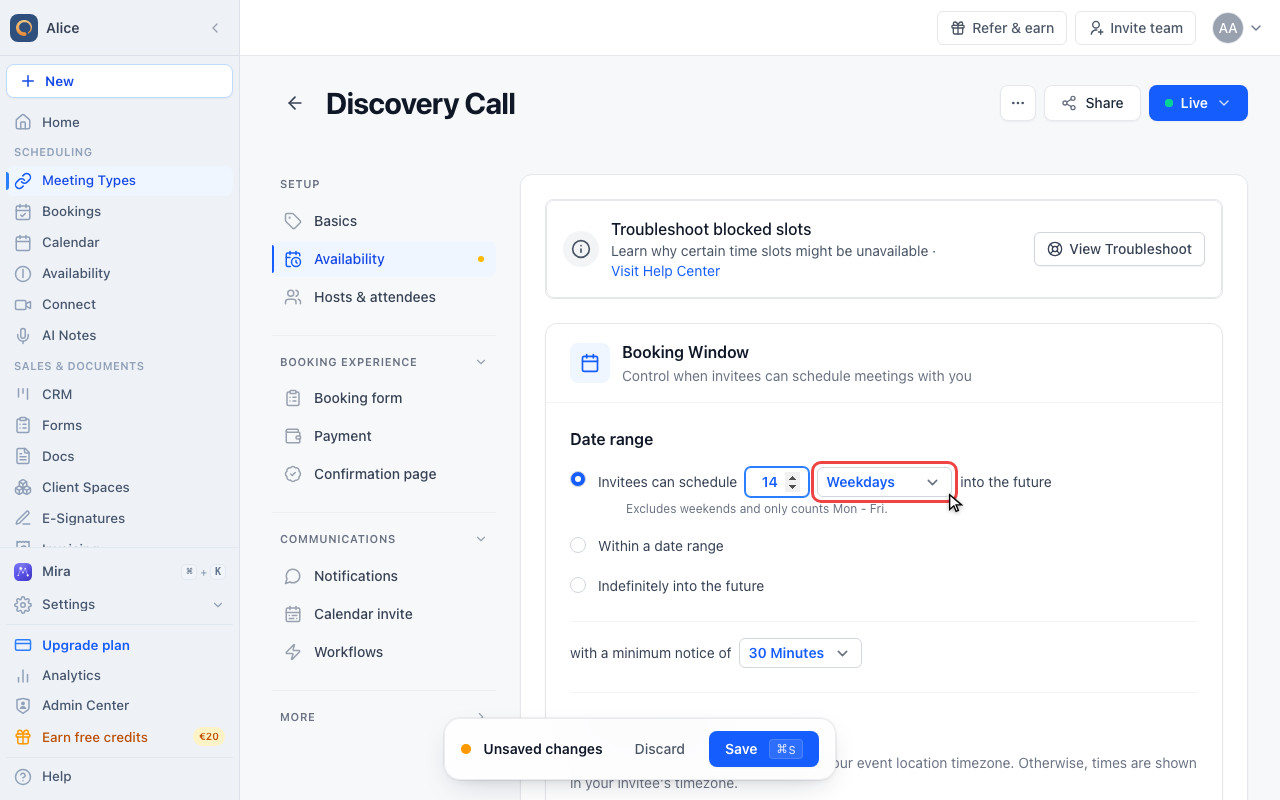
Choose whether weekends count
Switch the unit to Weekdays and the same 14 covers three calendar weeks, because Saturdays and Sundays are skipped. The line under the sentence always states which of the two is in force.
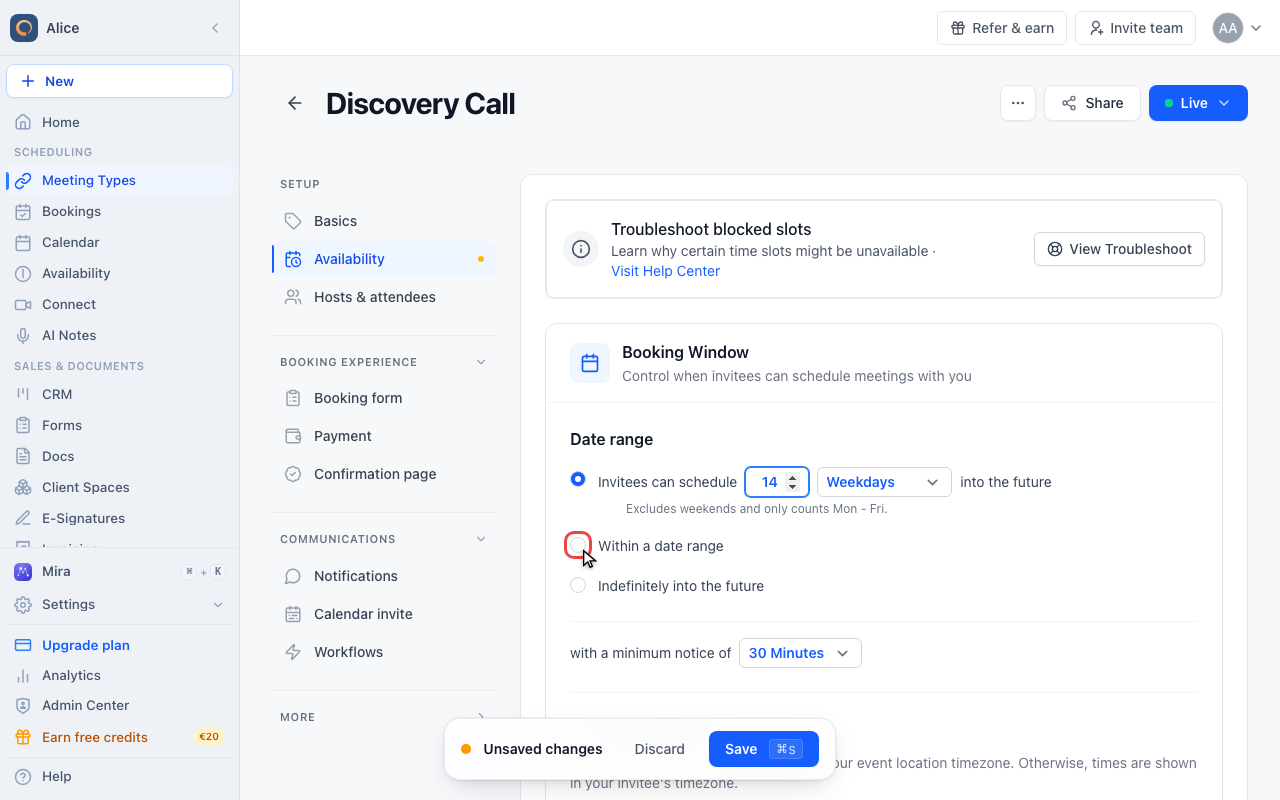
Book only inside a fixed date range
Switch to a fixed date range
The second option replaces the rolling window with two fixed dates. Use it for anything that runs between a start and an end: a fair, a course, a tax season.
Open the calendar
Both dates are required. Until you pick them the field warns you, and the meeting type keeps whatever window it had before.
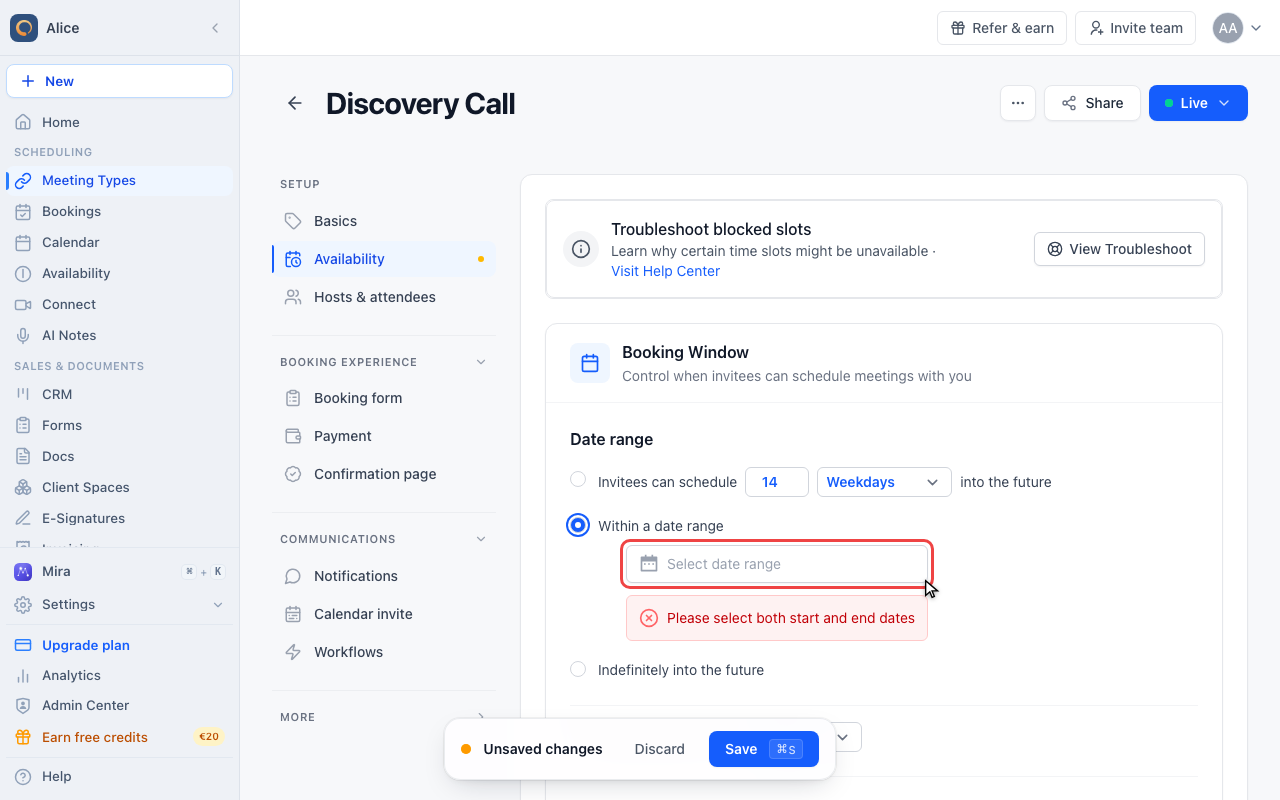
Click the last day
The first click sets the start, the second the end. The range under the calendar updates as you go.
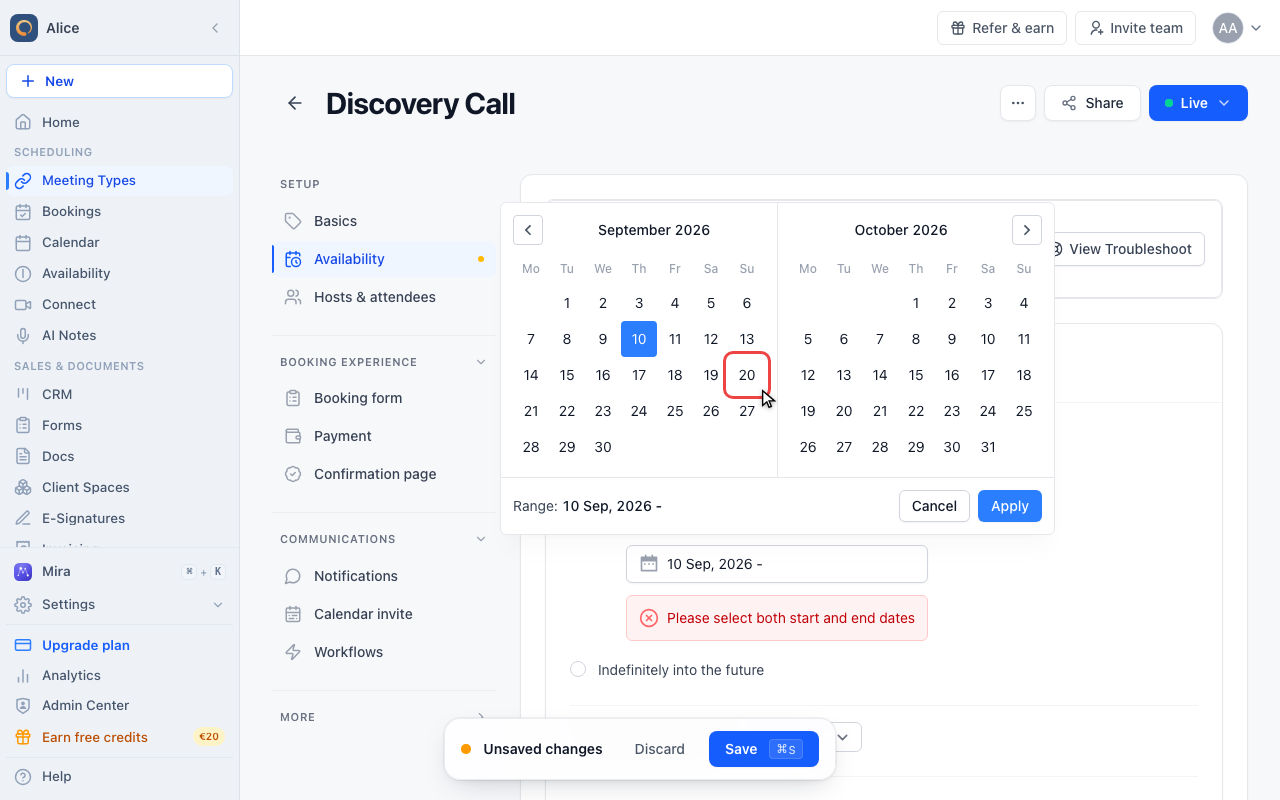
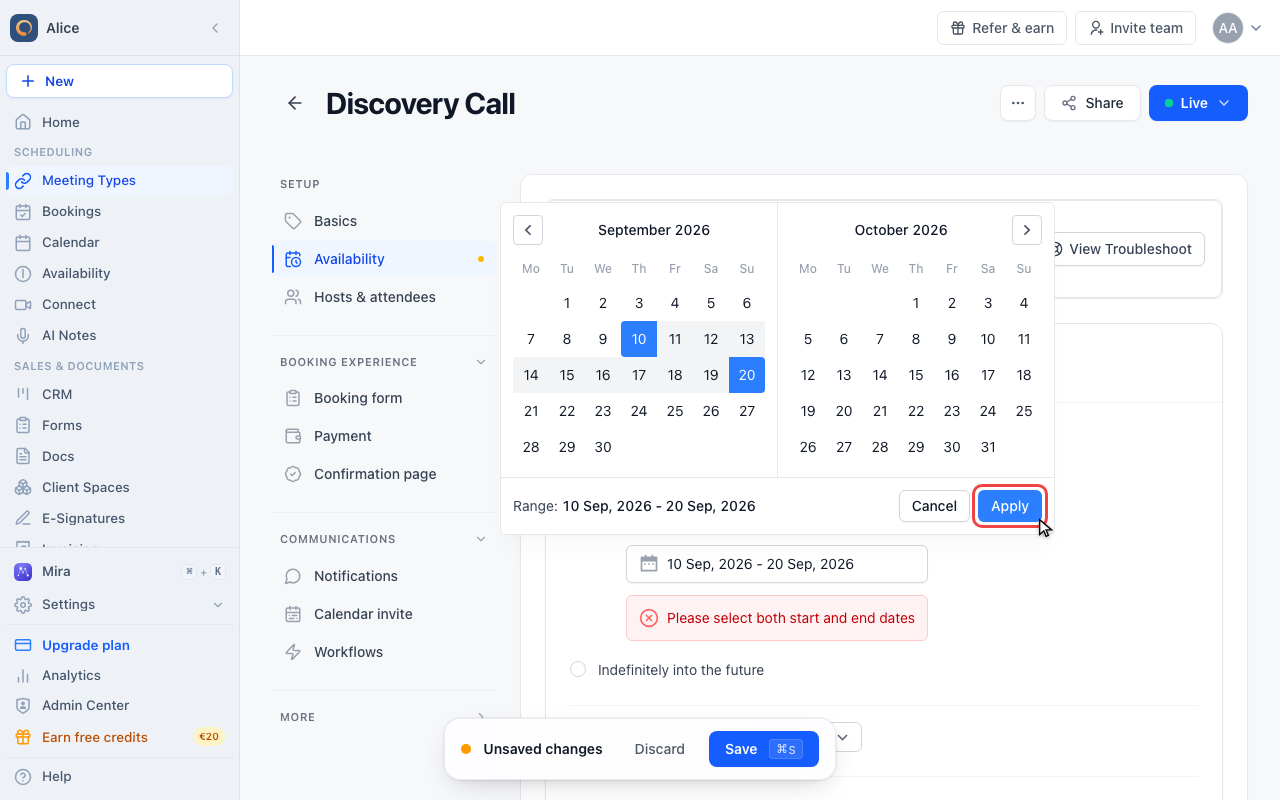
Apply the range
Apply closes the calendar and writes the dates into the field. Cancel discards them.
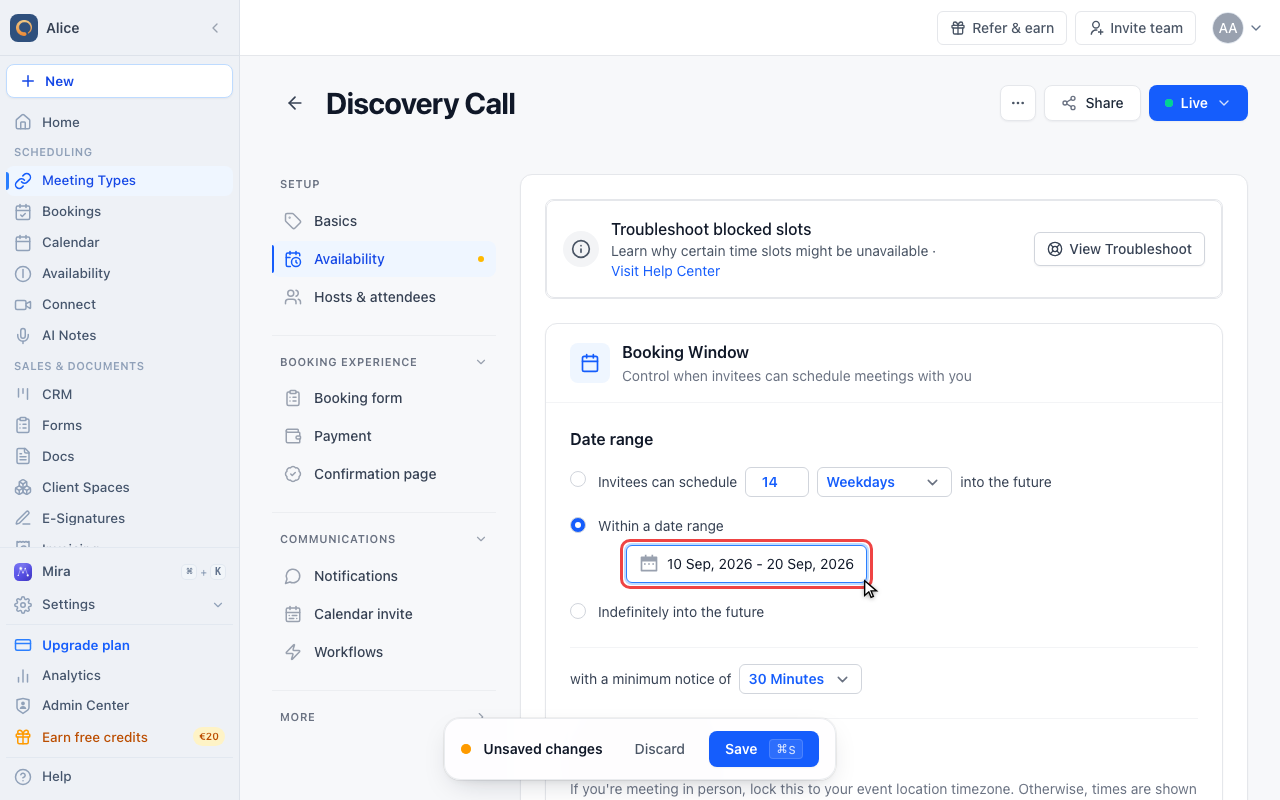
Check the dates on the field
The field now shows both dates. Booking opens on the first one and closes at the end of the last, and neither date moves on its own.
Remove the limit
Allow booking indefinitely
The third option drops the upper bound. In practice the booking page still stops about two years out, which is as far ahead as availability is calculated.
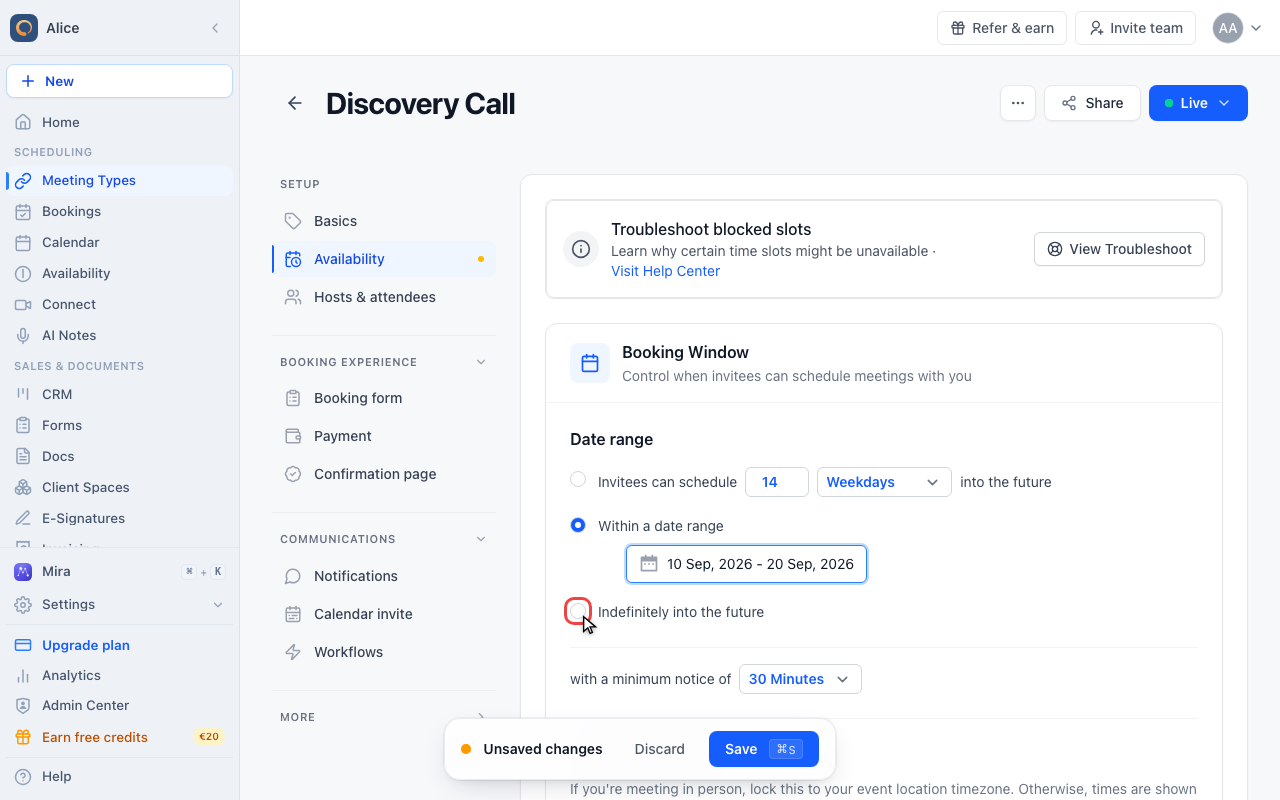
Save the booking window
Set the minimum notice
The same card closes the near end of the window. Minimum notice blocks slots that are too soon, so the two settings together define the whole bookable stretch.
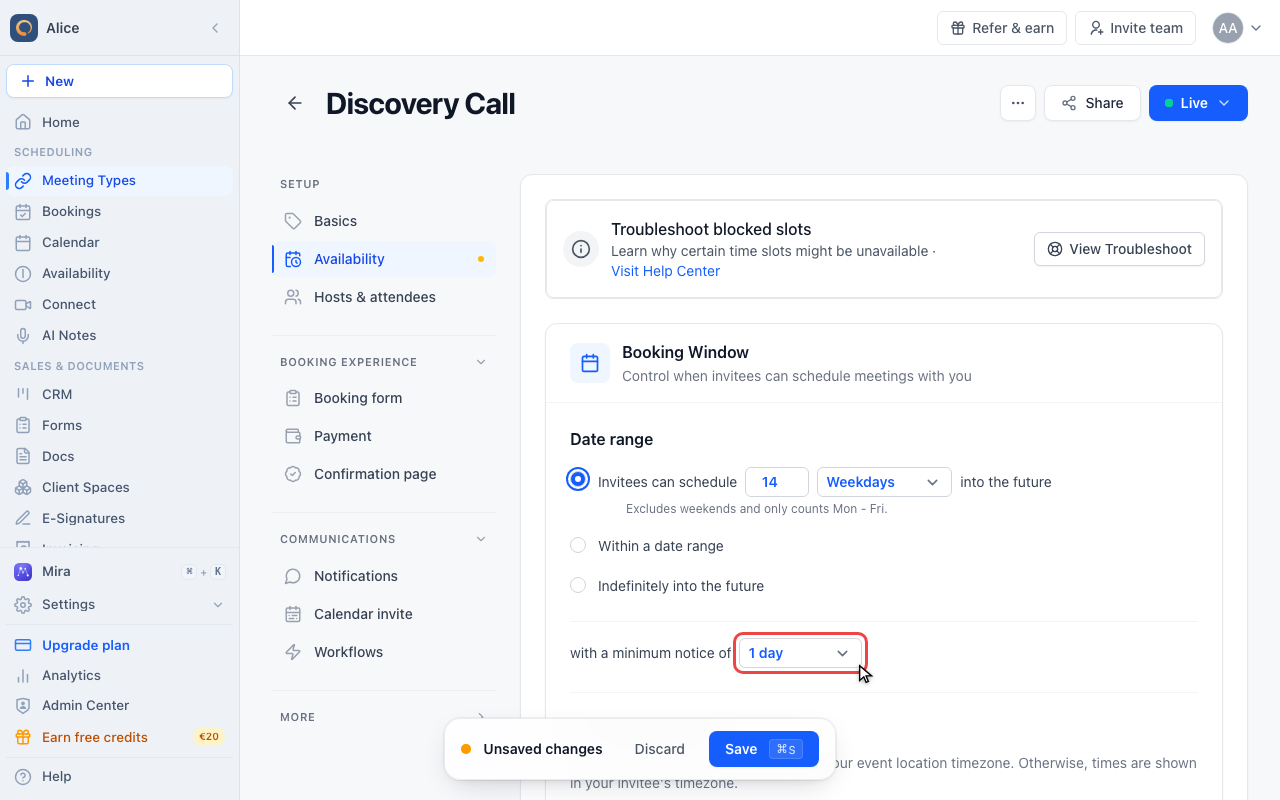
Save the meeting type
Nothing changes for your invitees until you press Save. Leaving the editor first discards the new window.
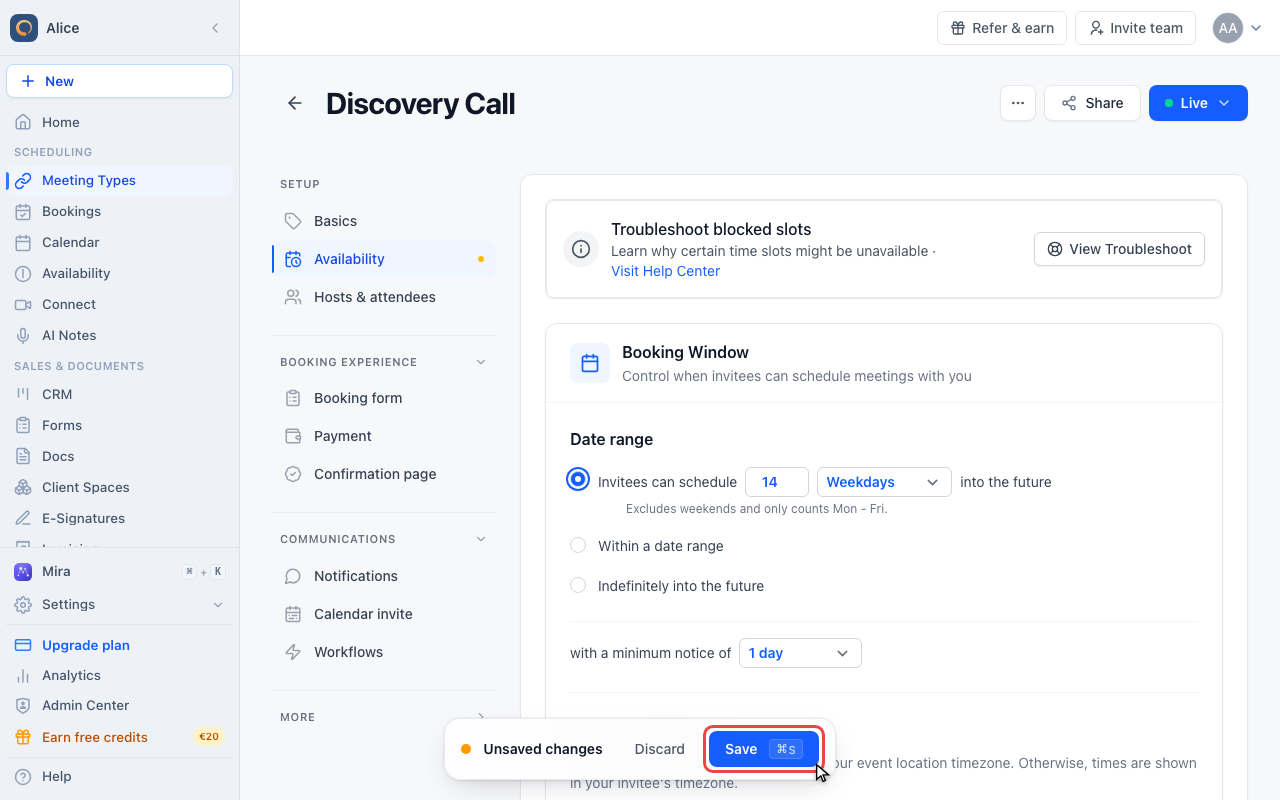
Where the setting lives
Meeting Types in the sidebar, then the meeting type, then Availability in the editor sidebar. The Booking Window card is the first card on that page, and Date range is its first field. There is no separate Edit button and no "Days into future" field, the whole window is expressed as the three radio options described below.
Every meeting type carries its own window. Changing one never affects another, and a meeting type made from a template inherits the template's window (an admin can lock the field so it cannot be changed per meeting type).
The three date range options
| Option | What it does |
|---|---|
| Invitees can schedule N Calendar days / Weekdays into the future | A rolling window. The last bookable day moves forward with every day that passes. This is the default, at 30 calendar days. |
| Within a date range | A fixed start and end date. Nothing before the start and nothing after the end can be booked, and neither date moves on its own. |
| Indefinitely into the future | No configured upper bound. |
Only one option is active at a time. Switching between them keeps the values of the others, so you can move back to your day count after trying a date range.
Calendar days or weekdays
The rolling option counts in one of two ways, and the line under the sentence always states which one is in force:
| Unit | Counts | Example with 14 |
|---|---|---|
| Calendar days | Every day, including days you are unavailable | Today plus the next 14 days |
| Weekdays | Monday to Friday only, weekends are skipped | Today plus roughly three calendar weeks |
Weekdays is the better fit when you never work at the weekend, because the window then always contains the same number of working days no matter which day of the week someone opens your booking page.
Using a fixed date range
Pick Within a date range and both dates become required. The field opens a two-month calendar: the first click sets the start, the second sets the end, and Apply writes them into the field. Until both are set the field shows a warning and the meeting type keeps the window it had before.
A date range also closes the near end. Nothing before the start date is bookable, so a range is the way to open a booking page for a fair, a course, or a season without touching your availability.
Once the end date has passed, the meeting type offers no slots at all. It stays live and reachable, it simply has nothing to show, so remember to move the range or switch back to a day count.
What "Indefinitely into the future" means in practice
It removes the limit you set, but not every limit. Availability is only ever calculated about two years ahead, so the booking page stops there even in this mode. That is far beyond any realistic booking, but it is worth knowing that "indefinitely" is not literally endless.
Minimum notice closes the other end
The same card holds with a minimum notice of, which blocks slots that are too soon. The two settings together define the whole bookable stretch:
| Setting | Value |
|---|---|
| Minimum notice | 1 day |
| Date range | 14 calendar days into the future |
| Bookable window | Tomorrow through 14 days from today |
Minimum notice has its own article, see Minimum Notice Settings.
What attendees see
The window is applied when availability is calculated, so slots beyond it never appear on the booking page. The calendar stops scrolling at the last bookable date rather than showing empty months, and a booking submitted for a time outside the window is rejected as unavailable. Nobody sees an error message about the limit, because there is nothing to click in the first place.
Common settings
| Use case | Suggested window |
|---|---|
| High demand, tight calendar | 7 to 14 days |
| Standard scheduling | 30 days (default) |
| Longer sales cycles | 60 to 90 days |
| Working days only | 10 to 20 weekdays |
| Fairs, courses, seasonal offers | A fixed date range |
| Long-term planning with a stable calendar | Indefinitely into the future |
How it interacts with the rest of your setup
- Availability: the window is a maximum, not a promise. A day inside the window that your schedule marks unavailable still shows nothing.
- Calendar conflicts: existing appointments keep blocking their times inside the window.
- Existing bookings: shortening the window never touches bookings that are already confirmed beyond it. Only new bookings are affected.
- Embeds and links: the window belongs to the meeting type, so it applies everywhere that meeting type is shown, including embedded booking pages and one-time links.
Troubleshooting
No slots at all
- Check whether the mode is Within a date range with an end date in the past.
- Check that the day count is not shorter than your minimum notice. A 1 day window with a 2 day minimum notice leaves nothing bookable.
- Confirm you have availability on the days inside the window.
Fewer days than expected
The unit may be set to Weekdays. Fourteen weekdays look like fourteen days in the field but cover about three calendar weeks, and the reverse is true if you expected weekdays and the unit says calendar days.
The change did not take effect
Nothing is saved until you press Save in the unsaved-changes bar at the bottom of the editor. Leaving the tab first discards the new window.
FAQ
Can I set a different window per meeting type?
Yes. The setting is per meeting type, so a discovery call can stay at 14 days while an onboarding session runs 90 days out.
What happens to bookings beyond a window I just shortened?
They stay confirmed. The window only decides what can be booked from now on.
Can an attendee ask for a date outside the window?
Not through the booking page. They would have to contact you, and you can create the appointment yourself.
Does the window count from today or from the booking?
From today. The rolling option is recalculated on every visit, so the last bookable day moves forward each day.
Can I combine a date range with a day count?
No. The three options are mutually exclusive. Use a date range when the end is a real date, and a day count when it should follow today.
Related Articles
Was this article helpful?
Let us know if this article answered your questions.