
Offer Multiple Meeting Durations
Offer several lengths on one meeting type and let invitees pick one before they pick a time
A meeting type has one length by default. Add a second one and the booking page grows a step: invitees pick how long they want before they pick a time, and the calendar only offers slots that fit the length they chose. You set the list in the meeting type editor under Availability, in the Duration & Timing card.
 1 / 15
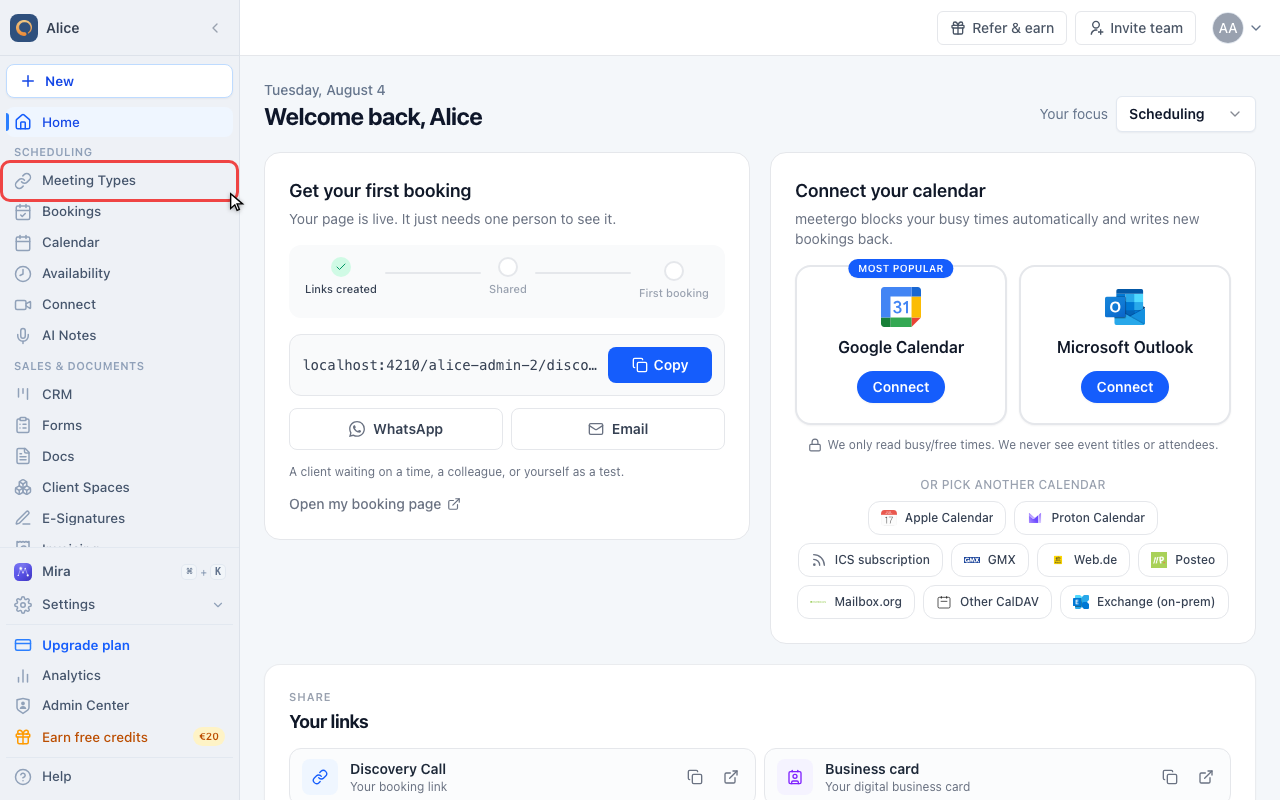
Durations are set per meeting type, so start in Meeting types in the sidebar.
Open the duration settings
Open Meeting types
Durations are set per meeting type, so start in Meeting types in the sidebar.
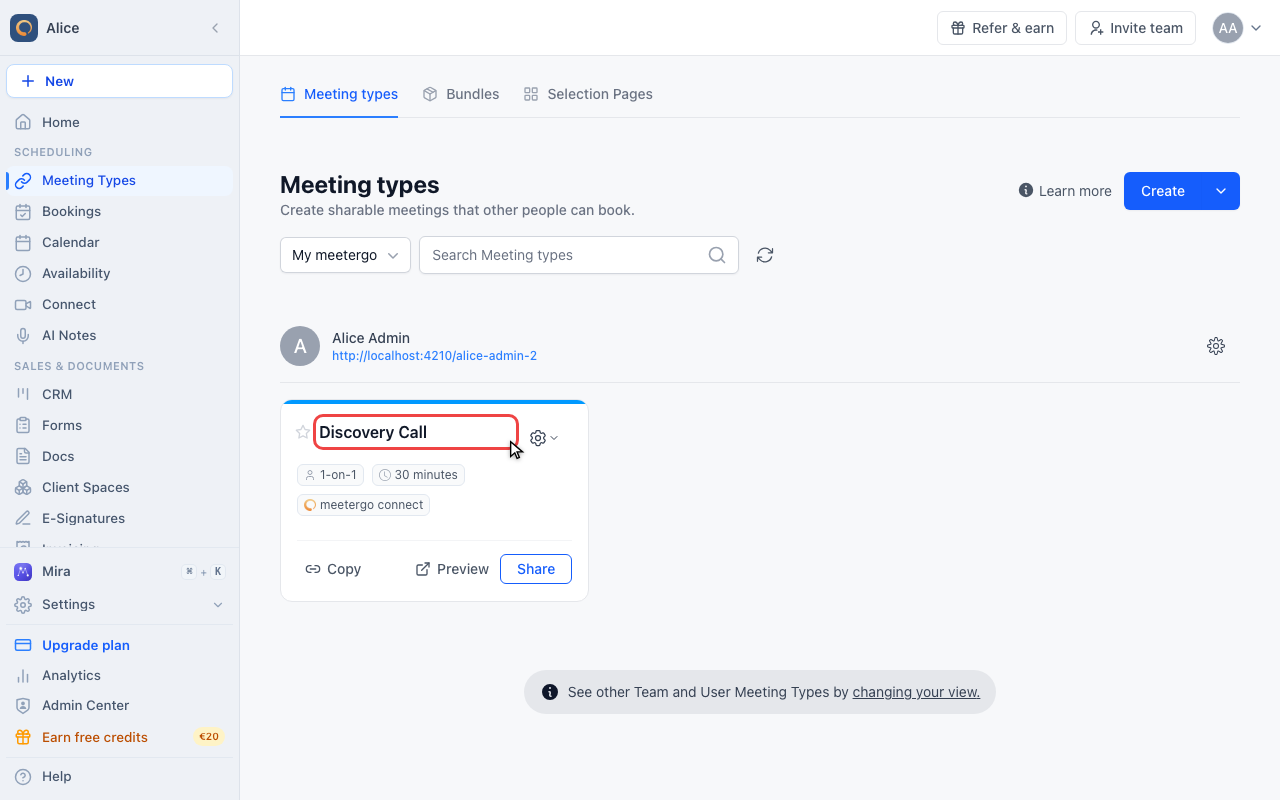
Open the meeting type
Click the name of the meeting type. Each one carries its own list of lengths, and a duplicate copies the list it was made from.
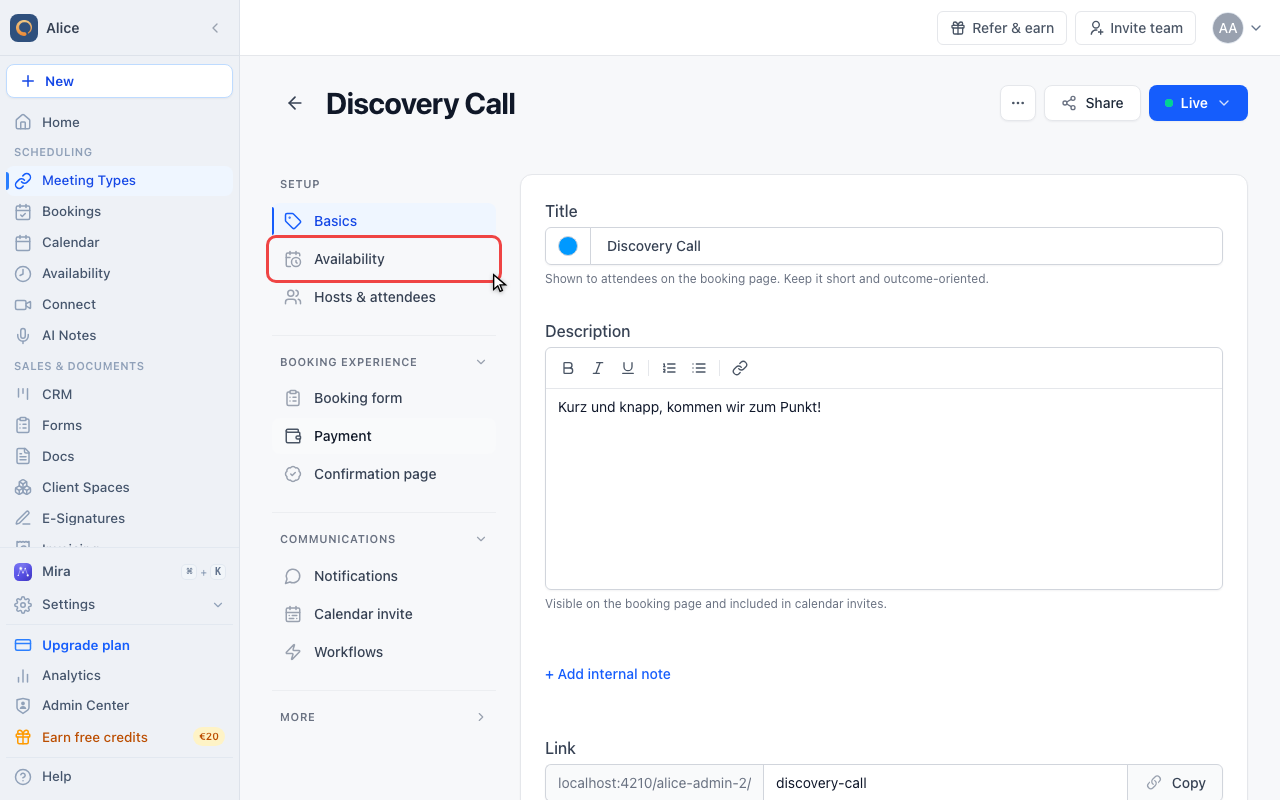
Click Availability
In the editor sidebar, Availability is the second entry under Setup. Duration lives here rather than on Basics, because it decides how much of your calendar a booking takes.
Find the Duration & Timing card
The card holds two settings: how long the meeting lasts, and how far apart the start times on your booking page sit.
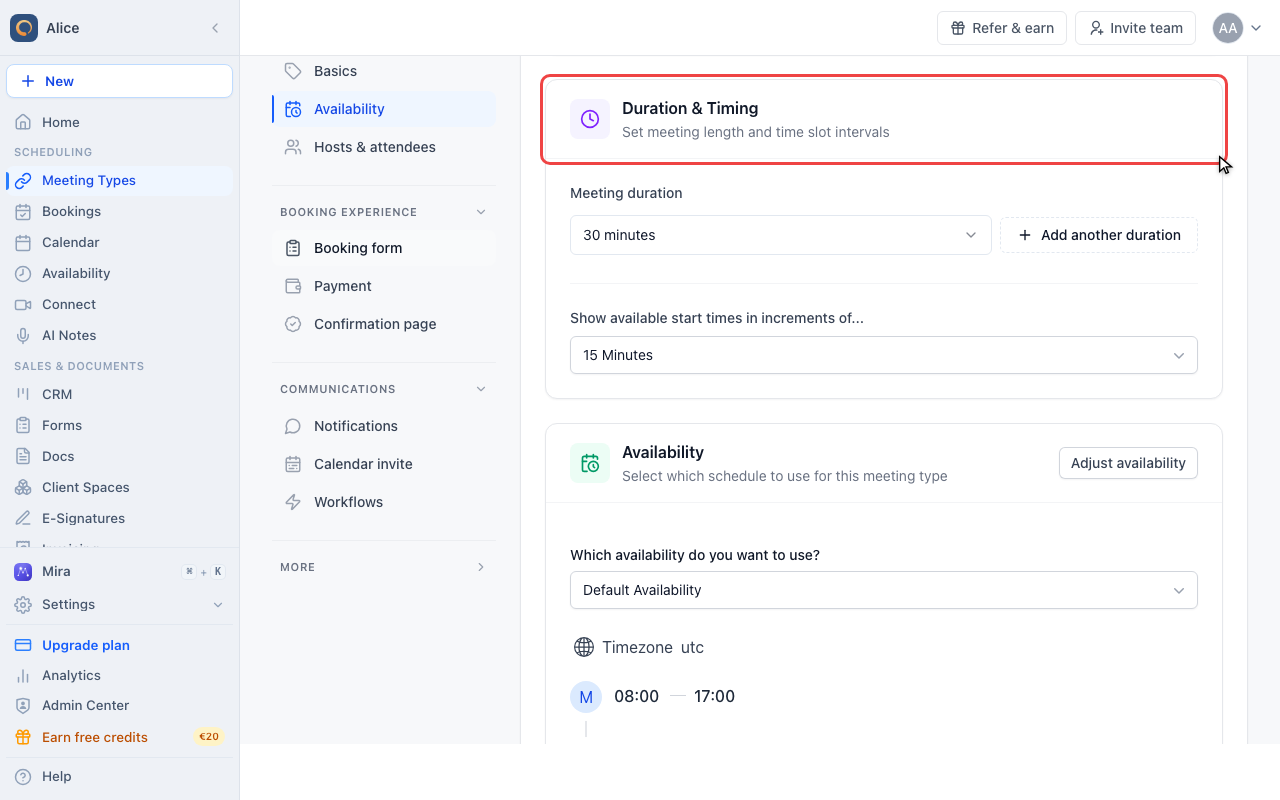
Read the first row
A new meeting type has one row. That length is the default: it is what a booking gets when nobody picks anything, and what every link that skips the choice uses.
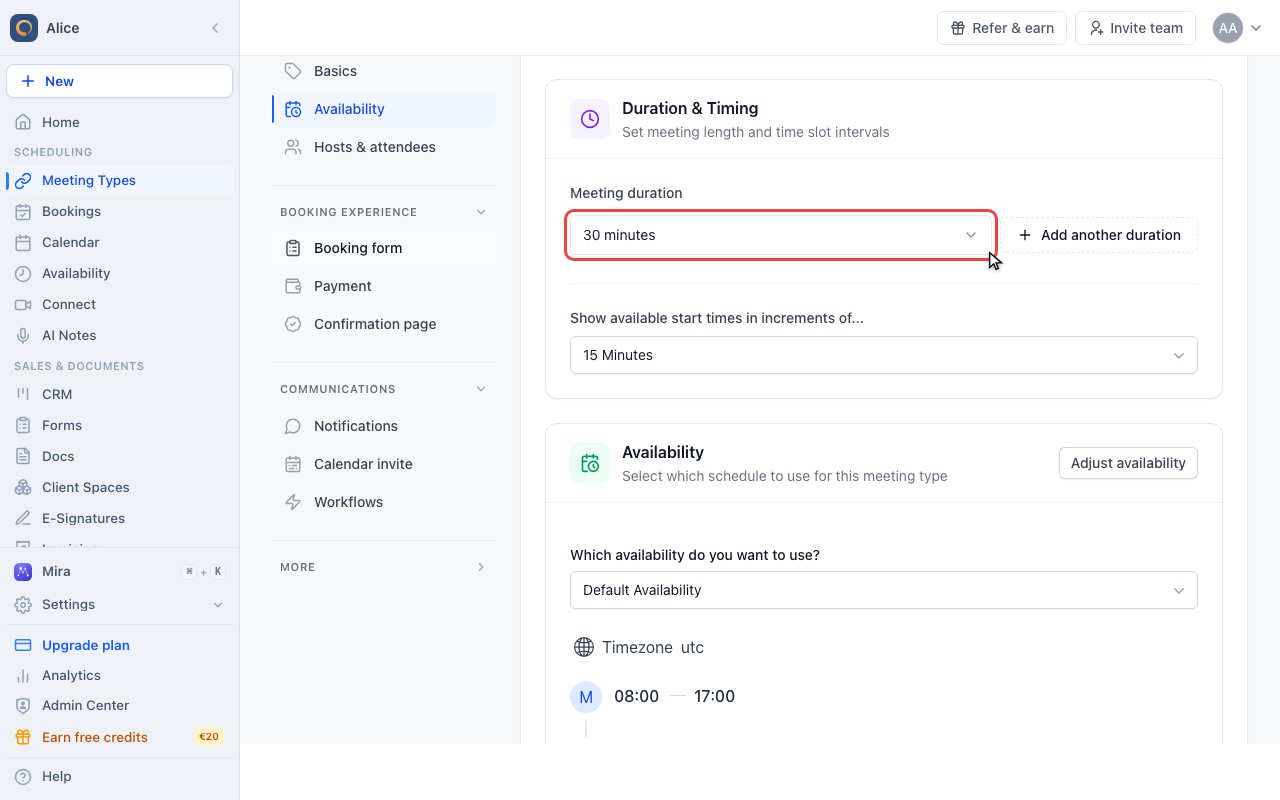
Pick the default length
Nine named lengths run from 15 minutes to 8 hours. Custom at the bottom opens a box for anything else.
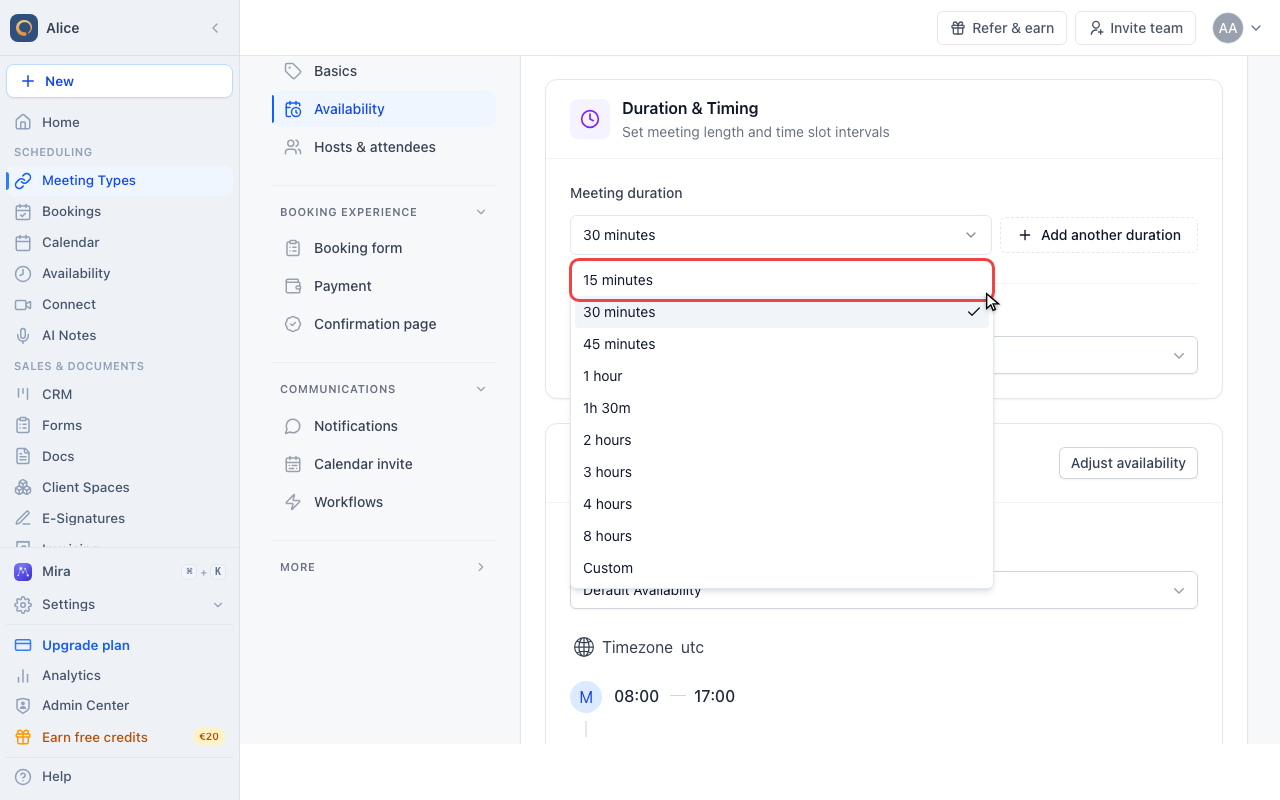
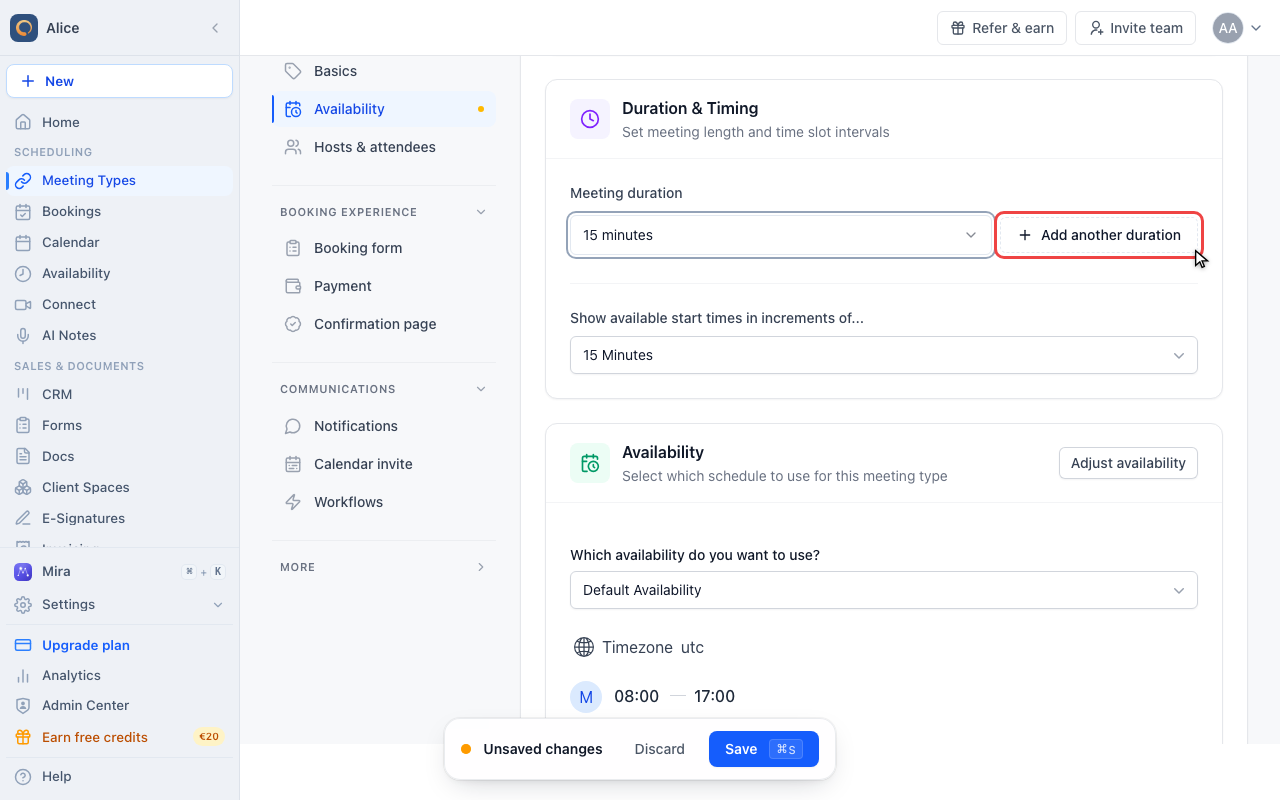
Offer more than one length
Add another duration
The button next to the first row turns the single length into a list. From the second row on it moves below the rows.
Check the new row
A new row starts on the shortest named length you are not already offering, so it never repeats a length that is in the list.
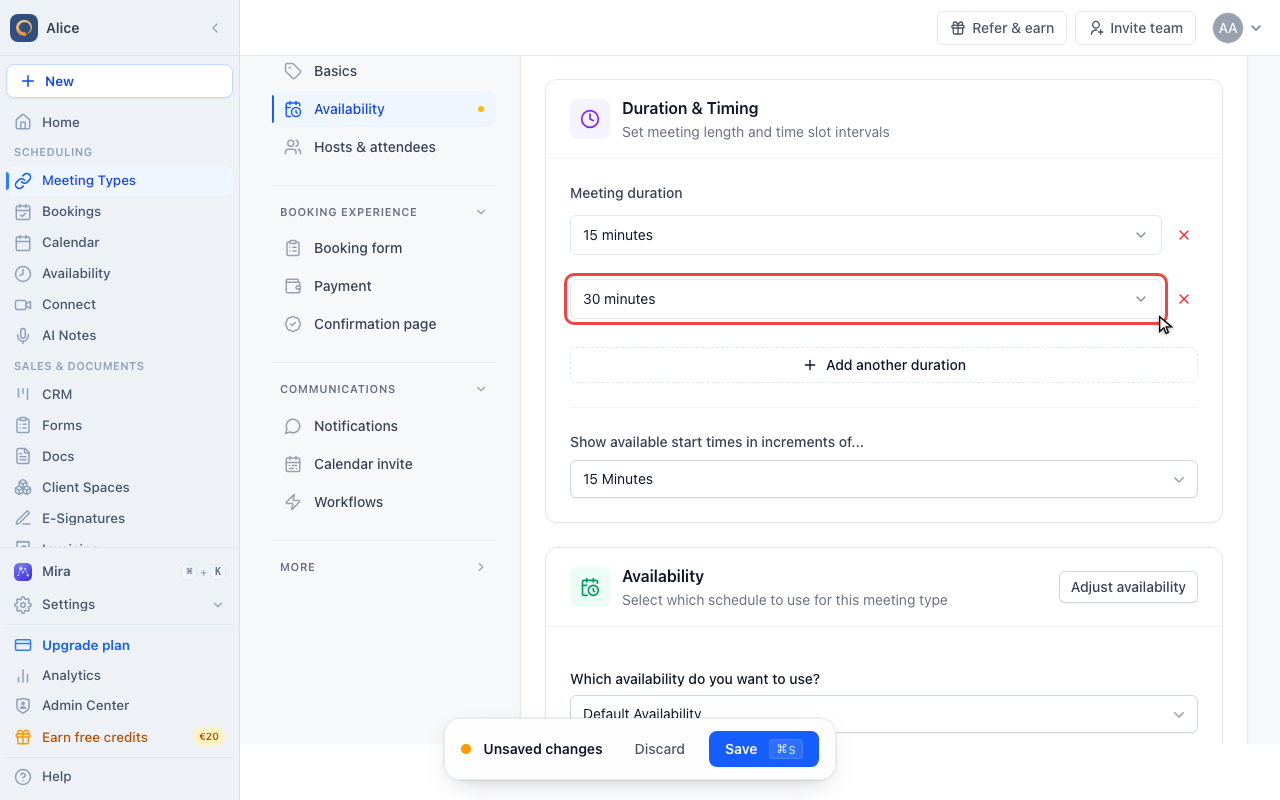
Change a row to a longer meeting
Every row is editable, including the first one. Changing the first row changes the default length; changing any other only changes that choice.
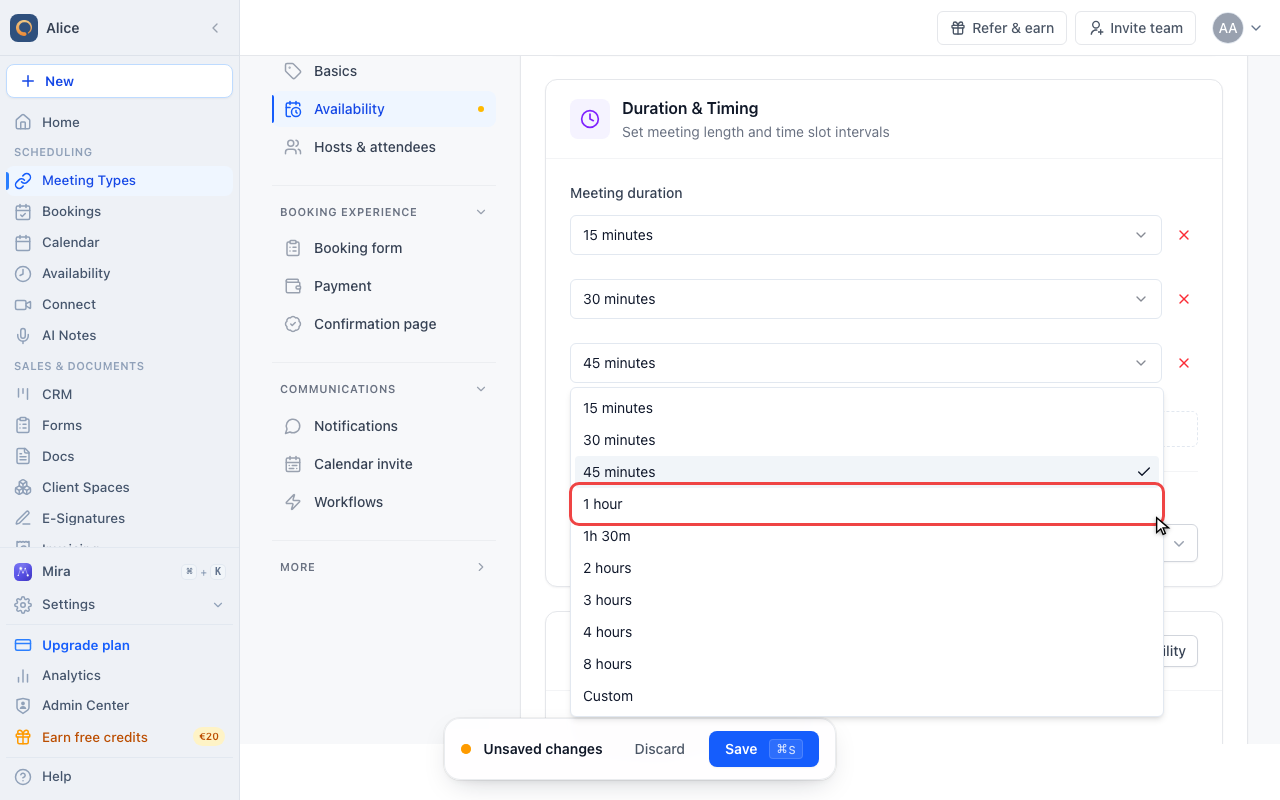
Read the finished list
Three rows means three buttons on the booking page. Order does not matter here, because the booking page always sorts the choices from shortest to longest.
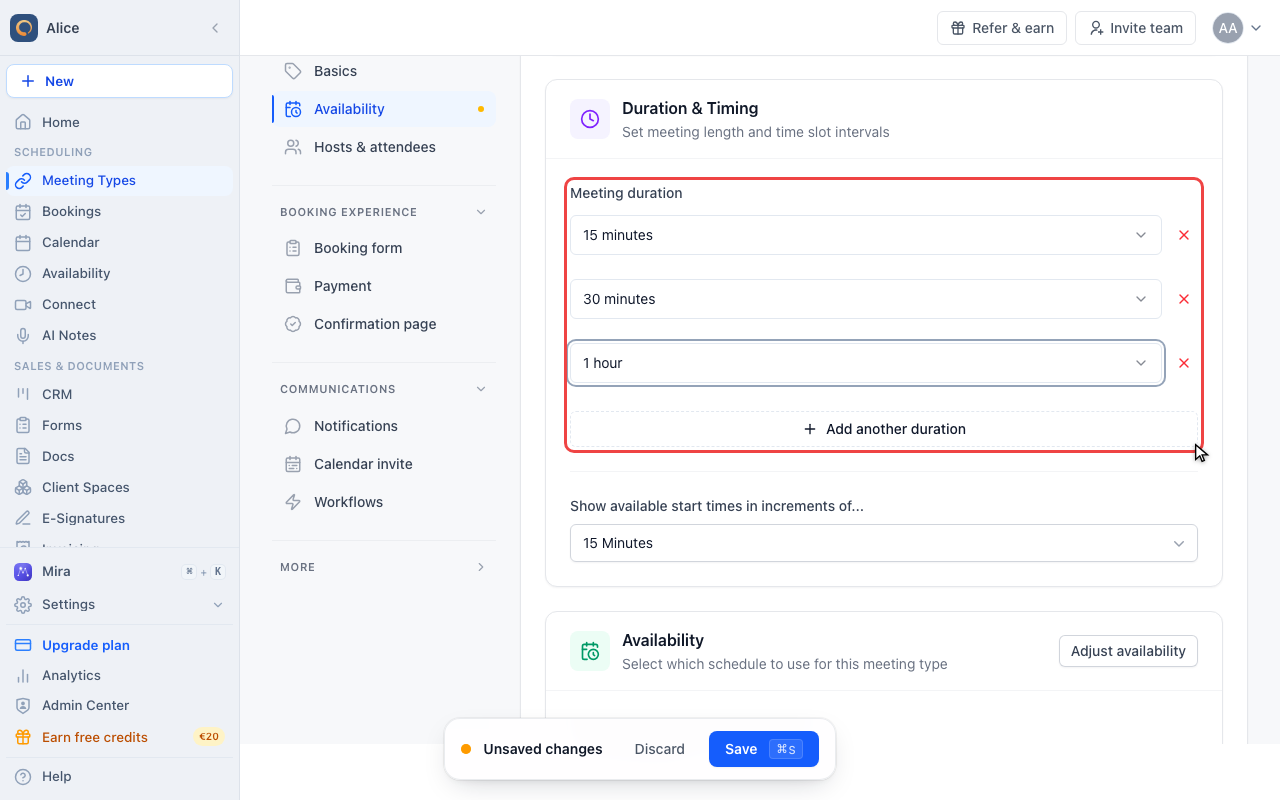
Offer a length that is not on the list
Choose Custom
Custom is the last entry in every row list. Pick it when the length you need is not one of the nine named ones.
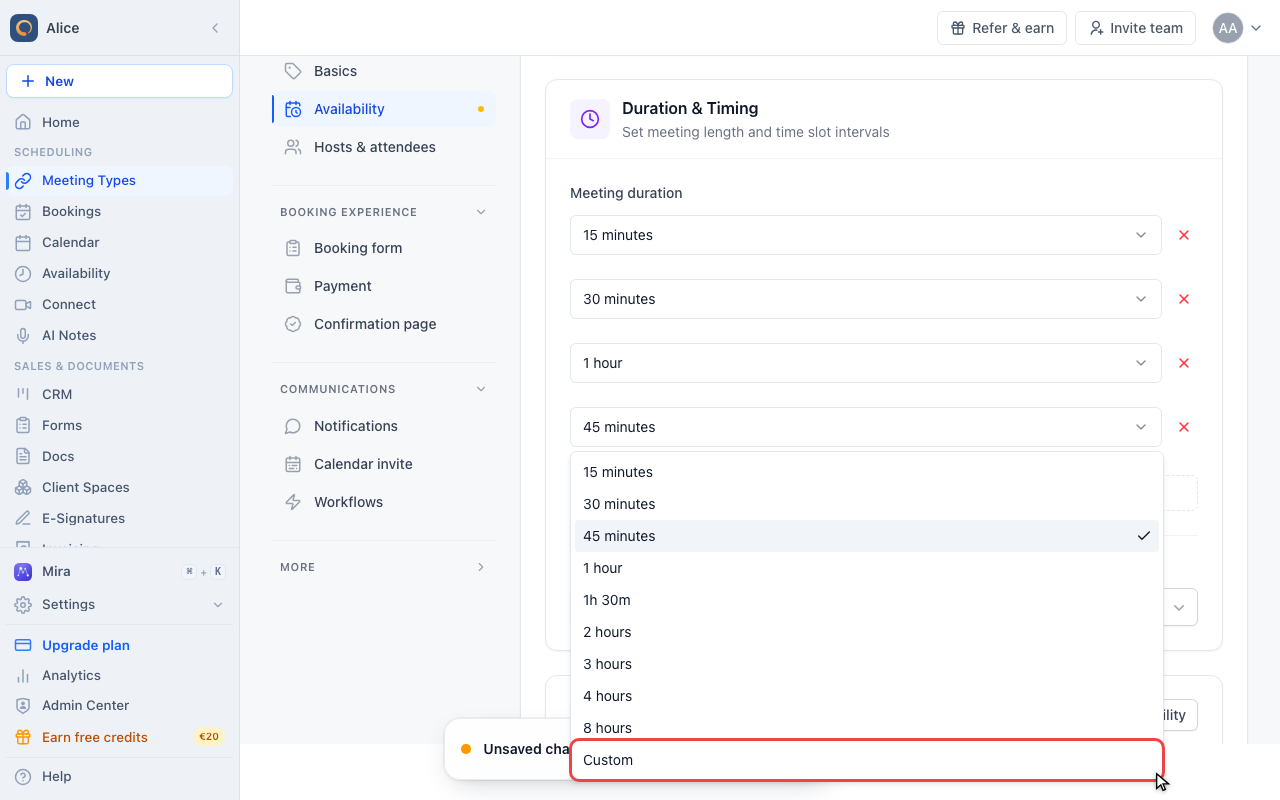
Type the number of minutes
The box next to the row takes any whole number of minutes from 1 to 1440. Anything outside that is ignored and the row keeps its previous length.
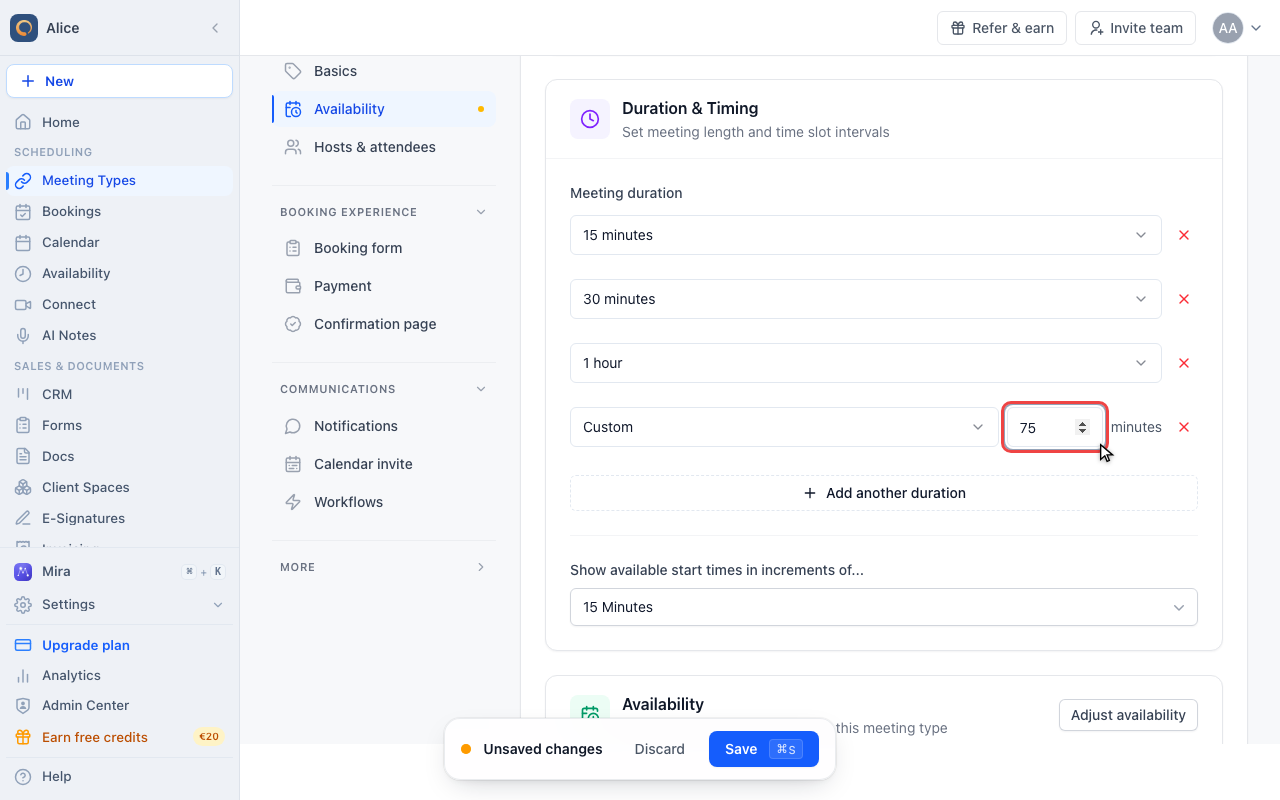
Remove a length you no longer offer
The red X drops that row. It appears on every row as soon as there are two, and the last remaining row cannot be removed, so a meeting type always has a length.
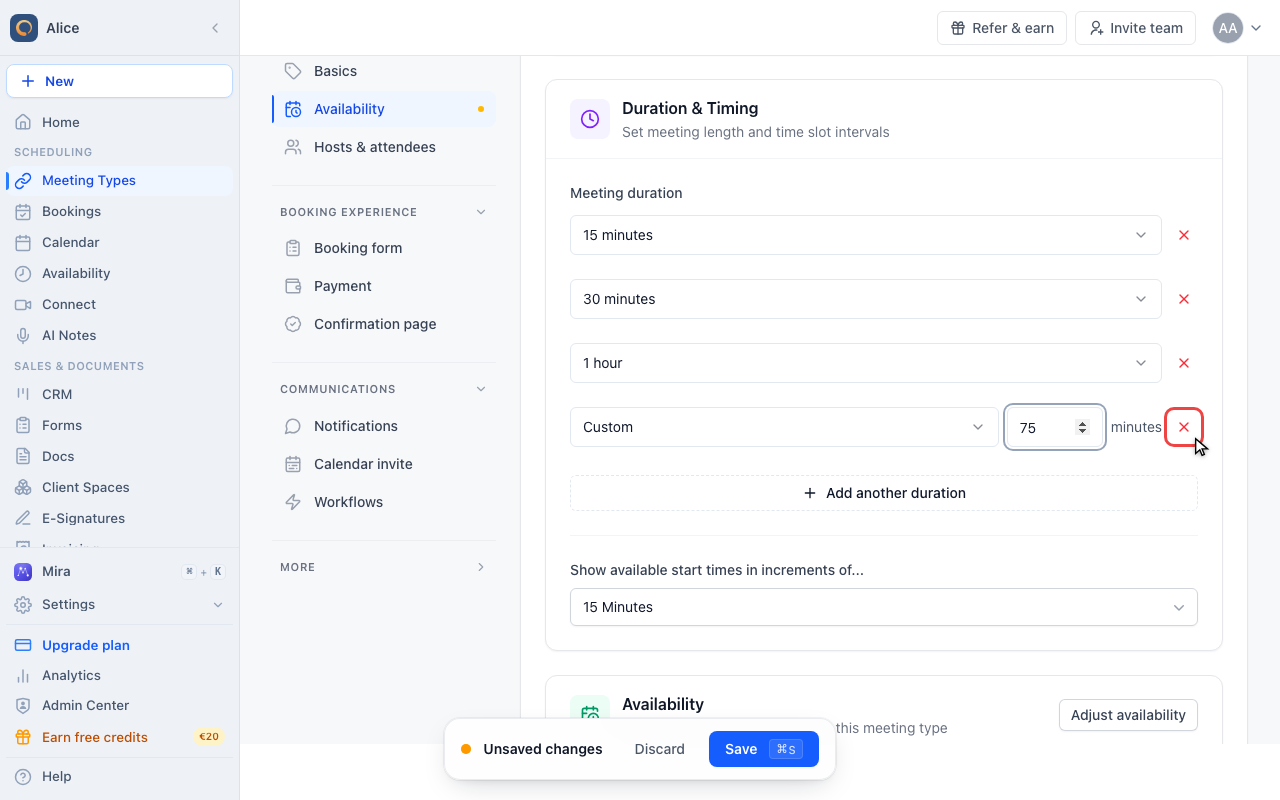
Check the slot grid and save
Check the start-time increment
The same card decides how far apart the offered start times sit. Left on the default it follows the first row, so a short choice can only start where the default length would have started. Set it to your shortest length to give every choice the same grid.
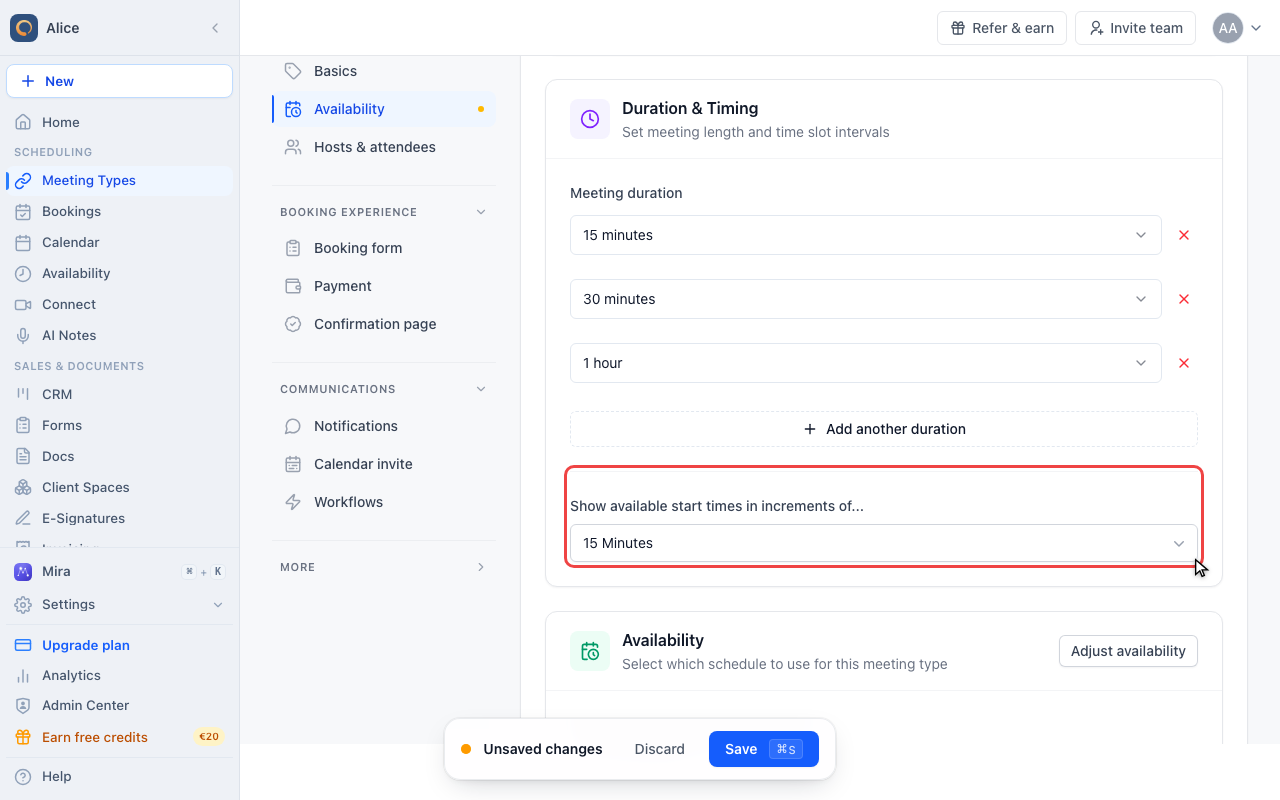
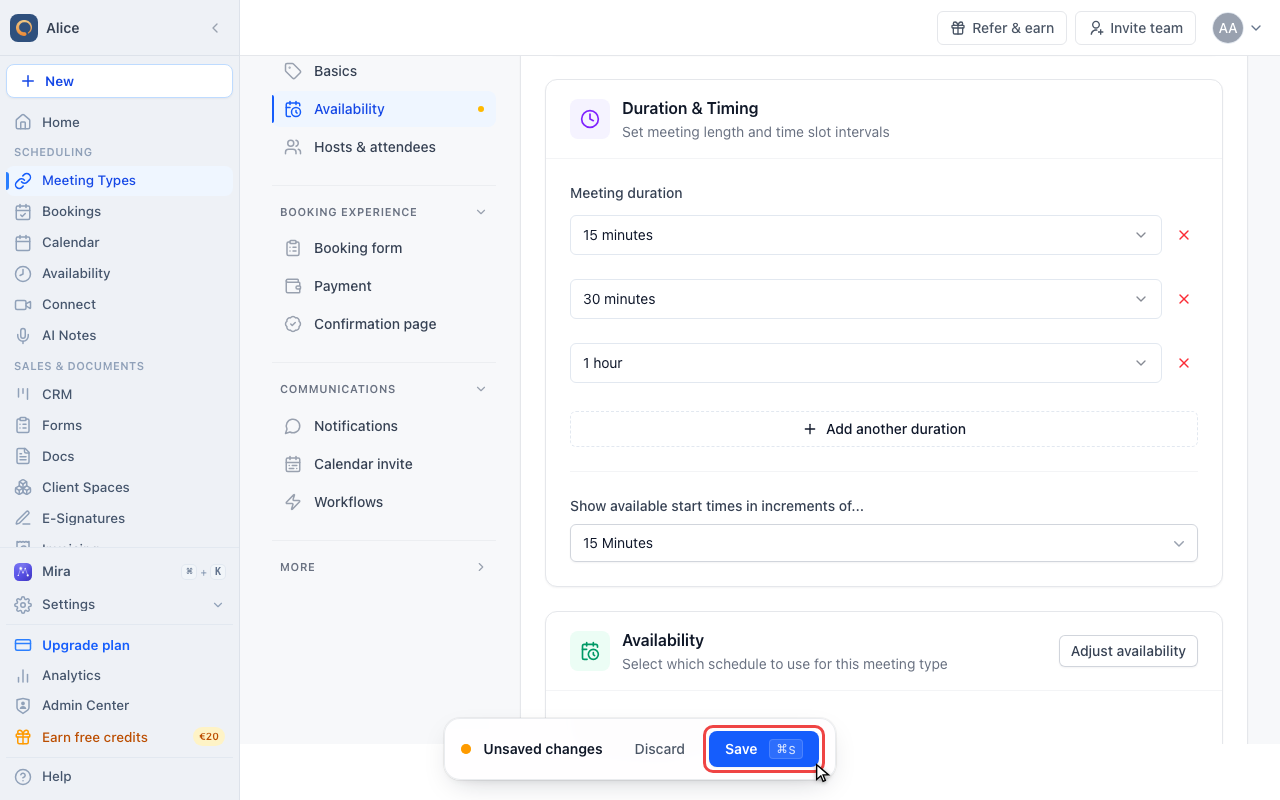
Save the meeting type
Nothing changes for your invitees until you press Save. Leaving the editor first discards the new lengths.
The first row is different from the rest
The list is two settings wearing one coat.
| Row | What it is | Where it applies |
|---|---|---|
| First row | The meeting type's own length | Used whenever nobody picks a length: a booking made without the duration step, a host booking on someone's behalf, and the default start-time increment |
| Every row below | An extra length invitees may choose | Only offered on the booking page |
That is why removing rows until one is left removes the choice entirely rather than leaving your invitees with nothing: the last row cannot be deleted, and the meeting type falls back to it.
The list offers nine named lengths, written the way the picker writes them: 15 minutes, 30 minutes, 45 minutes, 1 hour, 1h 30m, 2 hours, 3 hours, 4 hours, 8 hours. Custom opens a box next to the row that takes any whole number of minutes from 1 to 1440.
Adding a row picks the shortest named length you are not already offering, so you never end up with the same length twice. You can change any row afterwards, including the first one.
What an invitee sees
With at least two lengths configured, the booking page inserts a duration step before the calendar:
- The lengths appear as buttons, sorted from shortest to longest, labelled in minutes (a one-hour option reads "60 minutes").
- Until one is picked, the calendar stays greyed out with Select a duration to view availability.
- Choosing a length recalculates availability for that length, so a 60-minute option can be unavailable in a gap where the 15-minute one still fits.
- The summary panel then shows the chosen length with a Change link, up until a time is confirmed.
- Arrow keys move between the options for anyone booking by keyboard.
Everything downstream uses the length that was actually booked: the calendar entry, the confirmation, reminders, and any workflow that reads the meeting time.
Start times are a separate setting
Show available start times in increments of... sits in the same card and decides how far apart the offered slots are. It does not follow the choice the invitee made.
Left on Use meeting type duration (default) it follows the first row, not the shortest one. On a 60 / 30 / 15 list that means every option is only offered on the hour, because the grid was built for 60 minutes.
When you offer several lengths, set the increment explicitly to your shortest length. Then all of them share one grid and the short options can start between the long ones.
Buffers and limits do not change per length
Buffer before and buffer after belong to the meeting type, not to a length, so they are added on top of whatever was booked: a 15-minute meeting with a 10-minute after-buffer blocks 25 minutes, a 60-minute one blocks 70. The same is true of the booking window, minimum notice, and every booking limit. All lengths share one availability schedule.
A different price per length
If payments are switched on for the meeting type, the Payment tab lists every configured length and takes a price for each one. A length with no price of its own is charged the meeting type's base price. The price is shown next to its option on the booking page, so invitees see what each length costs before they choose.
Prefill or lock the length in a link
Two URL parameters work on booking links:
| Parameter | Effect |
|---|---|
?duration=60 | Preselects that length and skips the step. Ignored unless the number is one the meeting type offers. |
&lockDuration=true | Removes the Change link, so the length you sent cannot be swapped |
Useful when a campaign or a sales sequence should only ever produce one length while the meeting type itself stays flexible.
When separate meeting types are the better answer
Multiple lengths work for variations of the same conversation. Reach for separate meeting types when the meetings differ in more than minutes:
- Different hosts, teams, or round-robin pools
- Different booking questions, reminders, or confirmation pages
- Different venues, for example a call and an on-site visit
- A length that should only be bookable on certain days
FAQ
Do all lengths use the same availability?
Yes. There is one schedule, one booking window, and one set of buffers for the meeting type. Only the amount of time each booking claims differs, which is why a longer option can run out of slots sooner.
Can I offer a length that is not in the list?
Yes. Choose Custom on the row and type the minutes, anywhere from 1 to 1440. Values outside that range are ignored and the row keeps the length it had.
Why is my short option only bookable on the hour?
The start-time increment is still following the first row. Set Show available start times in increments of... to your shortest length.
Can I stop offering a length without losing the meeting type?
Remove its row and save. Bookings already made keep the length they were booked with, and their calendar entries do not change.
Does the choice show up on the invoice or the calendar entry?
Yes. The booked length drives the calendar entry, the confirmation and reminder emails, and the amount charged when per-length pricing is set.
Can I book a length that is not on the list myself?
Yes, but only from the host side. A booking created from the dashboard for someone else is not restricted to the configured lengths. A booking made through the public page is: an unlisted length is rejected.
Related Articles
Was this article helpful?
Let us know if this article answered your questions.