
Account Owner Matching
Route round-robin bookings to the user who already owns the booker as a contact
Account owner matching routes a round-robin booking to the user who already owns the booker — instead of distributing it through normal round-robin logic. When a known customer books, they land on their account owner. When the booker is new (or unmatched), the meeting type falls back to your standard round-robin flow.
This works on Round Robin team meeting types and is part of the Premium plan.
 1 / 4
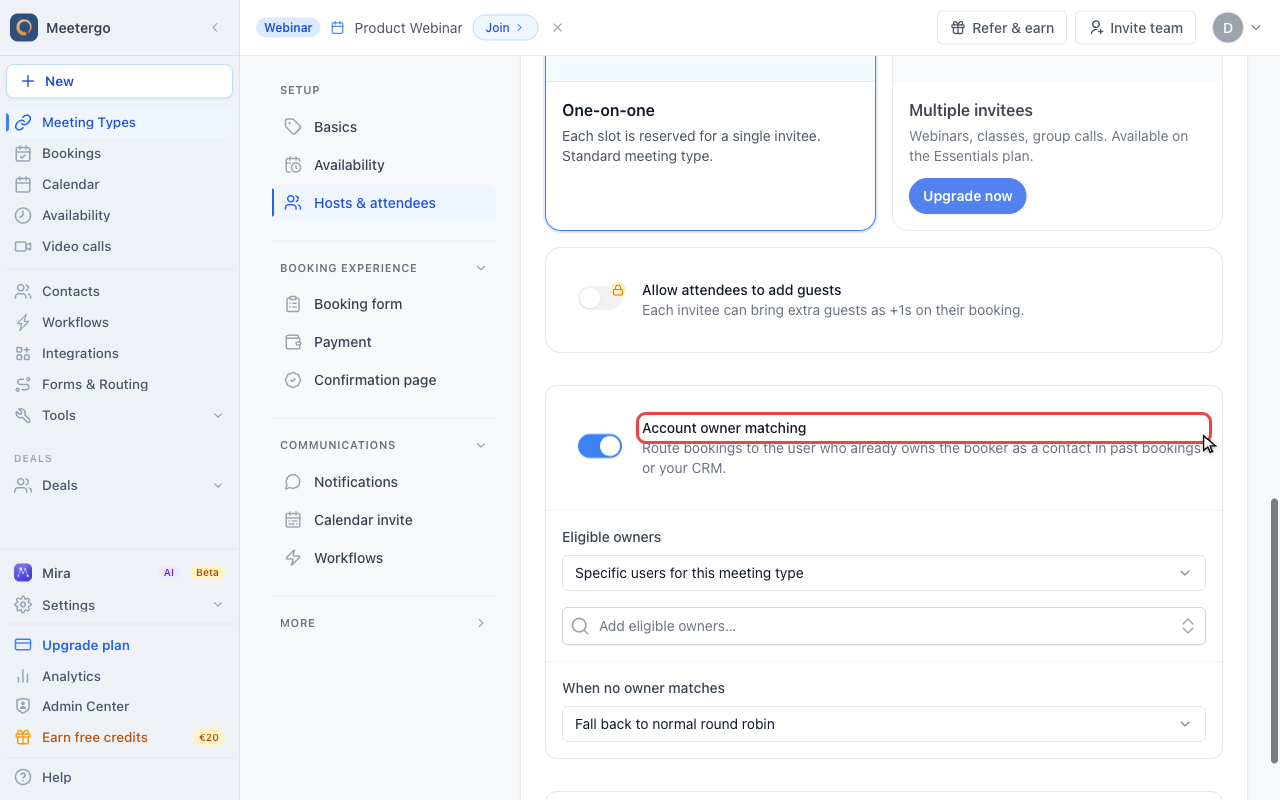
1 / 4The switch enables matching for this meeting type. It is available for round-robin team meeting types on plans with team scheduling.
Open account owner matching
Find Account owner matching
The switch enables matching for this meeting type. It is available for round-robin team meeting types on plans with team scheduling.
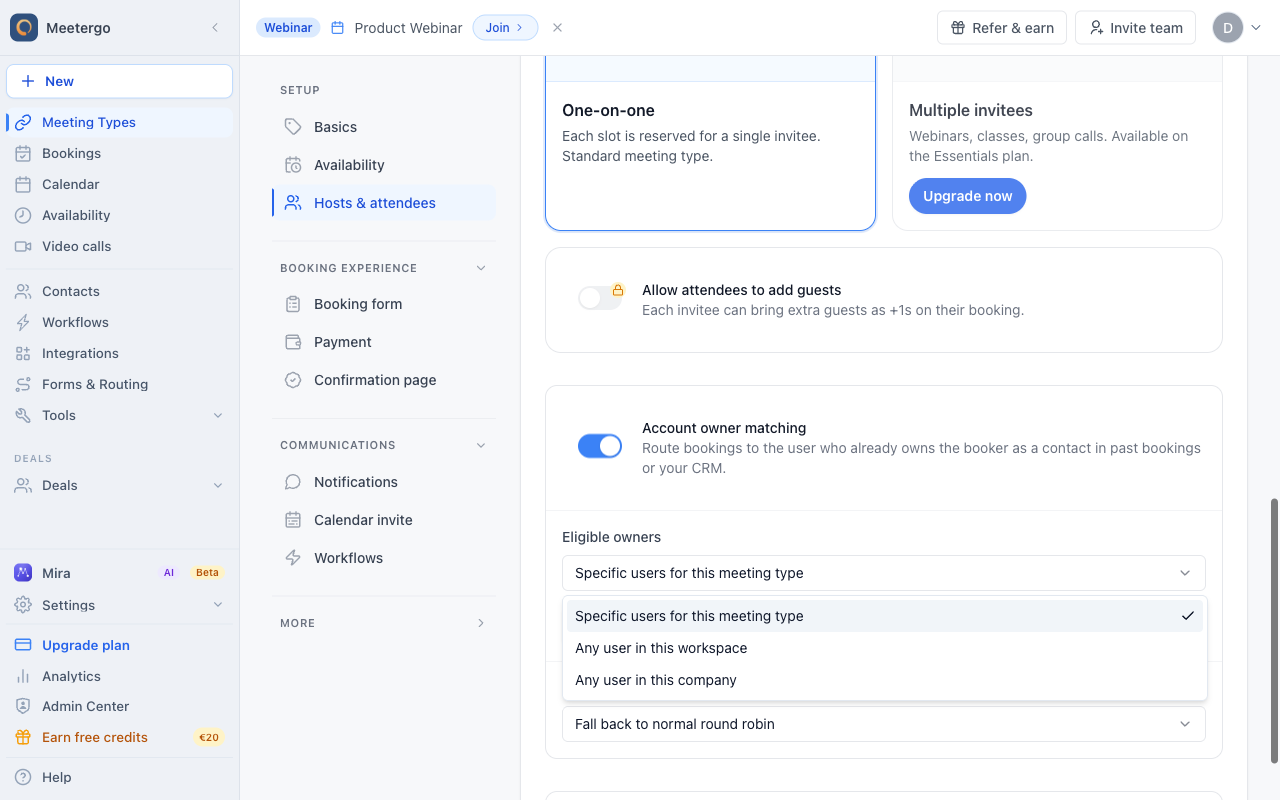
Choose eligible owners
Choose the owner pool
Eligible owners define which users can be selected when meetergo finds a matching contact owner. Use specific users for a focused sales team, or expand matching to the workspace or company.
Set the fallback
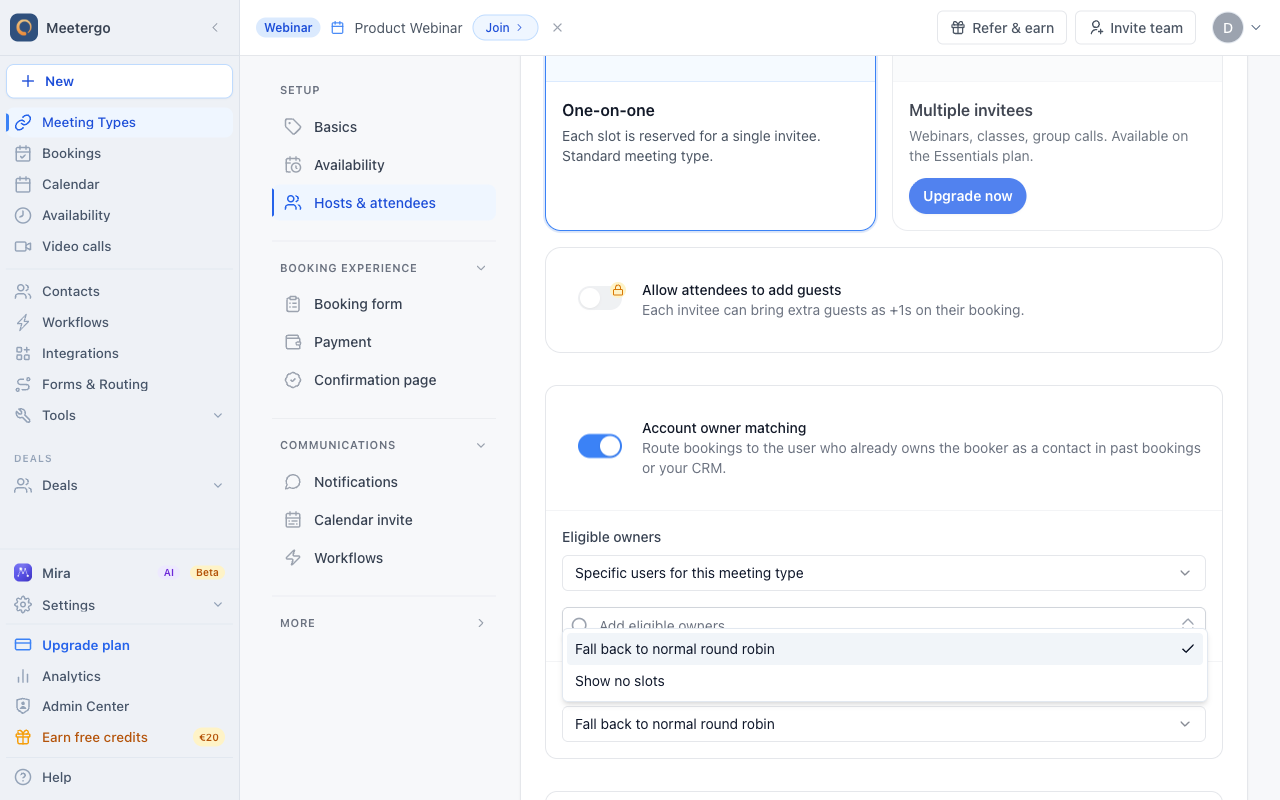
Open fallback behavior
Fallback behavior controls what happens when a booker has no matching owner.
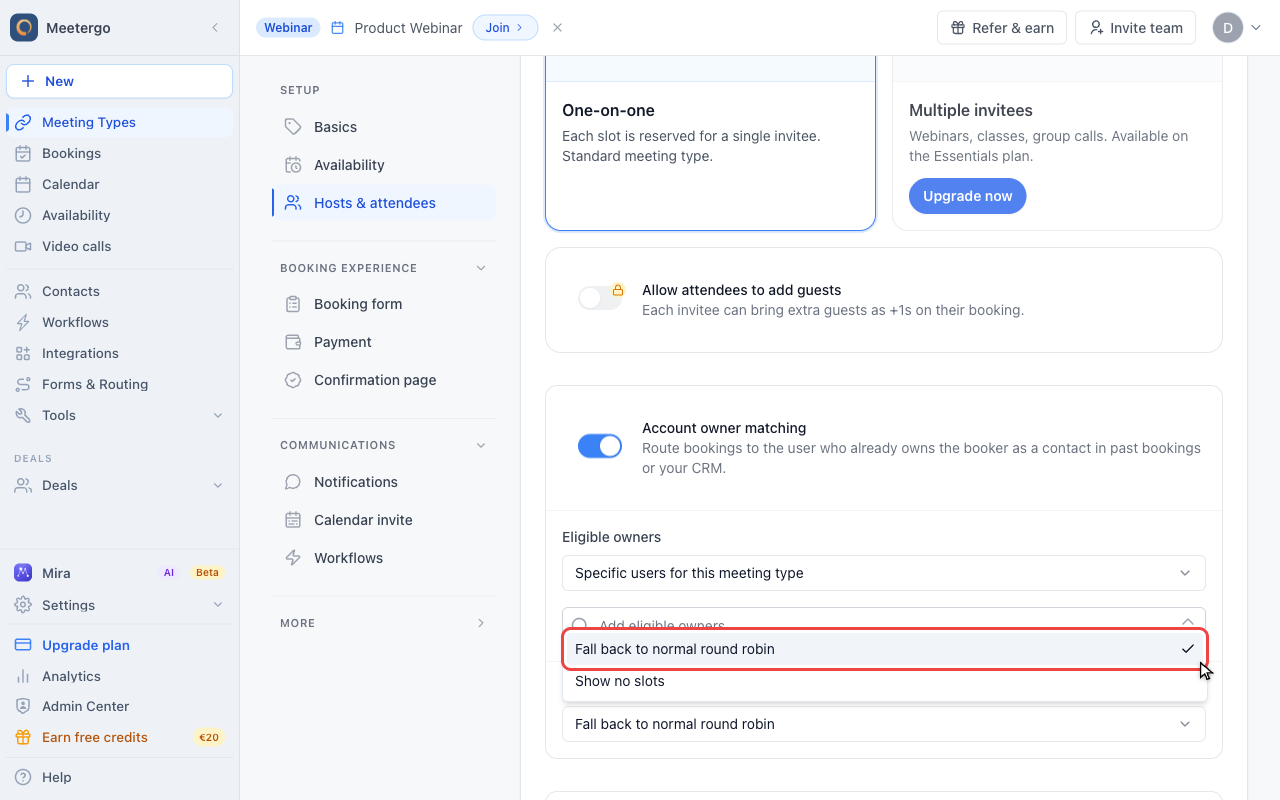
Choose the fallback
Fall back to normal round robin keeps availability open for new or unmatched bookers. Show no slots is stricter for existing-customer-only flows.
How matching works
When a booker enters their email on the booking page, meetergo looks up an owner in this order:
- Past meetergo bookings — if the booker already had a meeting in the past, the host of that meeting is treated as the owner.
- Connected CRMs — Pipedrive, HubSpot, and Salesforce contact owners are matched in parallel.
The first match wins. If no owner is found, the configured fallback applies.
The match runs against the eligible-owner pool you configure (see below). A CRM owner who isn't in the pool — for example, an inactive teammate — is ignored.
Enable account owner matching
- Open your team meeting type and make sure it's set to Round Robin.
- Go to the Hosts & attendees tab.
- Find the Account owner matching card and toggle it on.
- Configure the options below.
Configuration
Eligible owners
Picks the pool of users who can be matched as account owners. One scope per meeting type — there is no inheritance.
- Specific users for this meeting type — pick the eligible owners by hand. Best for small, dedicated sales teams.
- Any user in this workspace — every active member of the meeting type's workspace is eligible.
- Any user in this company — every active member of your company is eligible.
Allow matched owners outside the round-robin queue
By default, a matched owner must also be a member of the meeting type's round-robin queue to actually host the booking. If you want a matched owner to be able to host even when they're not in the queue, enable this option.
Use this when your "owners" are a broader group than the standard rotation — for example, when senior account managers should pick up their own clients but aren't part of the day-to-day round robin.
When no owner matches
Controls what happens when the booker has no owner — either because they're a new contact or because nobody in the eligible pool owns them.
- Fall back to normal round robin (default) — the booking is distributed to the next host in the queue, exactly like a meeting type without owner matching.
- Show no slots — the booking page shows no availability. Use this when only existing customers should be able to book.
Booker experience
Account owner matching is invisible to the booker. They enter their email, and the booking page shows the matched host's slots (with a "Recommended" badge in flows where the host is named). They never see the matching logic — just that the right person is already selected.
If the matched host has no available slots in the visible window, the booker sees the next available date for that host or, depending on your settings, the round-robin fallback.
FAQ
Does this work for non-round-robin meeting types?
No. Account owner matching only applies to round-robin team meeting types. One-on-one and collective meeting types already have a fixed host — there is nothing to route.
Which CRMs are supported?
Pipedrive, HubSpot, and Salesforce. The CRM has to be connected at the company level. The matcher reads the contact owner field from each connected CRM in parallel.
What if the same booker has different owners in different CRMs?
The first match wins. Past meetergo bookings are checked first, then CRM owners are queried in parallel — whichever connected CRM responds first with a contact owner is used. If you want stricter routing, narrow the eligible-owner pool or disconnect the CRMs that shouldn't influence routing.
Does the booker need to log in for this to work?
No. Matching is based purely on the email address the booker enters in the form. As long as that email matches a known contact, the matcher picks up the owner.
Can I see whether a booking was matched?
Yes. The booking detail in your meetergo dashboard shows the matched host. Bookings that fell through to round robin look like regular round-robin bookings.
Was this article helpful?
Let us know if this article answered your questions.
Related articles
- Booking Confirmation: Why It Happens and How to Turn It OffFind out which setting makes attendees or hosts confirm a booking again, change the confirmation deadline, resend a confirmation email, and switch booking confirmation off for your whole company or a single meeting type.
- Booking questions and the booking button textAdd your own questions to the booking form, and change the booking button text: rename the Book now button, edit field labels, help text and placeholders, and find where the other text on your booking page comes from.
- Cancellation and Rescheduling PoliciesControl when and if attendees can cancel or reschedule their bookings
- Change the calendar event title, location, and descriptionEdit the calendar invite title on a meeting type to control how the event is named in your Google or Outlook calendar and in the invitee calendar invite, for example showing the invitee name before the meeting type.