
Allow or Disable Guest Invitations
Control whether attendees can add additional guests to their bookings
By default, attendees book meetings for themselves only. You can enable the option for attendees to invite additional guests to the meeting, or keep it disabled for one-on-one meetings only.
 1 / 4
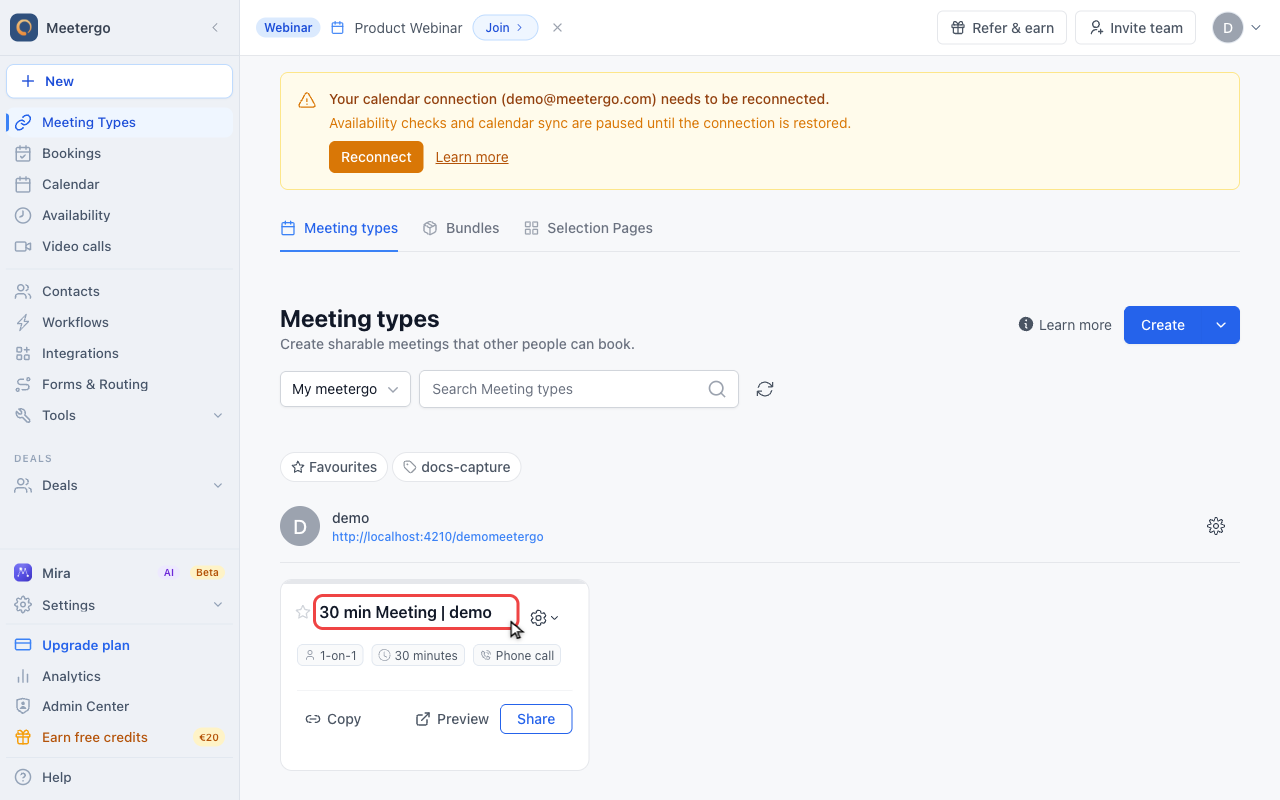
1 / 4Click the meeting type name to open its editor. Guest invitations are configured per meeting type.
Open the meeting type
Open a meeting type
Click the meeting type name to open its editor. Guest invitations are configured per meeting type.
Open Hosts & attendees
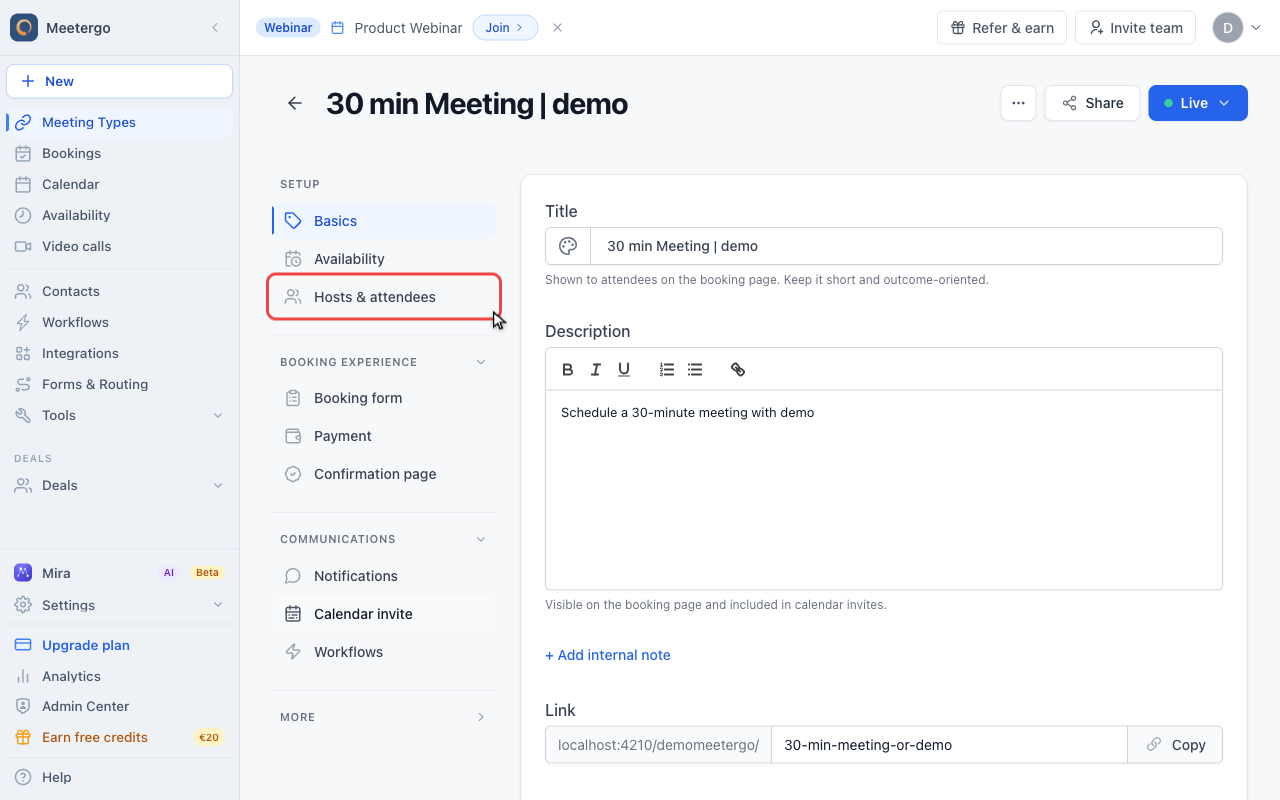
Click Hosts & attendees
In the editor sidebar, open Hosts & attendees. This tab contains host routing, attendee capacity, and guest controls.
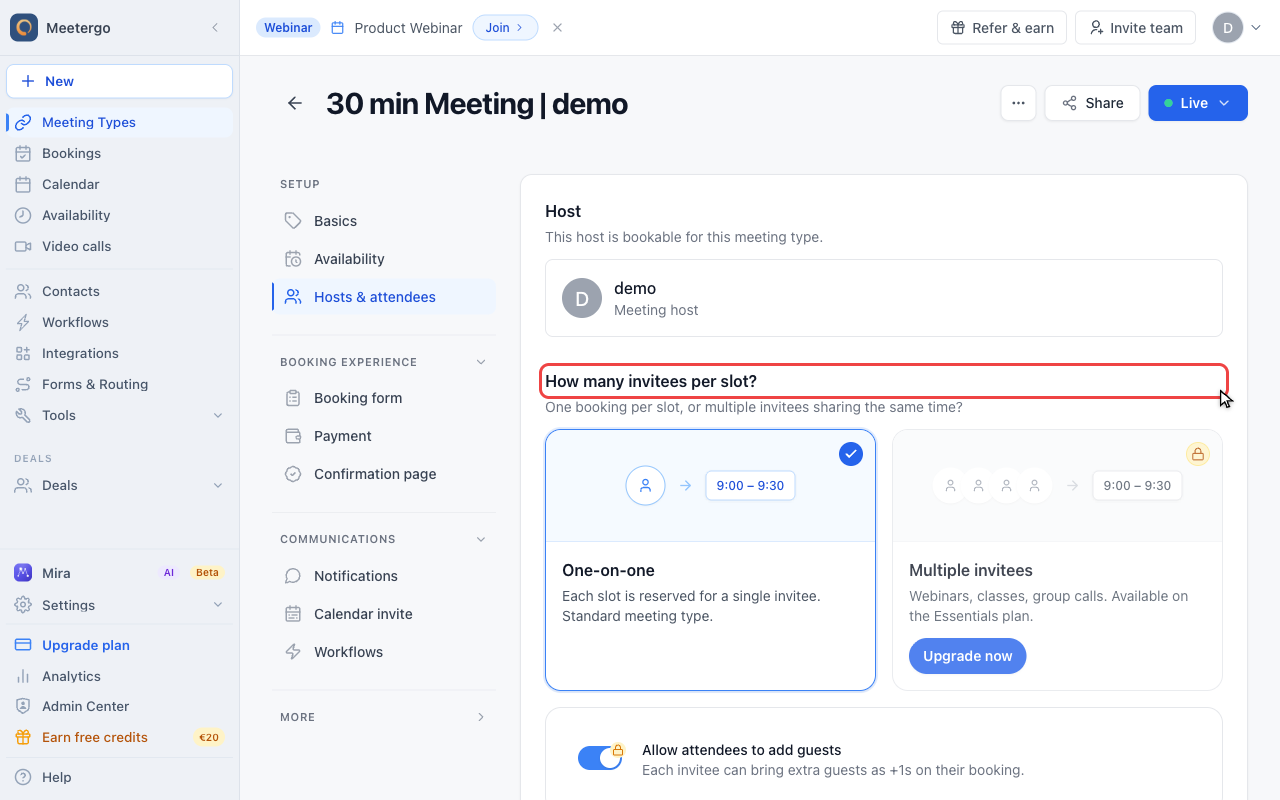
Review attendee capacity
The guest setting sits below the invitee capacity cards. Use one-on-one for a single primary attendee, or group booking when multiple invitees should reserve the same slot.
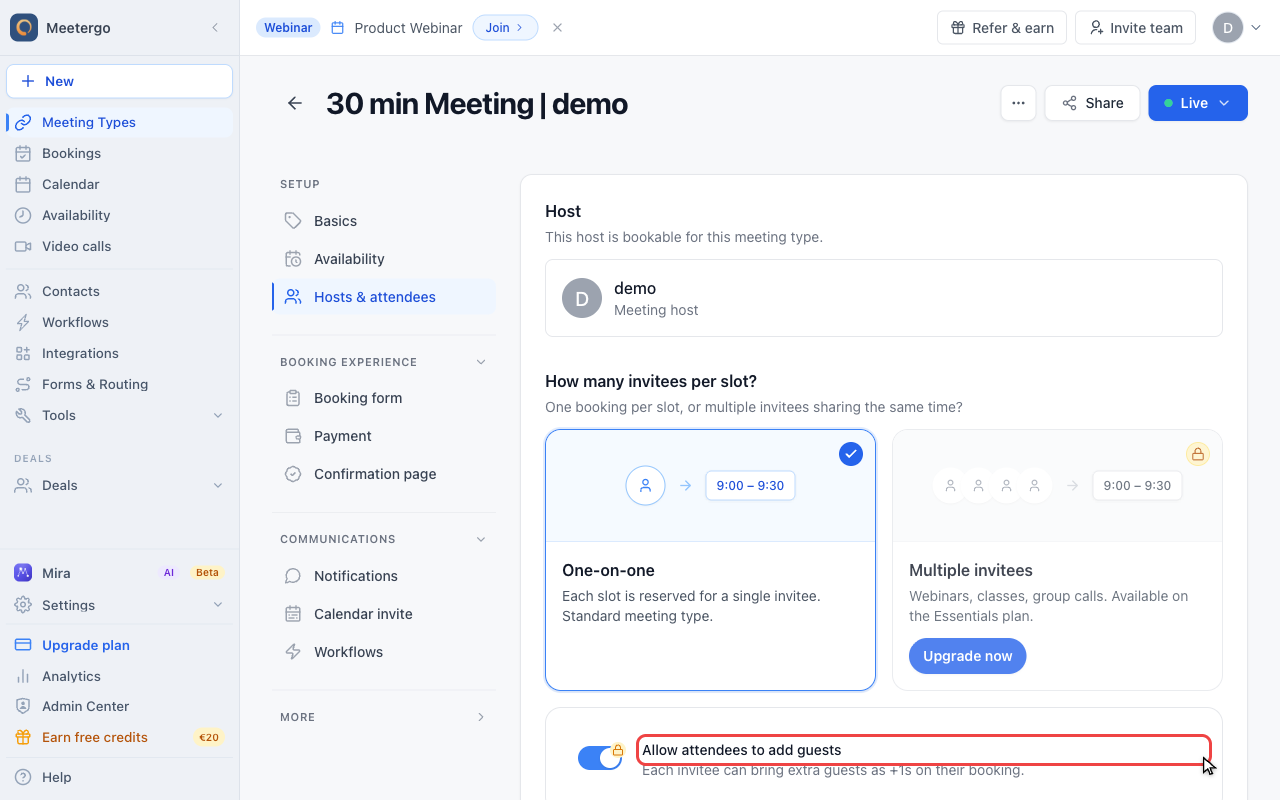
Control guest invitations
Enable or disable guests
Use Allow attendees to add guests when bookers may bring colleagues or stakeholders as plus-ones. Turn it off for private one-on-one appointments.
What Are Guest Invitations?
When enabled, attendees can add other people to their booking:
- Additional email addresses receive calendar invites
- Guests appear in the meeting confirmation
- All guests can join the video call (if applicable)
When disabled, only the primary attendee can book.
What the Setting Changes
| Setting | Behavior |
|---|---|
| Enabled | Attendees see an "Add guests" field during booking |
| Disabled | No option to add guests; single attendee only |
When to Enable Guests
Team Meetings
When attendees need to bring colleagues:
- Sales meetings with multiple decision-makers
- Project kickoffs with team members
- Training sessions with multiple learners
Group Consultations
When meetings naturally involve multiple people:
- Couples counseling
- Family consultations
- Partner/co-founder meetings
Presentations
When the booker invites stakeholders:
- Demos to buying committees
- Presentations to boards
- Pitches to investor groups
When to Disable Guests
One-on-One Sessions
Keep meetings focused:
- Personal coaching
- Individual interviews
- Private consultations
Limited Capacity
When you can only accommodate one person:
- Medical appointments
- Legal consultations
- Therapy sessions
Confidential Discussions
When privacy is important:
- HR conversations
- Performance reviews
- Sensitive business matters
How It Works for Attendees
When Enabled
During booking, attendees see:
- Their own contact fields (name, email, phone)
- An "Add Guest" button or field
- Option to enter guest email addresses
- Guests receive calendar invites
When Disabled
During booking, attendees see:
- Only their own contact fields
- No option to add additional people
- Meeting is booked for them alone
Guest Limits
If you enable guests but want to limit how many:
- Some plans support maximum guest limits
- Configure in meeting type settings if available
- Consider using group booking for larger groups
Interaction with Other Settings
With Group Booking (Spots)
If your meeting type allows multiple attendees (spots > 1):
- Guests count toward total spots
- Or guests may be in addition to spots (check settings)
With Calendar Invites
When guests are added:
- All guests receive calendar invitations
- Video meeting links are shared with all
- Cancellation/reschedule affects all attendees
With Form Fields
Guest information collection:
- Usually only primary attendee fills out the form
- Guests are invited via email only
- Some forms may collect guest details
Best Practices
Clear Communication
If guests are allowed:
- Mention it in your meeting description
- Clarify any guest limits
- Explain who should attend
If guests are disabled:
- Note that meetings are one-on-one
- Suggest booking separately for additional people
Match Your Meeting Purpose
| Purpose | Recommendation |
|---|---|
| Individual consultation | Disable guests |
| Team demo | Enable guests |
| Personal coaching | Disable guests |
| Group training | Enable guests |
| Interview | Usually disable |
| Sales presentation | Enable guests |
Consider Video Platform
Some video platforms have participant limits:
- Verify guests won't exceed limits
- Consider platform capabilities
- Test with expected guest counts
FAQ
Do guests count against my booking limits?
This depends on your settings. Check if guests count toward attendee limits or booking frequency limits.
Can guests cancel or reschedule?
Typically only the primary attendee can cancel/reschedule. Guests receive updates when the primary attendee makes changes.
Do guests fill out booking forms?
Usually no—only the primary attendee completes the booking form. Guest information is limited to their email address.
Can I require guest information?
The standard guest field collects email only. For more guest details, consider a custom form field asking about attendees.
What if someone books alone but brings guests anyway?
If guests are disabled, they won't have calendar invites or video links. The primary attendee would need to forward information manually.
Are guest email addresses visible to the host?
Yes, you see all guest email addresses in the booking confirmation and can prepare accordingly.
Related Articles
Was this article helpful?
Let us know if this article answered your questions.