
How to Find Your Meeting Type ID
Locate your meeting type ID for API integrations, webhooks, and advanced configurations
The meeting type ID is a unique identifier for each of your meeting types. You'll need it when setting up API integrations, configuring webhooks, or using advanced features.
 1 / 4
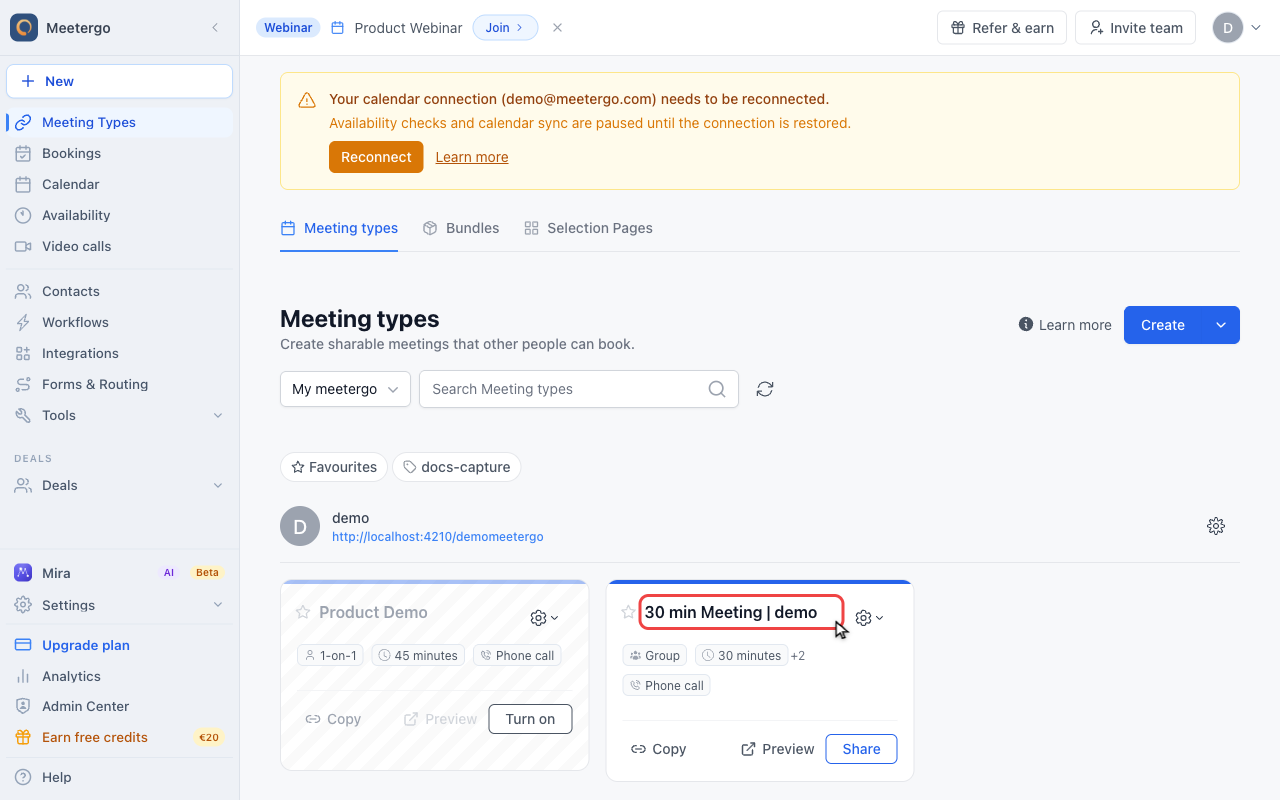
1 / 4Click the meeting type name to open the editor. The ID appears in the editor URL.
Open the meeting type
Open the meeting type
Click the meeting type name to open the editor. The ID appears in the editor URL.
Read the ID from the URL
Look at the edit URL
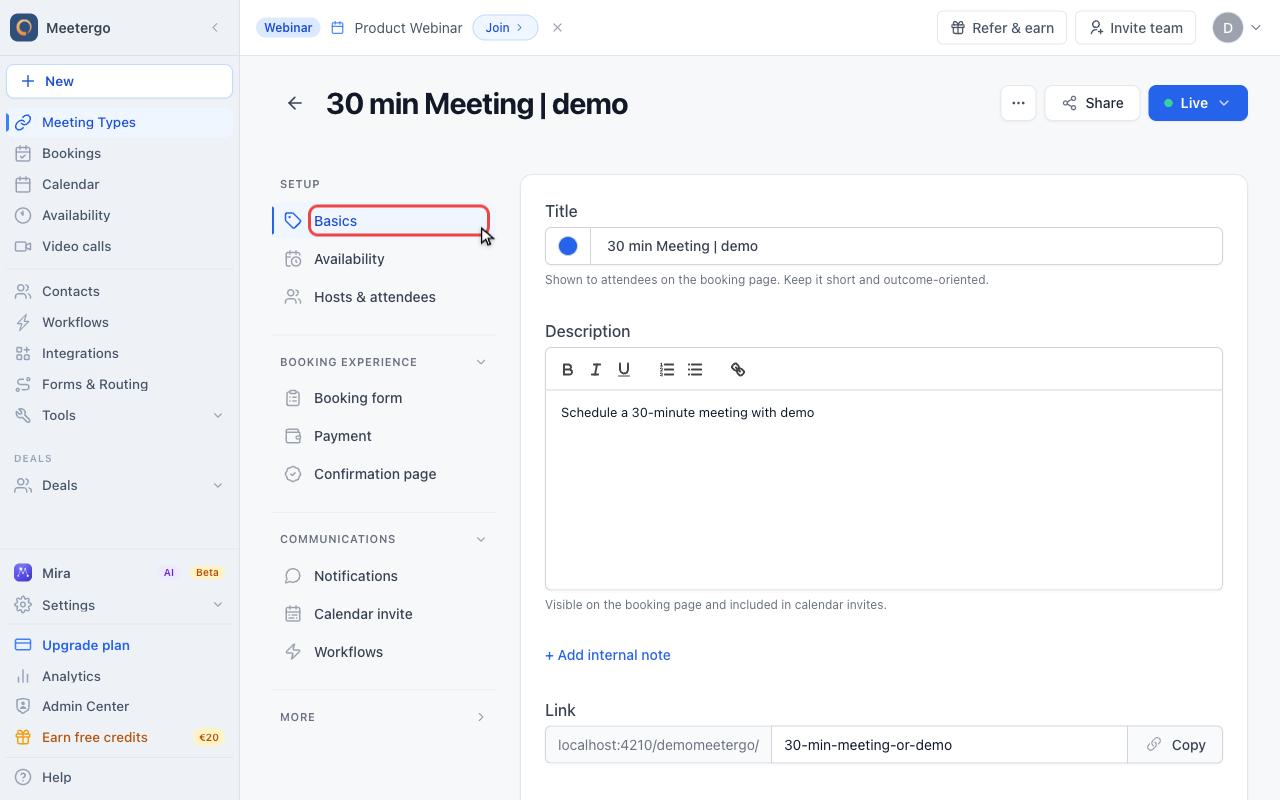
The UUID after /meeting-types/edit/ is the meeting type ID. In this demo it is 2ea9feaf-593b-4f07-9543-1b3f1fde237f.
Use share controls for links
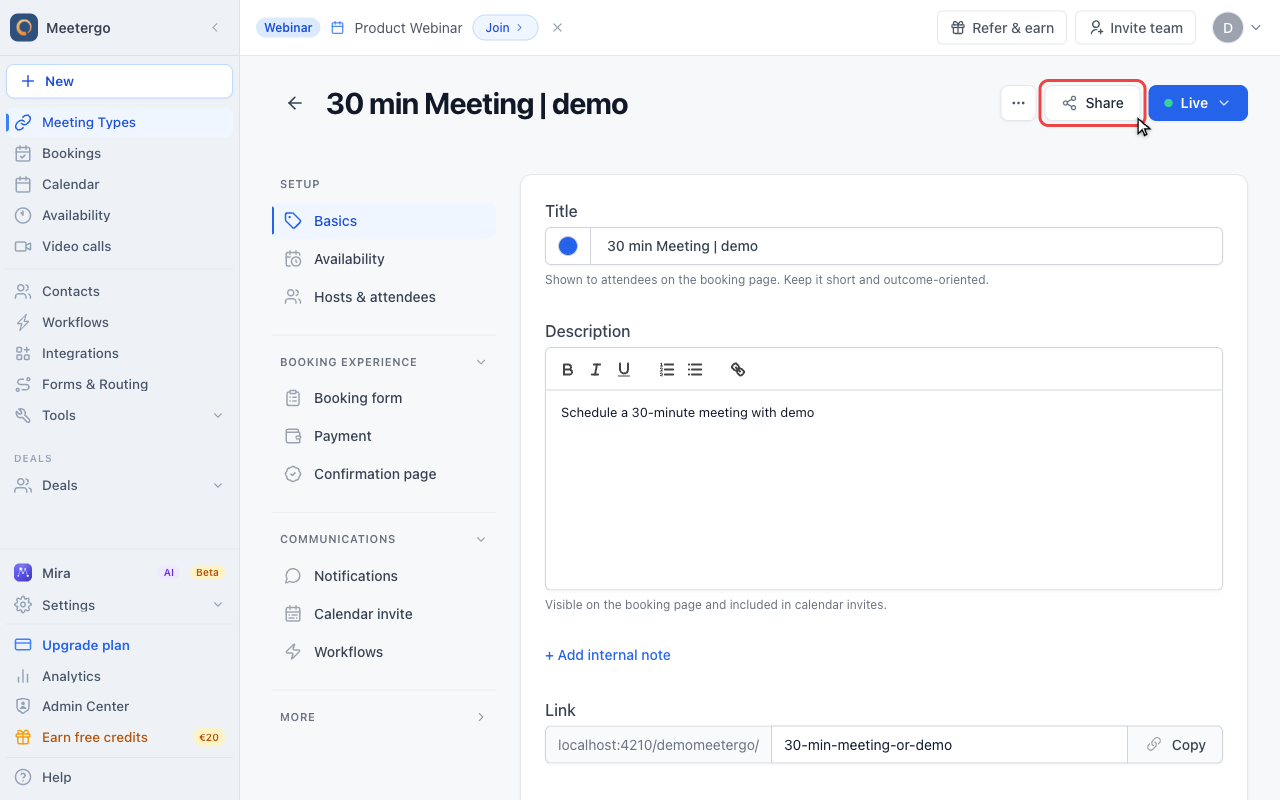
Use Share for public links
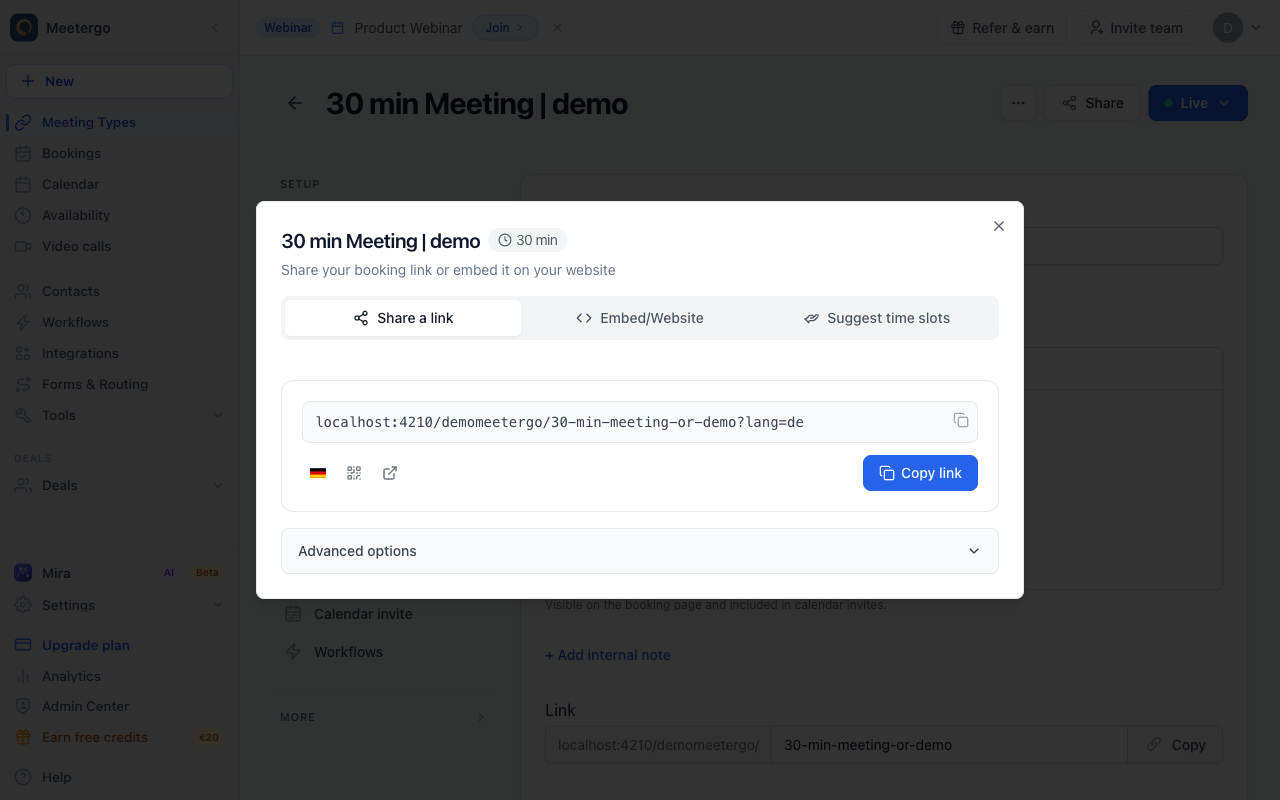
The Share button gives you public booking links. These links use slugs, while the editor URL keeps the internal ID.
Compare link and ID
Copy the public link for sharing, but use the UUID from the editor URL when an integration asks for the meeting type ID.
Where to Find the Meeting Type ID
Method 1: URL Bar (Easiest)
The meeting type ID is visible in your browser's address bar when editing a meeting type.
- Go to Meeting Types
- Click on any meeting type to edit it
- Look at the URL in your browser:
https://app.meetergo.com/meeting-types/edit/abc12345-6789-def0-1234-567890abcdef
                                         └──────────────────────────────────────┘
                                                    This is your Meeting Type ID
The ID is the string after /edit/—typically a UUID format like abc12345-6789-def0-1234-567890abcdef.
Method 2: Booking Redirect Parameters
When using redirect URLs after booking, meetergo automatically appends the meeting type ID:
https://yoursite.com/thank-you?meetingTypeId=abc12345-6789-def0-1234-567890abcdef
If you've set up a redirect URL, check the parameters being passed to find your ID.
Method 3: API Response
When fetching meeting types via the API, each meeting type includes its ID:
{
  "id": "abc12345-6789-def0-1234-567890abcdef",
  "name": "30-Minute Consultation",
  "duration": 30,
  ...
}
See API Documentation for details.
Method 4: Webhook Payloads
When bookings occur, webhook payloads include the meeting type ID:
{
  "event": "booking_created",
  "data": {
    "meetingTypeId": "abc12345-6789-def0-1234-567890abcdef",
    "appointmentId": "...",
    ...
  }
}
When You Need the Meeting Type ID
API Integrations
When creating bookings via API:
curl -X POST "https://api.meetergo.com/v4/booking" \
  -H "Content-Type: application/json" \
  -d '{
    "meetingTypeId": "abc12345-6789-def0-1234-567890abcdef",
    "start": "2025-01-15T10:00:00Z",
    "attendee": { ... }
  }'
Webhook Configuration
Filter webhooks by meeting type:
app.post('/webhook', (req, res) => {
  const { meetingTypeId } = req.body.data;

  if (meetingTypeId === 'abc12345-...') {
    // Handle specific meeting type
  }
});
Slack Integration
When mapping meeting types to Slack channels, you'll reference meeting type IDs in your configuration.
Custom Integrations
Use the ID to:
- Track bookings per meeting type
- Route notifications differently
- Build custom dashboards
- Create Zapier workflows
ID Format
Meeting type IDs in meetergo are UUIDs (Universally Unique Identifiers):
- Format:
xxxxxxxx-xxxx-xxxx-xxxx-xxxxxxxxxxxx - Example:
abc12345-6789-def0-1234-567890abcdef - Always lowercase letters and numbers
- 36 characters total (including hyphens)
Tips
Keep IDs Secure
While meeting type IDs aren't sensitive like API keys, avoid sharing them publicly if your meeting types are private.
IDs Don't Change
Once created, a meeting type's ID never changes—even if you rename the meeting type or modify its settings.
Copy Carefully
When copying from the URL bar, make sure to get the complete ID without any trailing slashes or query parameters.
FAQ
Can I customize my meeting type ID?
No, IDs are automatically generated and cannot be changed.
Does deleting and recreating a meeting type keep the same ID?
No, a new meeting type gets a new ID. Update any integrations if you recreate a meeting type.
Is the meeting type ID the same as the booking link slug?
No, the booking link slug (e.g., /yourname/consultation) is different from the internal ID. The slug is human-readable; the ID is for system use.
Related Articles
Was this article helpful?
Let us know if this article answered your questions.