
How to limit bookings per email address
Cap how often one email address can book the same meeting type, and know when that cap resets
The email booking limit caps how many times one email address can book a single meeting type. Use it when an intro call, a free consultation, or a limited service should be available once per person rather than on repeat. It lives in the meeting type editor under Advanced, in the Booking access & limits card.
 1 / 13
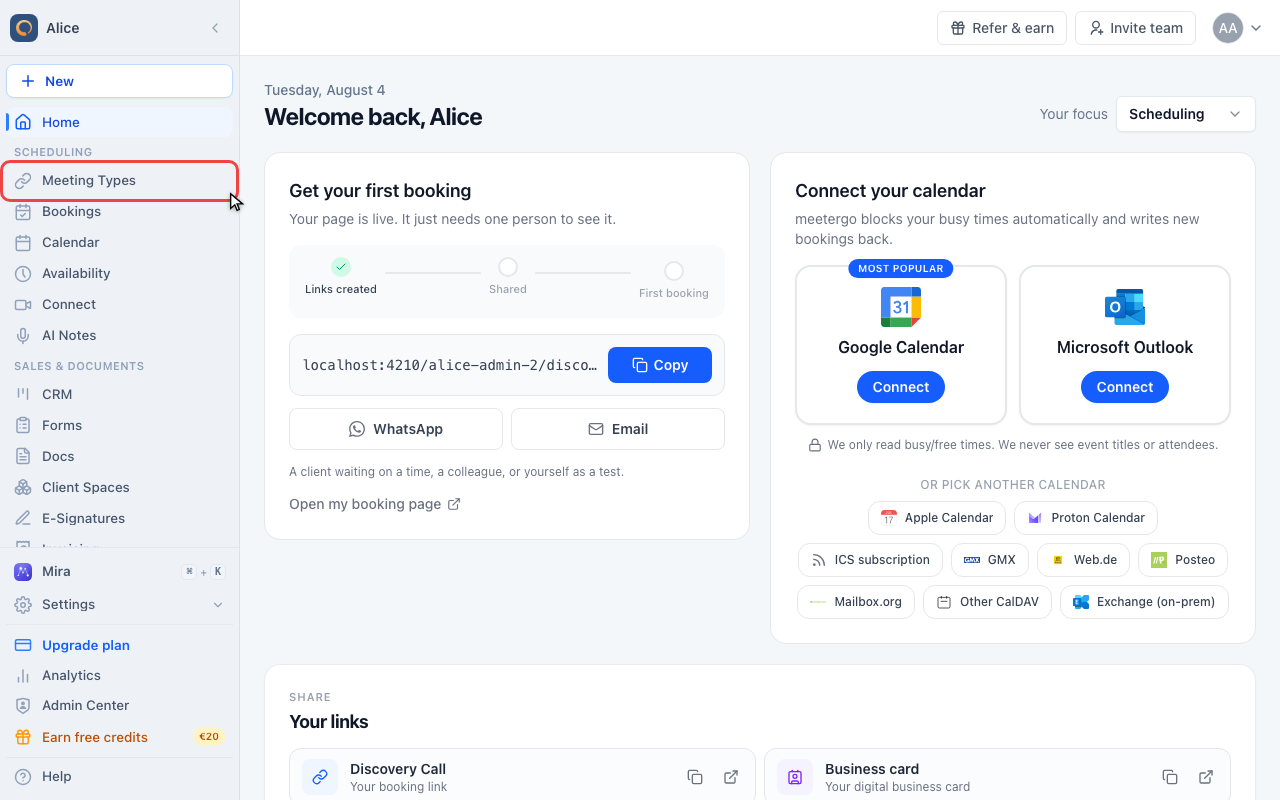
The limit is set per meeting type, so start in Meeting types in the sidebar.
Open the meeting type
Open Meeting types
The limit is set per meeting type, so start in Meeting types in the sidebar.
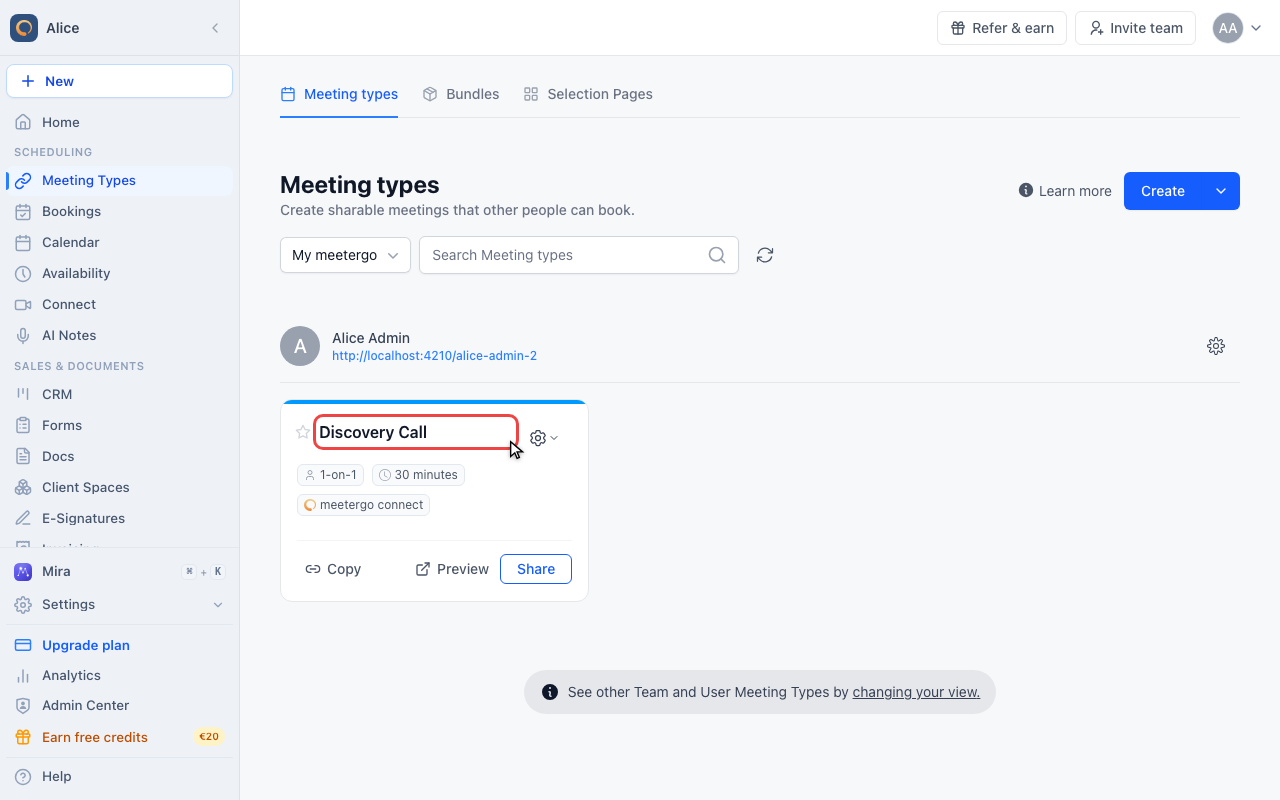
Open the meeting type you want to cap
Click the name of the meeting type. Each meeting type carries its own limit, and duplicating one starts its count from zero.
Open Advanced settings
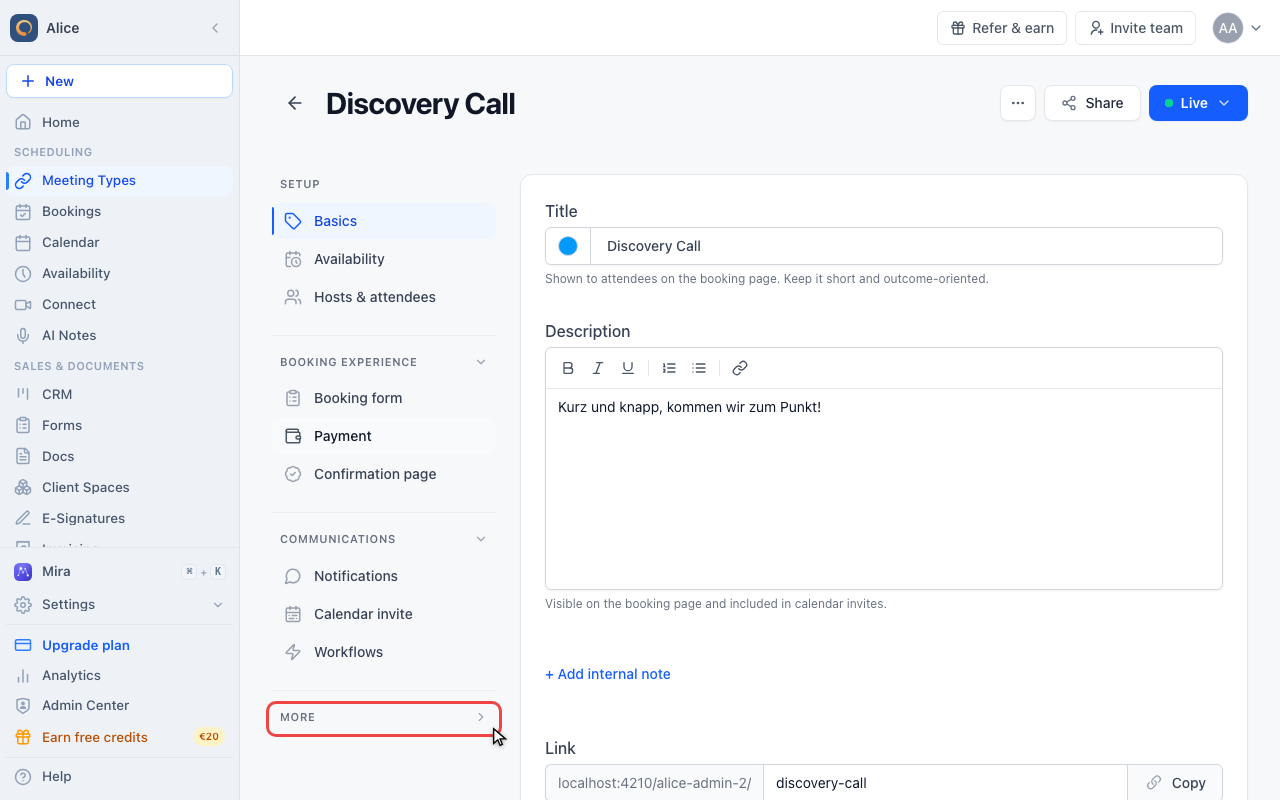
Expand More
In the editor sidebar, open the More group. It is collapsed until you open it.
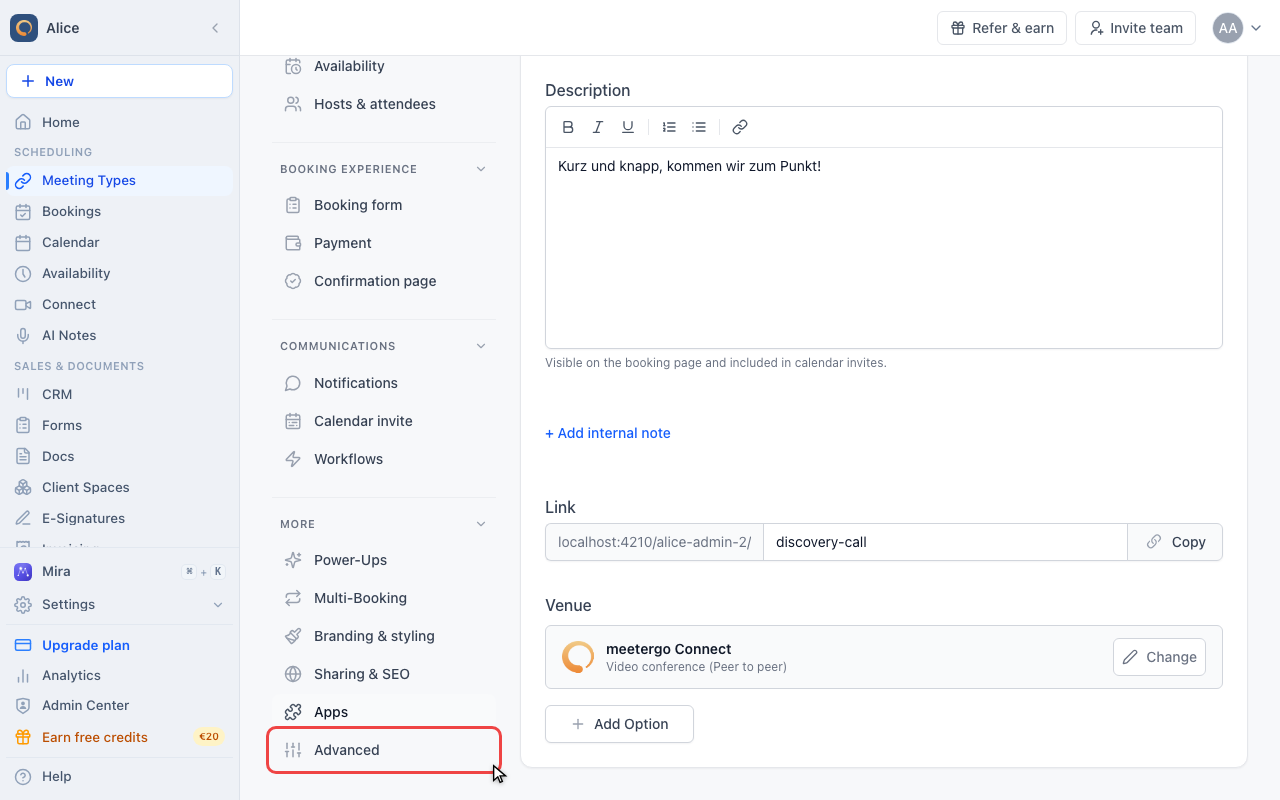
Click Advanced
Advanced holds the settings that change who may book and how the booking page behaves.
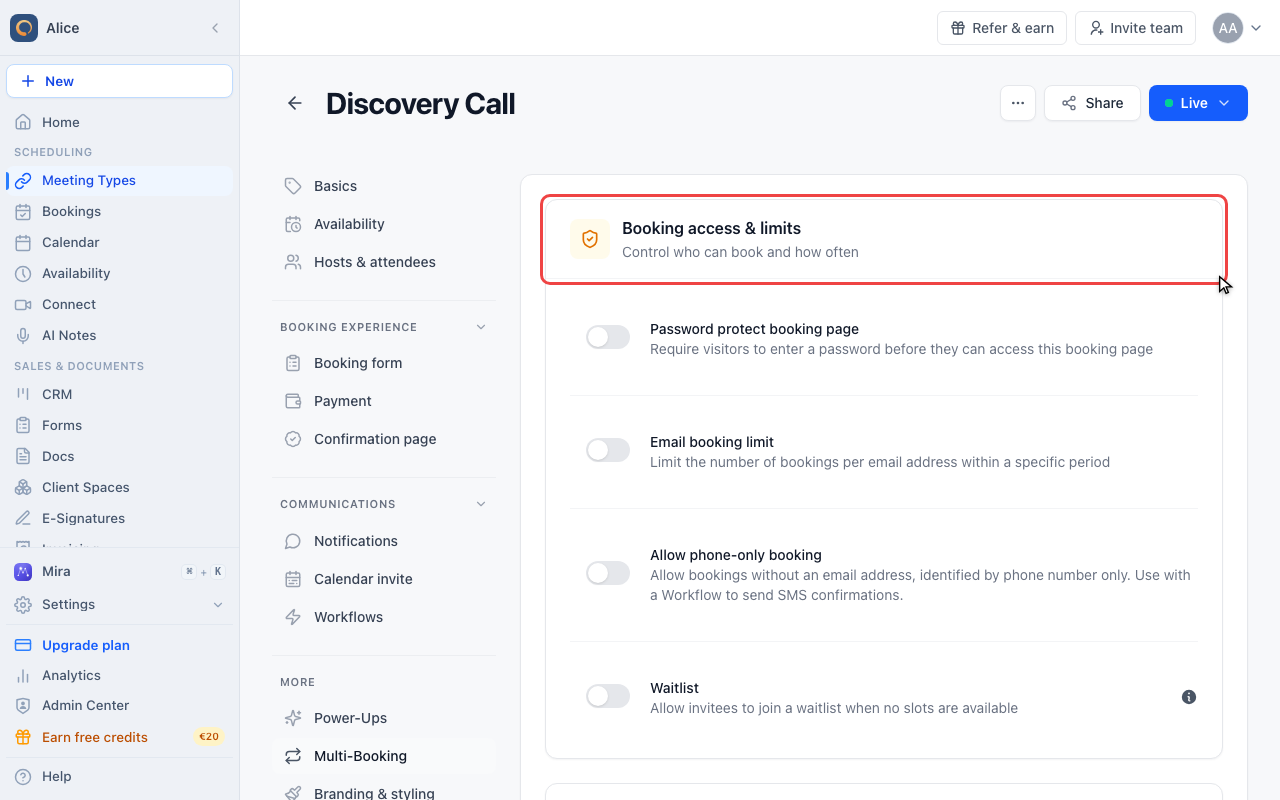
Find Booking access & limits
The first card on the page groups password protection, the email booking limit, phone-only booking, and the waitlist.
Turn on the email booking limit
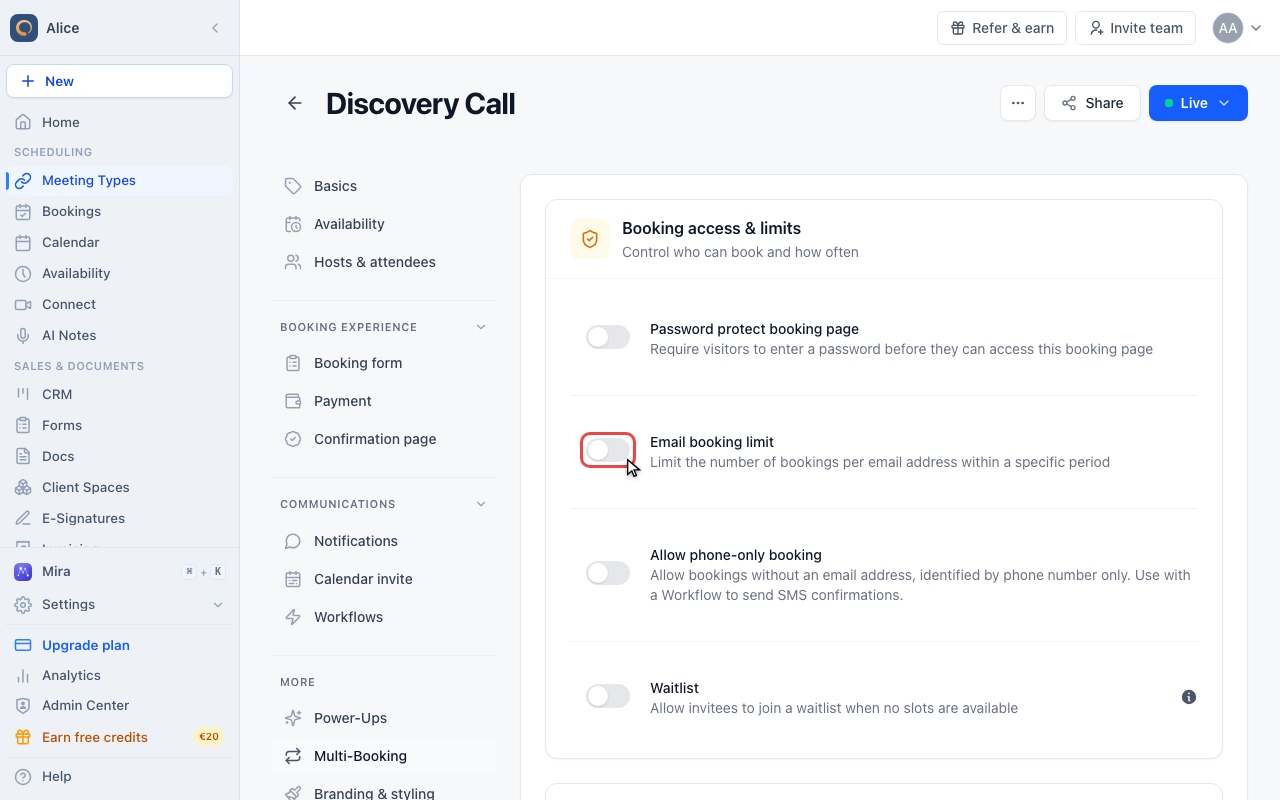
Turn on Email booking limit
Switch on Email booking limit. Turning it back off clears the three values below it.
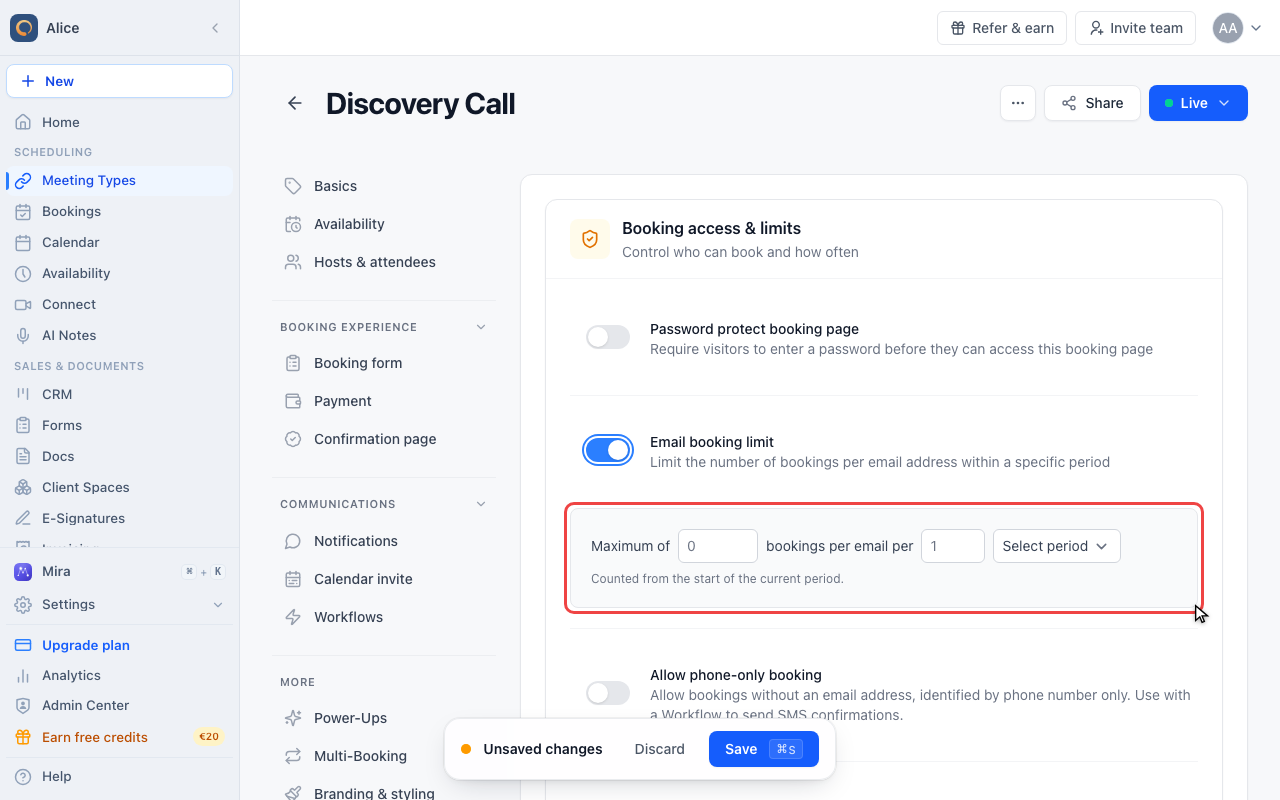
Read the three fields
The sentence reads "Maximum of N bookings per email per M period". All three parts have to be filled in before the limit does anything.
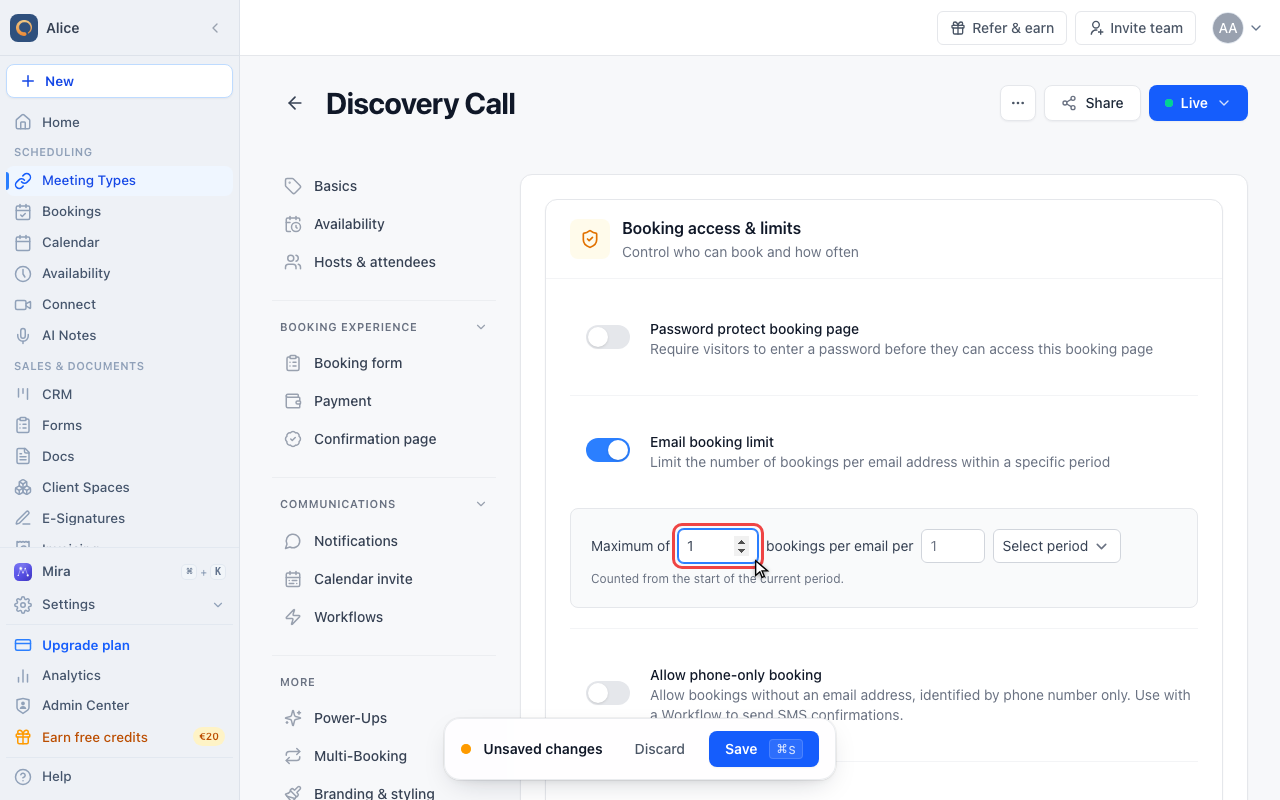
Set how many bookings are allowed
Enter the number of bookings one email address may make. Cancelled bookings are not counted, so a cancellation gives the allowance back.
Choose the period
Pick Day, Week, Month, or Year. With the count left at 1, the window is the calendar period: a yearly limit frees up again on 1 January, not twelve months after the booking.
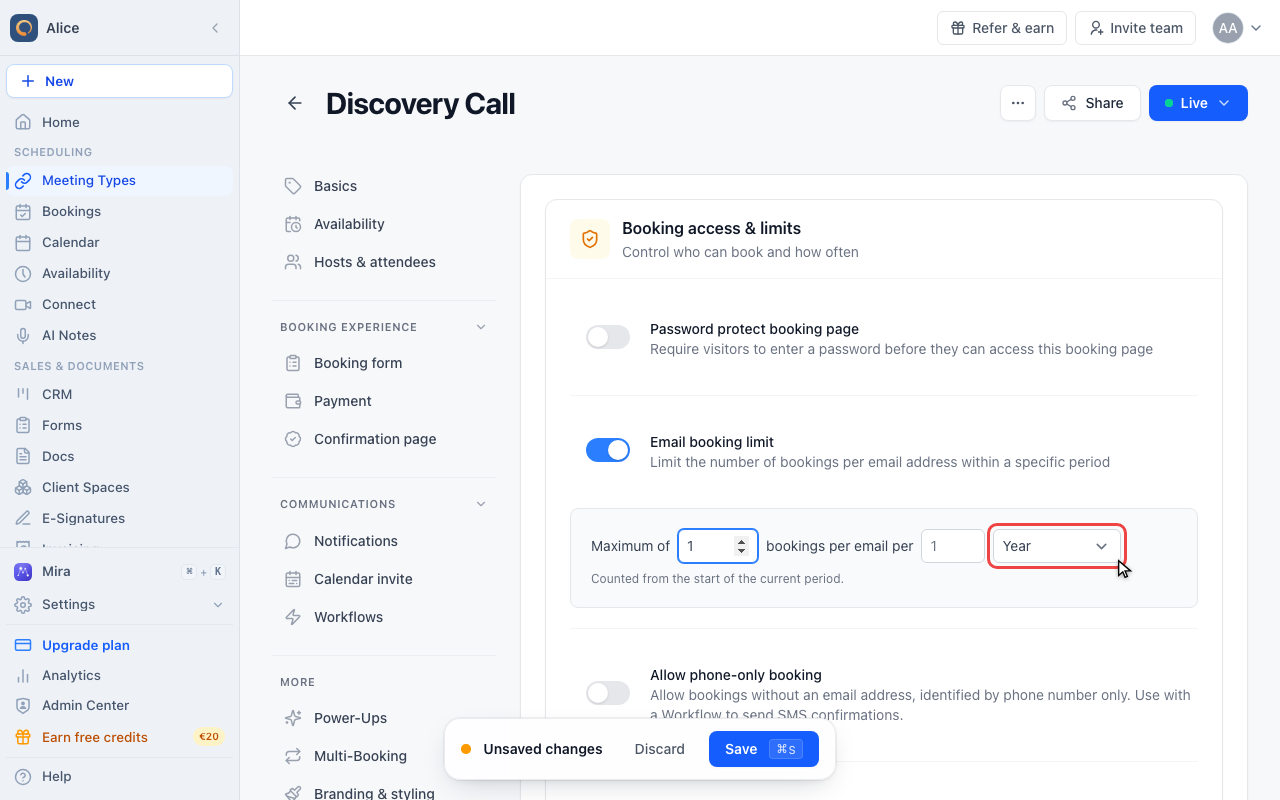
Check the hint under the fields
The line under the fields always states which window is in force. "Counted from the start of the current period" is the calendar-period behaviour.
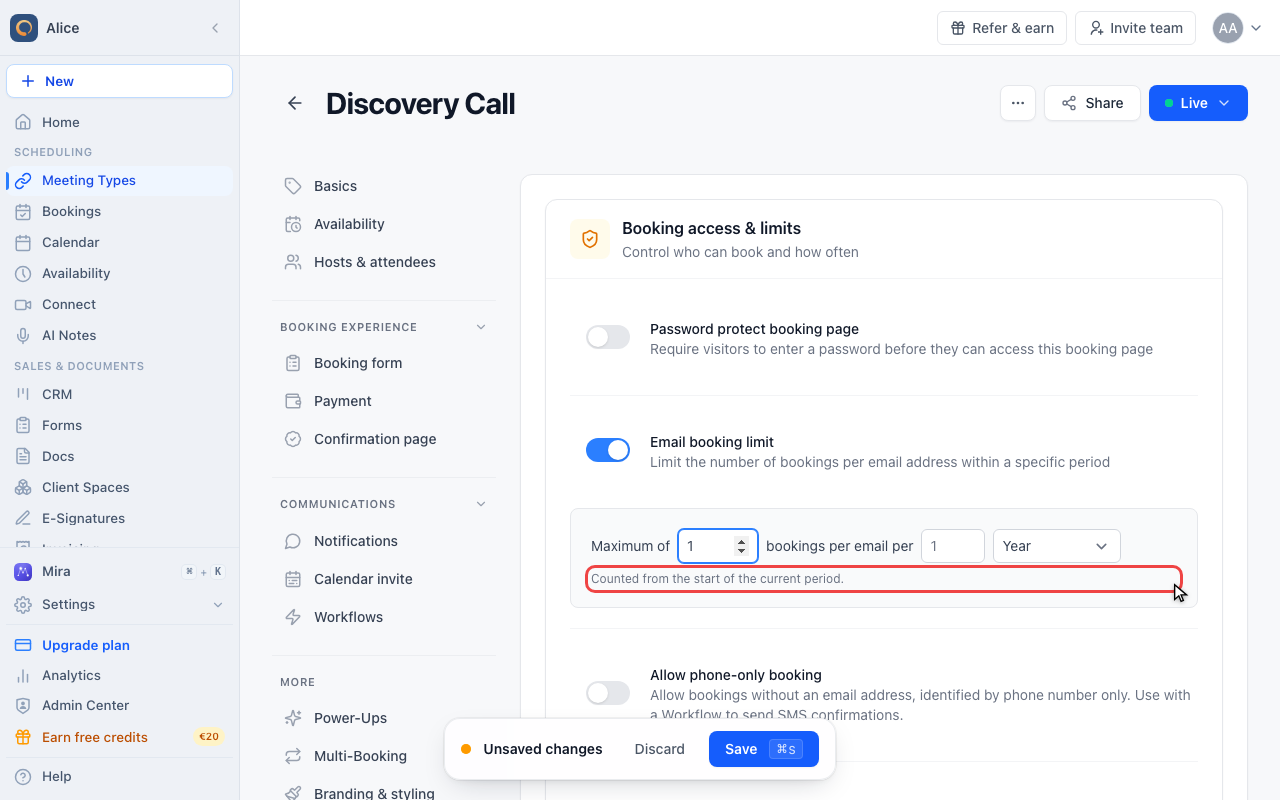
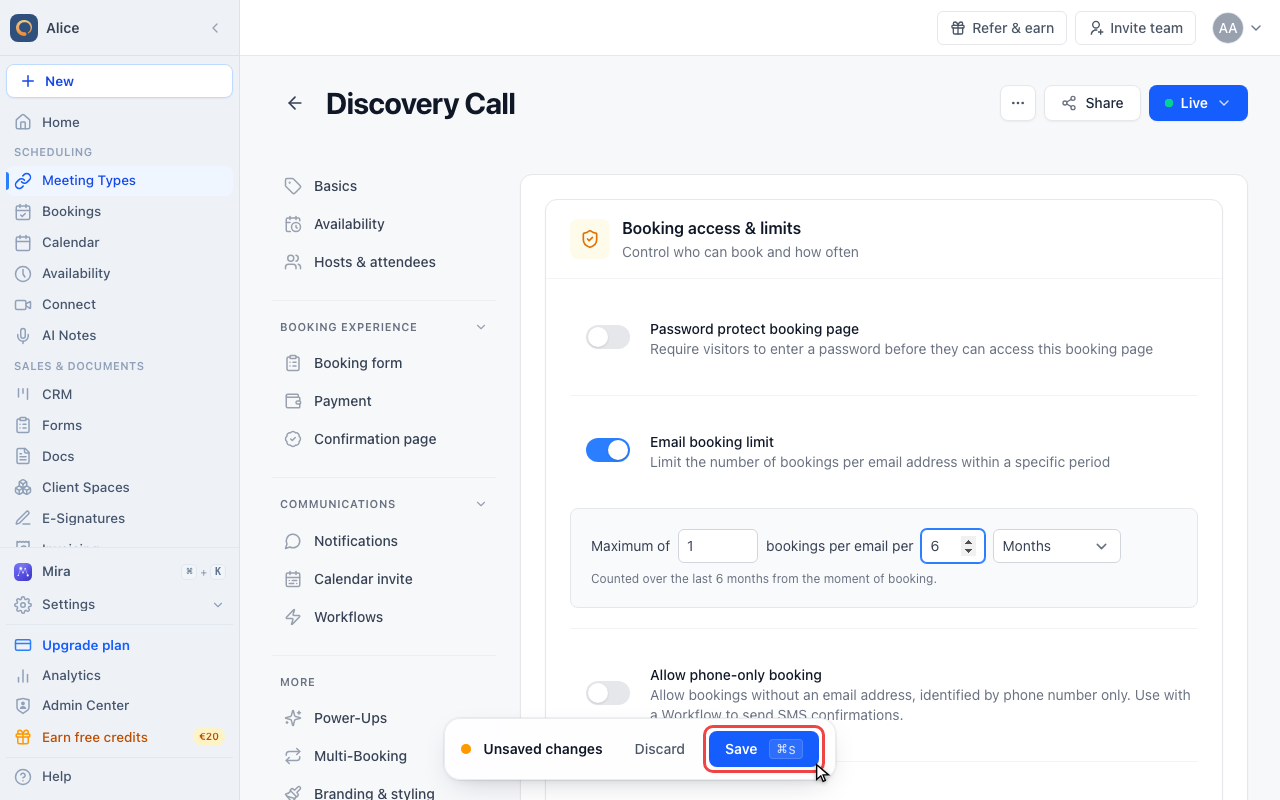
Count over a rolling window
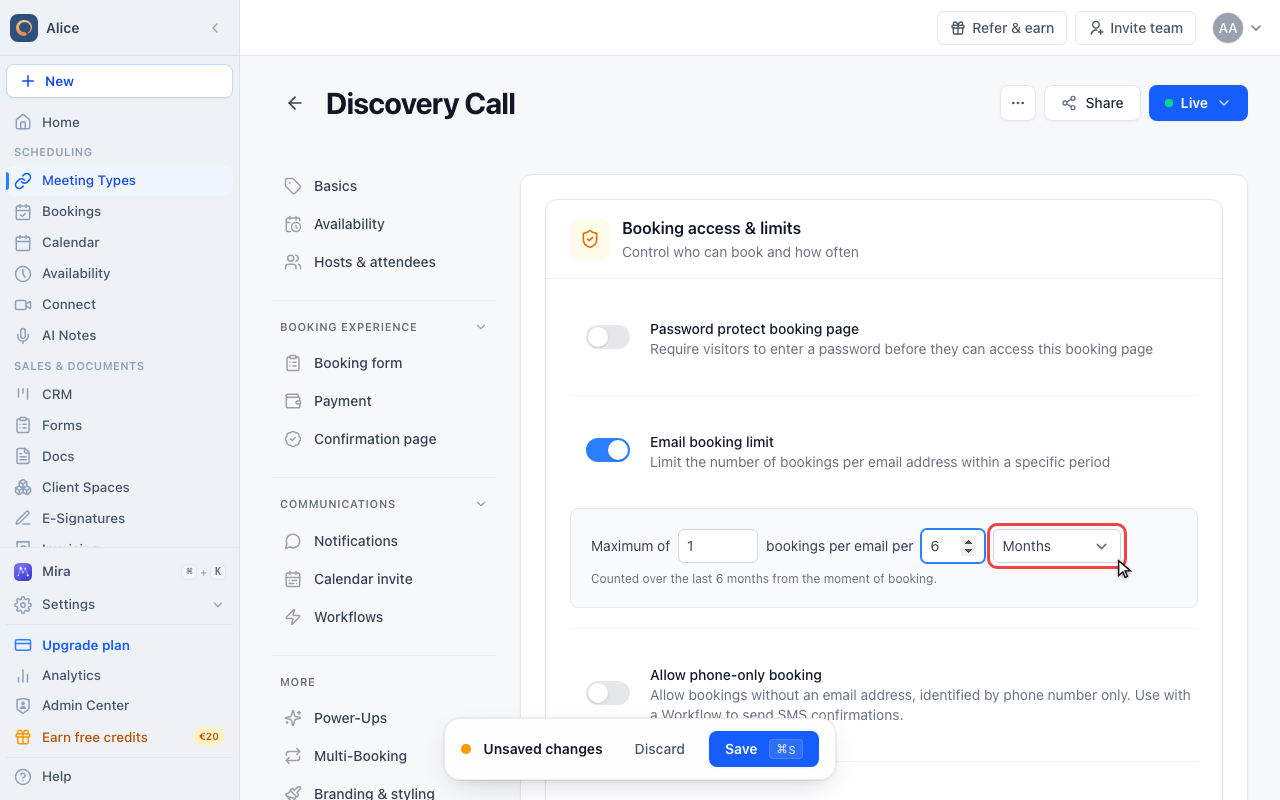
Pick the unit for the window
With the count above 1 the unit is shown in the plural, so this reads "per 6 Months".
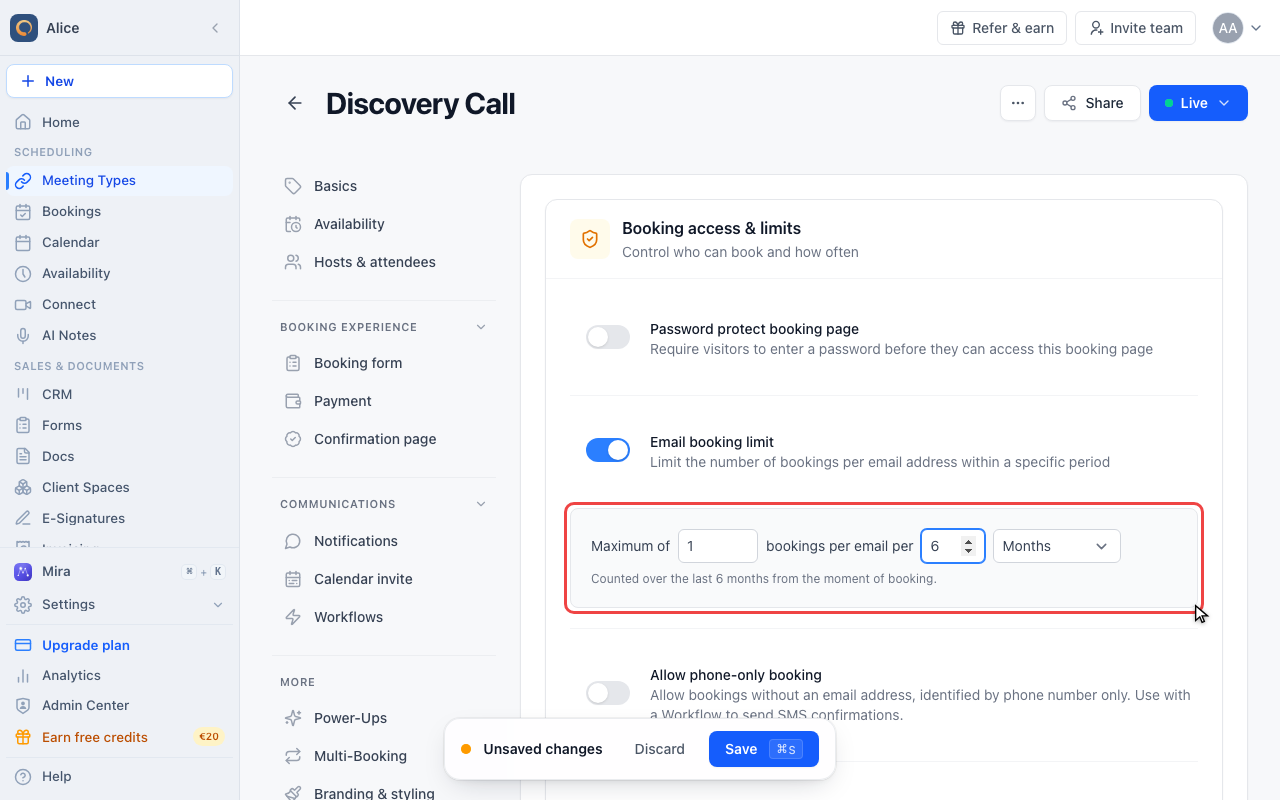
Confirm the rolling window
The hint now reads "Counted over the last 6 months from the moment of booking". A rolling window has no reset date: it always looks back from the attempt.
Save the meeting type
The limit takes effect only after you press Save in the unsaved-changes bar. Leaving the editor before that discards it.
When to use it
- Practices and clinics: one initial consultation per patient per year
- Free consultations: stop the same person booking a free session again and again
- High-demand services: spread a scarce meeting type across more people
- Event registrations: one seat per person
What the three fields mean
| Field | What it holds |
|---|---|
| Maximum of | How many bookings a single email address may make inside the window. Minimum 1. |
| bookings per email per | How many periods the window spans, between 1 and 60. Leave it at 1 for a plain calendar period. |
| Period | Day, Week, Month, or Year. |
All three have to be filled in. If you turn the switch on but leave the period on "Select period", the meeting type saves and the limit enforces nothing.
How the window is measured
The number of periods decides which of two rules applies, and the hint under the fields always tells you which one is in force.
| Number of periods | Window | Example |
|---|---|---|
| 1 | The calendar period. "Counted from the start of the current period." | 1 per Year frees up again on 1 January, not twelve months after the booking. 2 per Month resets on the 1st. |
| 2 to 60 | A rolling window counted backwards from the booking attempt. "Counted over the last N months from the moment of booking." | 1 per 6 Months means the address made no booking in the previous six months. There is no reset date. |
The count is based on when the booking was made, not when the meeting takes place. A booking created today for a meeting next spring uses up today's allowance.
Cancelled bookings do not count, so a cancellation hands the allowance back.
What the attendee sees
The limit is checked when the booking is submitted, not while availability is calculated. The booking page shows its usual times to everybody. Someone who is over the limit only finds out after picking a slot and filling in the form.
The message is: "You have reached the maximum number of bookings allowed for your email address. Please try again later or contact the host for assistance."
When you book on behalf of an attendee yourself, you get a different message that names the cause: "This attendee has already reached the per-email booking limit configured on this meeting type. To confirm this appointment anyway, please increase or disable the limit in the meeting type settings."
What the limit covers
- One meeting type. Each meeting type counts on its own, and a duplicate starts from zero.
- Every host. On a round robin, group, or co-host meeting type the limit is checked before a host is picked, so it applies whoever ends up hosting.
- Group slots. Joining an existing group booking counts as a booking.
- The exact email address. Matching is on the address as typed, so a second address, or a plus-alias, is a different person to the limit.
- Not phone-only bookings. A booking made without an email address is never limited.
Turning the email booking limit on switches off Host meeting limits for that meeting type. Host meeting limits (Availability, Advanced settings) cap how many meetings a host takes per day or week and work by hiding slots. Meeting type limits take precedence, so a meeting type with an email limit ignores its host's limits entirely.
Alternative: duplicate booking prevention
If you only want to stop the same person taking the same slot twice, you do not need this setting. meetergo already prevents double bookings of one time slot.
Troubleshooting
The booking page shows times, but the attendee cannot complete the booking. They are over the limit. Search their email address in Appointments to see what they already have, and raise the limit or cancel the earlier booking to free the allowance.
The booking page shows no times at all. That is not this setting. Availability is calculated without any knowledge of the attendee's email, so the email booking limit can never hide a slot. Work through unavailable times that should be available instead, and check Host meeting limits, which do hide slots.
The switch is on but nobody is blocked. The period is probably still empty. Open Advanced and confirm all three fields have a value.
FAQ
Does this limit apply across all my meeting types?
No. It is configured and counted per meeting type. Someone blocked on your intro call can still book your support call.
When does an attendee get their allowance back?
With the number of periods at 1, at the start of the next calendar period. With it above 1, gradually: the window always looks back from the moment of the attempt, so the oldest booking drops out once it is older than the window.
Does cancelling a booking free the allowance?
Yes. Only bookings that are still active are counted.
Can I see who has reached their limit?
Search the email address in Appointments. What you see there is exactly what the limit counts.
Does this work with team meeting types?
Yes. The check runs before a host is assigned, so it applies to round robin, group, and co-host meeting types regardless of who ends up hosting.
Can I limit how many meetings a host takes instead?
Yes, with Host meeting limits under Availability, Advanced settings. Those are per host rather than per attendee, and they hide slots on the booking page instead of rejecting the booking at the end. Note that a meeting type with an email booking limit ignores them.
Was this article helpful?
Let us know if this article answered your questions.
Related articles
- Account Owner MatchingRoute round-robin bookings to the user who already owns the booker as a contact
- Allow or Disable Guest InvitationsControl whether attendees can add additional guests to their bookings
- Booking Confirmation: Why It Happens and How to Turn It OffFind out which setting makes attendees or hosts confirm a booking again, change the confirmation deadline, resend a confirmation email, and switch booking confirmation off for your whole company or a single meeting type.
- Booking questions and the booking button textAdd your own questions to the booking form, and change the booking button text: rename the Book now button, edit field labels, help text and placeholders, and find where the other text on your booking page comes from.