
Control Which Meeting Types Appear on Your Business Card
Choose whether to show all meeting types or only selected ones on your business card
Your business card displays booking pages that visitors can book with you. By default, it can show all enabled meeting types automatically. You can also switch to a curated selection and choose exactly which meeting types appear there.
 1 / 6
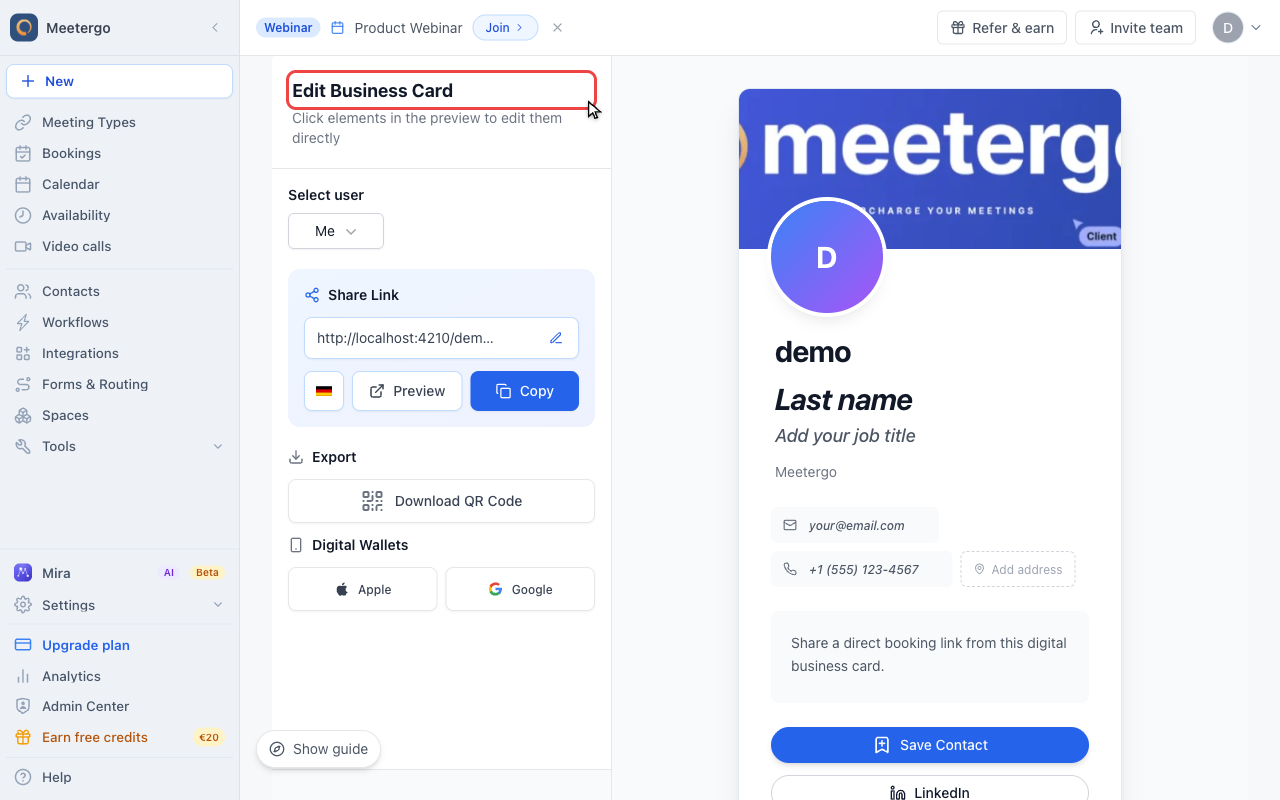
1 / 6The editor shows sharing actions at the top and an editable preview below.
Open your business card
Open the business card editor
The editor shows sharing actions at the top and an editable preview below.
Review Meeting Links
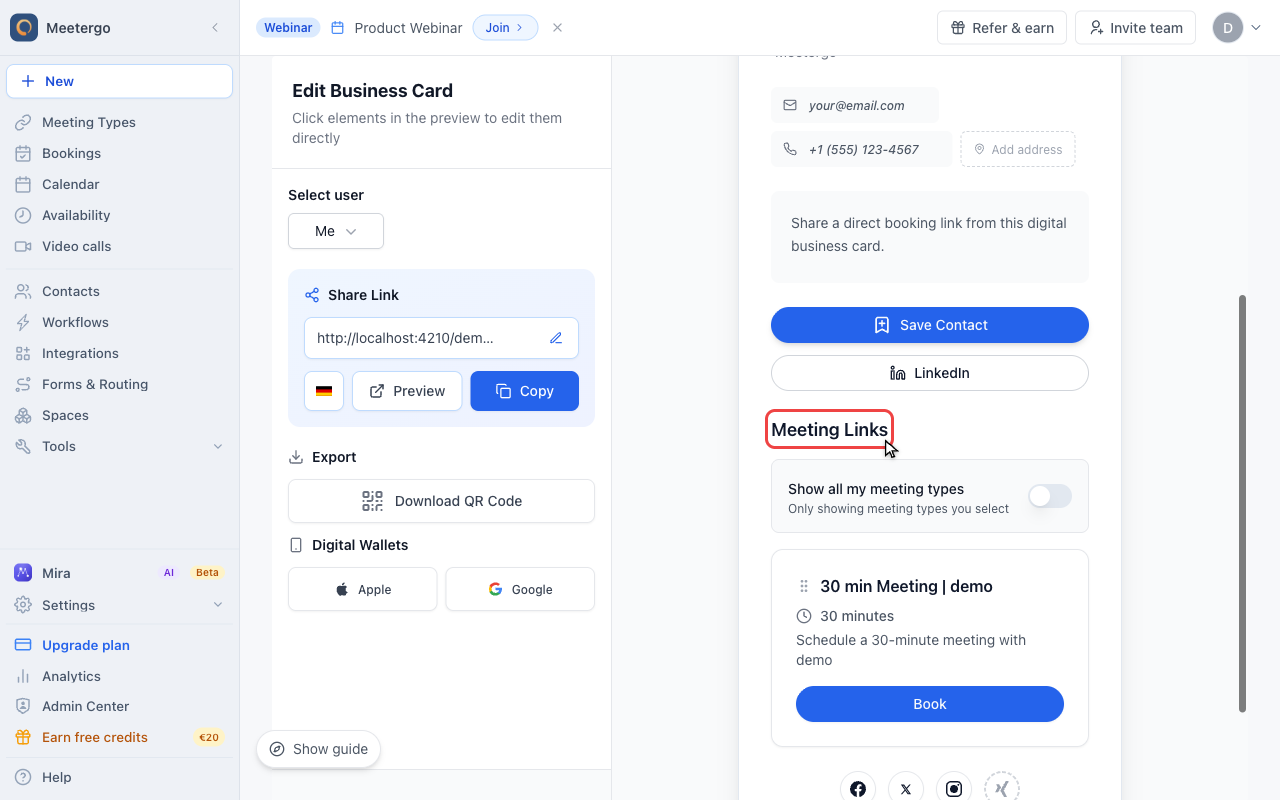
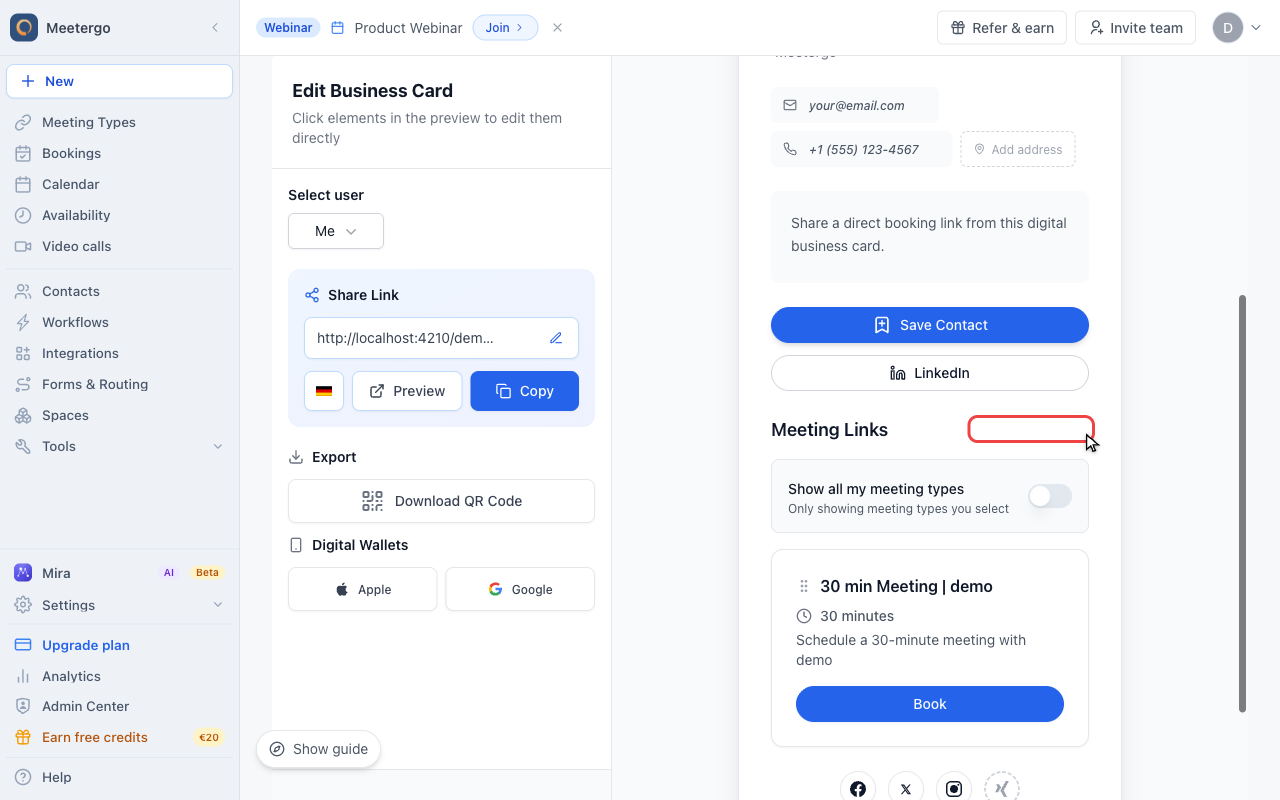
Scroll to Meeting Links
Meeting Links controls which meeting types appear on your business card.
Choose selected-only mode
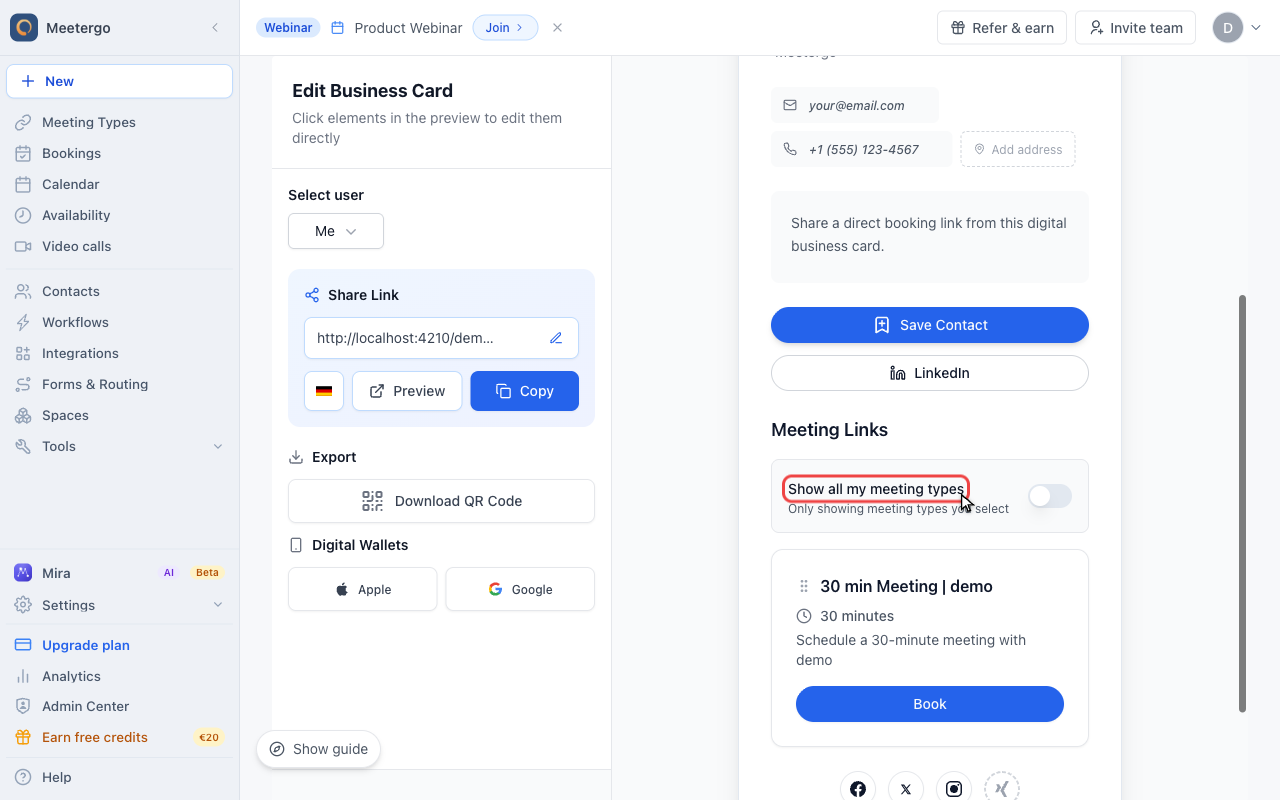
Turn off Show all my meeting types
When the switch is off, the business card shows only the meeting types you select in this section.
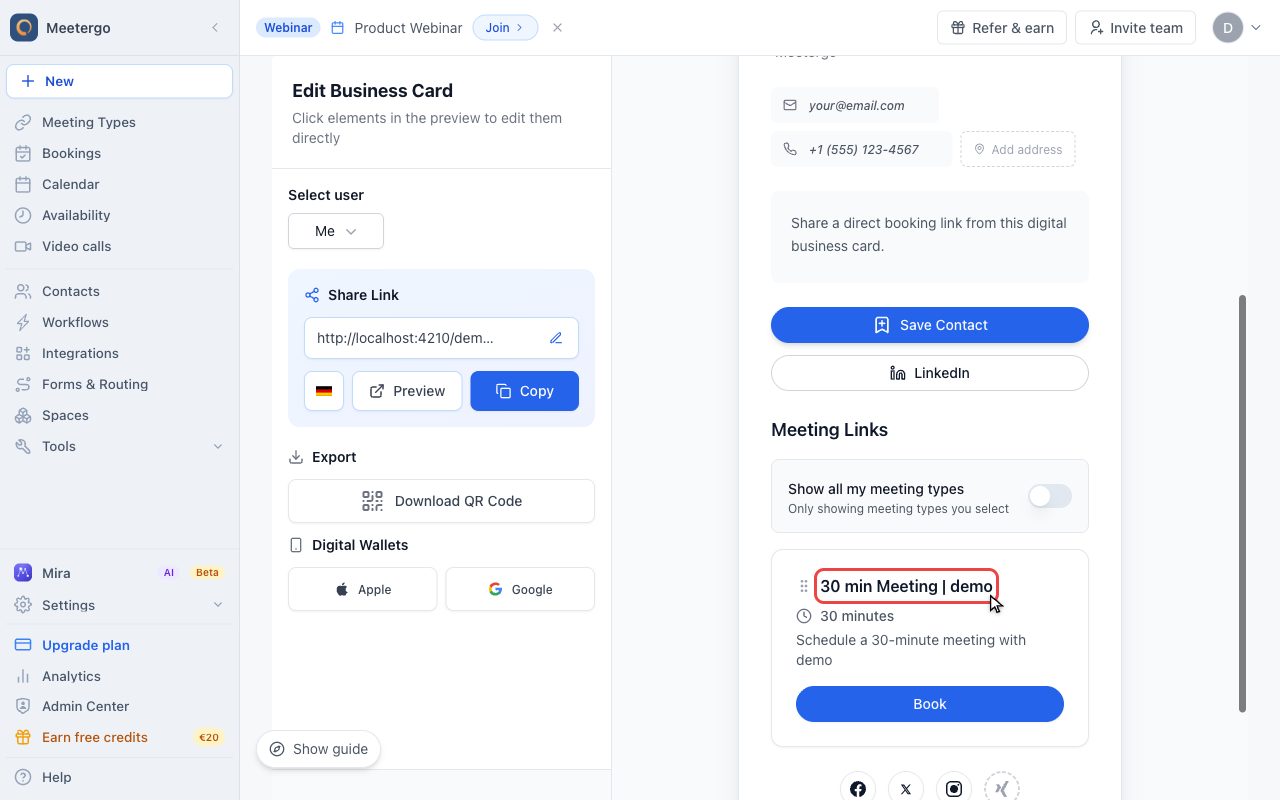
Review the selected meeting types
Selected meeting types appear as draggable cards. Drag them to change the order shown to visitors.
Add meeting types
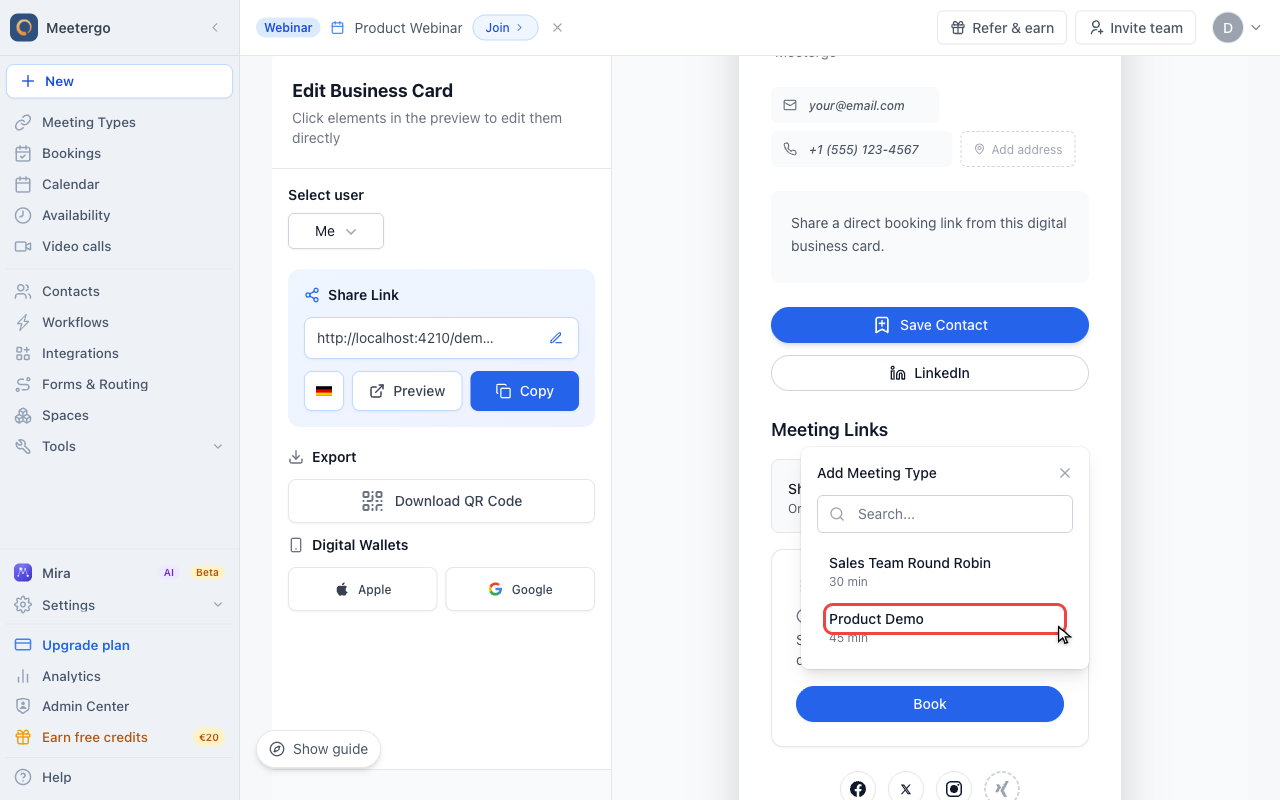
Click Add Meeting Type
Use Add Meeting Type to choose another enabled booking page for your business card.
Choose another meeting type
Search or pick from the remaining meeting types. Selecting one adds it to the business card; direct links for hidden meeting types keep working.
How Business Card Visibility Works
| Setting | Behavior |
|---|---|
| Show all my meeting types | Every enabled meeting type appears on your business card automatically |
| Selected only | Only the meeting types you add in Meeting Links are displayed |
This setting only affects the Meeting Links section on your business card. Meeting types remain bookable via their direct links.
When to Use Selective Display
Different Meeting Types for Different Audiences
You might want to:
- Show client-facing meeting types publicly
- Keep internal or team meeting types off your business card
- Display only your most popular options
Simplify the Booking Experience
If you have many meeting types, showing a curated selection makes it easier for visitors to choose.
Highlight Specific Offerings
Feature your most important meeting types while keeping others available via direct link.
How to Control Business Card Visibility
Show Only Selected Meeting Types
- Open Business Cards
- Find the Meeting Links section
- Turn off Show all my meeting types
- Click Add Meeting Type
- Choose the meeting types you want to display
- Your business card now shows only those selected meeting types
Return to Showing All Meeting Types
- Open Business Cards
- Scroll to Meeting Links
- Turn on Show all my meeting types
- All your enabled meeting types appear automatically
Reordering Meeting Types
When you show only selected meeting types, drag the cards in Meeting Links to change the order visitors see on your business card.
Sharing Meeting Types Not on Your Business Card
Meeting types not shown on your business card are still fully functional. Share them by:
- Direct link: Copy the meeting type's booking URL and send it directly
- One-time link: Generate a single-use link for private invitations. See One-Time Booking Links.
FAQ
Does hiding a meeting type from my business card disable it?
No. The meeting type remains active and bookable via its direct link. Only business card visibility is affected.
Can I hide meeting types from search engines?
No. This setting is not a privacy or SEO control. It only controls whether the meeting type appears on your business card.
What's the difference between this and one-time booking links?
This setting controls what appears on your business card. One-time booking links are single-use URLs that expire after one booking, which is useful for private invitations where you want to control access.
Related Articles
Was this article helpful?
Let us know if this article answered your questions.