
Custom Time Slot Intervals
Control how far apart available start times appear on your booking page.
Time slot intervals determine how available start times appear on your booking page. Use them when you want invitees to see starts every 15 minutes, every 30 minutes, or at another fixed spacing.
 1 / 4
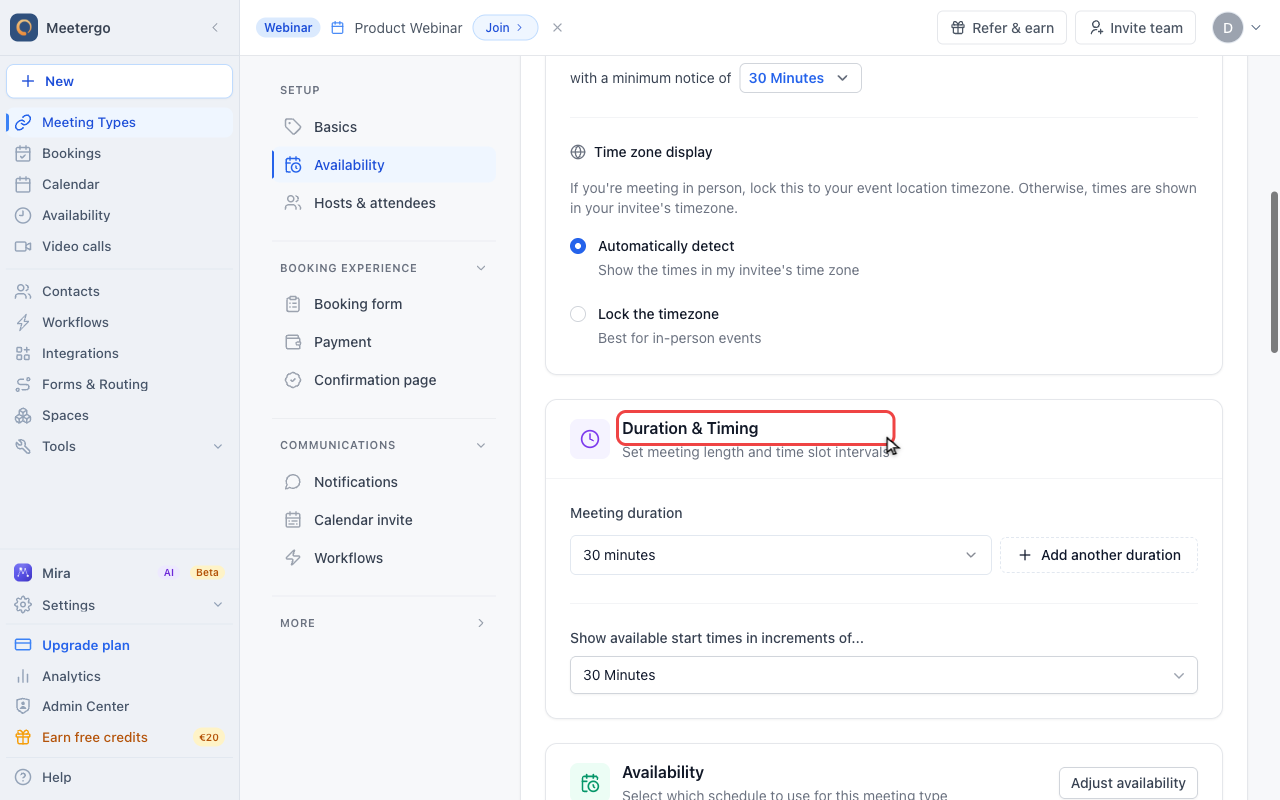
1 / 4Duration & Timing contains both the meeting duration and the spacing between visible start times.
Open timing settings
Find Duration & Timing
Duration & Timing contains both the meeting duration and the spacing between visible start times.
Review slot intervals
Compare duration and interval
Meeting duration is how long the appointment lasts. The interval controls how often start times appear.
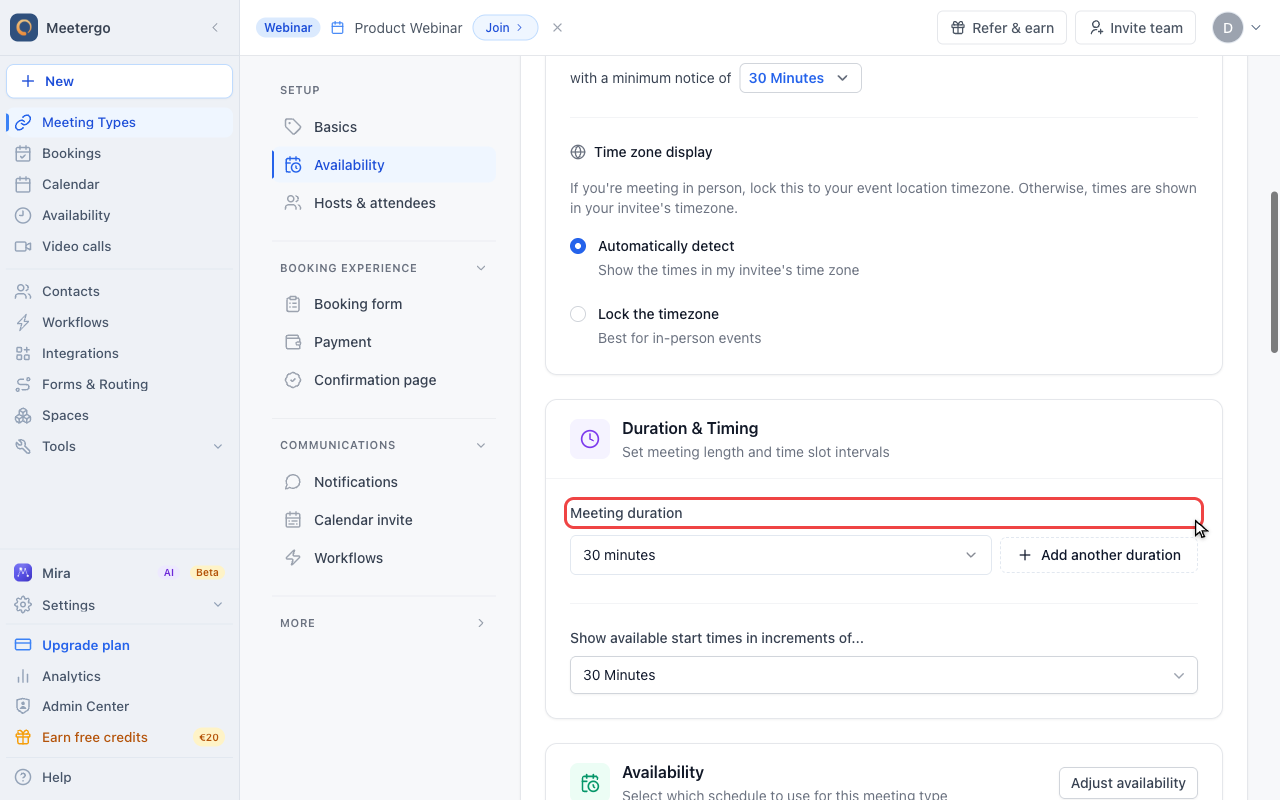
Review start time increments
Show available start times in increments of controls the spacing invitees see on the booking page.
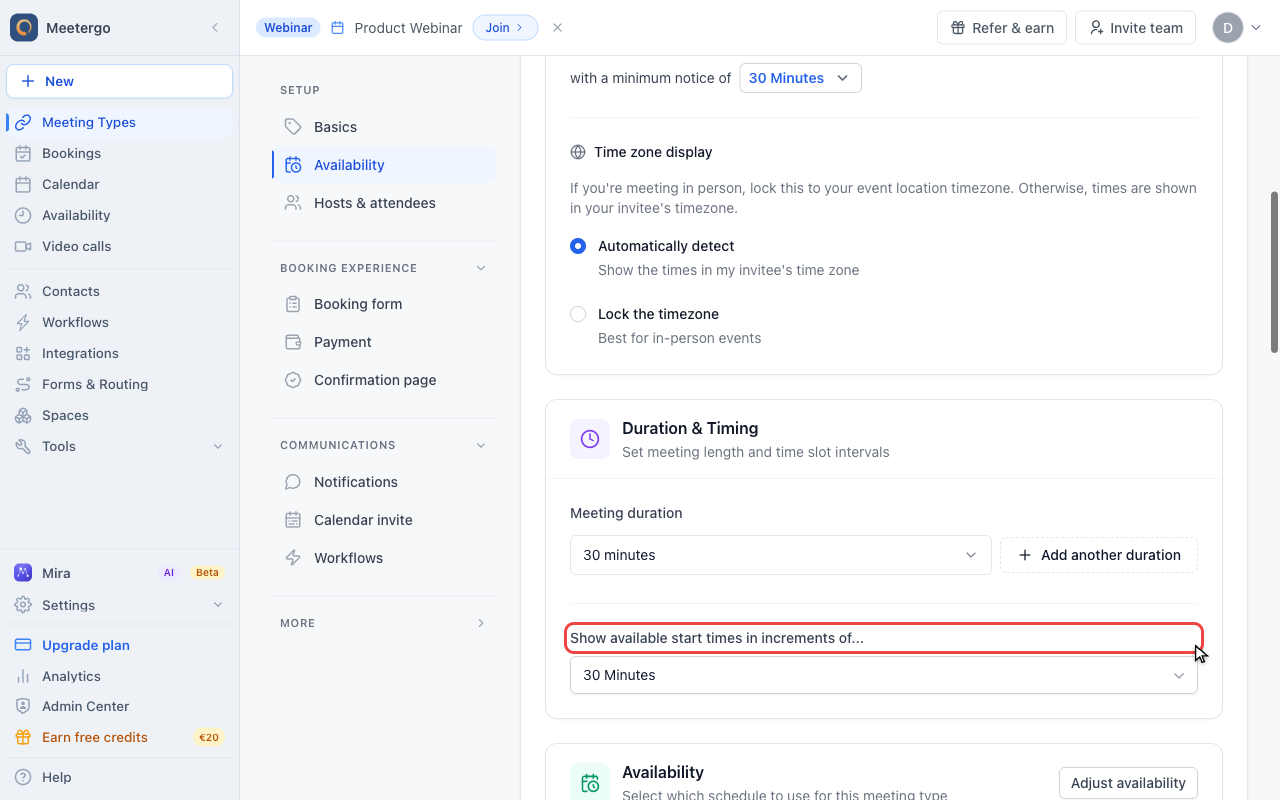
Choose an interval
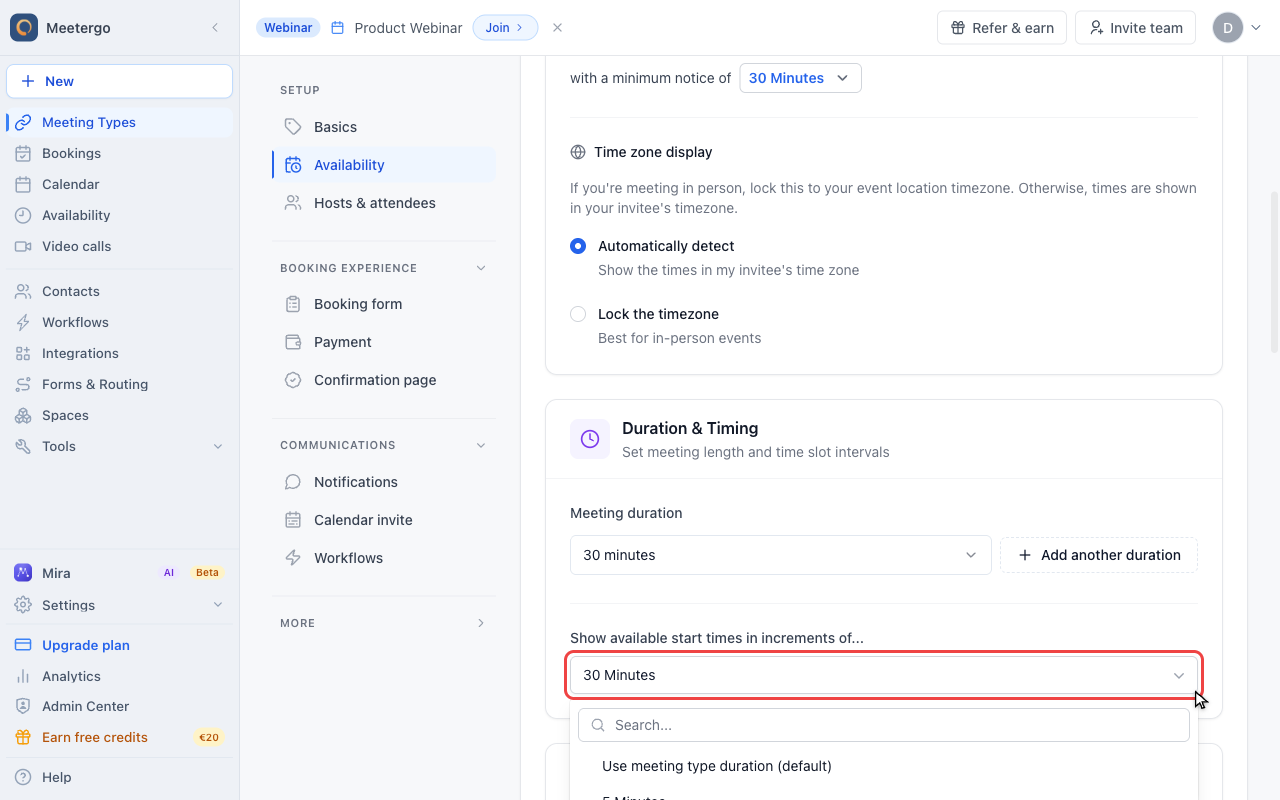
Open the interval dropdown
Open the dropdown to choose a fixed interval, or use the meeting type duration as the default interval.
What Are Time Slot Intervals?
The interval controls the spacing between bookable start times. For example:
- 15-minute interval: 9:00, 9:15, 9:30, 9:45, 10:00...
- 30-minute interval: 9:00, 9:30, 10:00, 10:30...
- 60-minute interval: 9:00, 10:00, 11:00, 12:00...
The interval is independent of meeting duration. A 30-minute meeting with 15-minute intervals still lasts 30 minutes, but invitees may be able to start at 9:00, 9:15, 9:30, and so on.
Configure Time Slot Intervals
- Open the meeting type.
- Go to Availability.
- Scroll to Duration & Timing.
- Find Show available start times in increments of....
- Choose the interval you want.
- Save the meeting type.
Available Options
Common interval choices:
| Interval | Best For |
|---|---|
| 5 minutes | Maximum flexibility |
| 10 minutes | Quick appointments |
| 15 minutes | Standard (default) |
| 30 minutes | Structured schedules |
| 60 minutes | Hour-based booking |
Sync with Duration
Choose Use meeting type duration (default) to automatically match the interval to the meeting duration:
- 30-minute meeting: 30-minute intervals
- 60-minute meeting: 60-minute intervals
This keeps starts aligned with the meeting length and is a good default for structured schedules.
Examples
Short Consultations
For 15-minute quick calls:
- Meeting duration: 15 minutes
- Time slot interval: 15 minutes
Available slots: 9:00, 9:15, 9:30, 9:45...
Standard Meetings
For 30-minute meetings:
- Meeting duration: 30 minutes
- Time slot interval: 30 minutes
Available slots: 9:00, 9:30, 10:00, 10:30...
Flexible Scheduling
For 45-minute sessions with maximum flexibility:
- Meeting duration: 45 minutes
- Time slot interval: 15 minutes
Available slots: 9:00, 9:15, 9:30...
This allows attendees to start at various times while the meeting still takes 45 minutes.
Staggered Start Times with Built-In Transition Time
Set the interval slightly longer than the meeting to build visible transition time into the booking page itself:
- Meeting duration: 60 minutes
- Time slot interval: 65 minutes
- Availability: 15:00 to 18:00
Available slots: 15:00, 16:05, 17:10
Use this when invitees should see the gap from the start. If you only want protected time after someone books, and invitees should still see clean times such as 15:00 and 16:00, use a buffer instead. Buffers take effect after a booking and do not change the displayed start times, while the interval decides which start times appear at all. See How to use buffers.
How Intervals Interact with Availability
Availability Window
If your availability is 9:00 AM - 12:00 PM:
| Interval | Slots Shown |
|---|---|
| 15 minutes | 9:00, 9:15, 9:30... |
| 30 minutes | 9:00, 9:30, 10:00... |
| 60 minutes | 9:00, 10:00, 11:00... |
The last visible slot must still leave enough time for the full meeting duration inside your availability window.
Buffer Times
Buffers can reduce available slots. With a 30-minute meeting, a 15-minute buffer, and 30-minute intervals:
- 9:00 available
- 9:30 blocked (buffer from 9:00 meeting)
- 10:00 available
See Understanding Buffers for more details.
Best Practices
Match Your Workflow
- Back-to-back meetings: use intervals that match your duration.
- Need prep time: use buffers instead of longer intervals.
- Flexible timing: use smaller intervals, such as 15 or 30 minutes.
Consider Attendee Experience
Smaller intervals give invitees more choices, but they can make the booking page feel busier. Larger intervals are easier to scan, but less flexible.
Account for Time Zones
Standard intervals such as 15, 30, and 60 minutes are usually easiest for international attendees to understand.
FAQ
Does the interval affect meeting duration?
No, interval and duration are independent. A 30-minute interval with a 60-minute meeting still books 60-minute appointments. They just start on the half-hour.
Can I have different intervals for different meeting types?
Yes, each meeting type has its own interval setting.
What's the minimum interval?
5 minutes is the smallest option in the interval dropdown.
Why don't I see slots at certain times?
Even with small intervals, slots won't appear if:
- Another meeting is already booked
- Buffer time blocks the slot
- The slot doesn't leave enough time for the full meeting
Related Articles
Was this article helpful?
Let us know if this article answered your questions.