
Flexible Buffer Scheduling Within Your Availability
Enable Keep buffers within working hours so meeting buffers stay inside your availability blocks instead of spilling past them.
Flexible buffer scheduling keeps your meeting buffers inside the availability blocks you already defined. When the option is enabled, meetergo only offers booking slots where the meeting and its buffer still fit into your working hours.
Flexible buffers are an advanced setting. If you only want to add standard time before or after meetings, start with how to use buffers.
 1 / 1
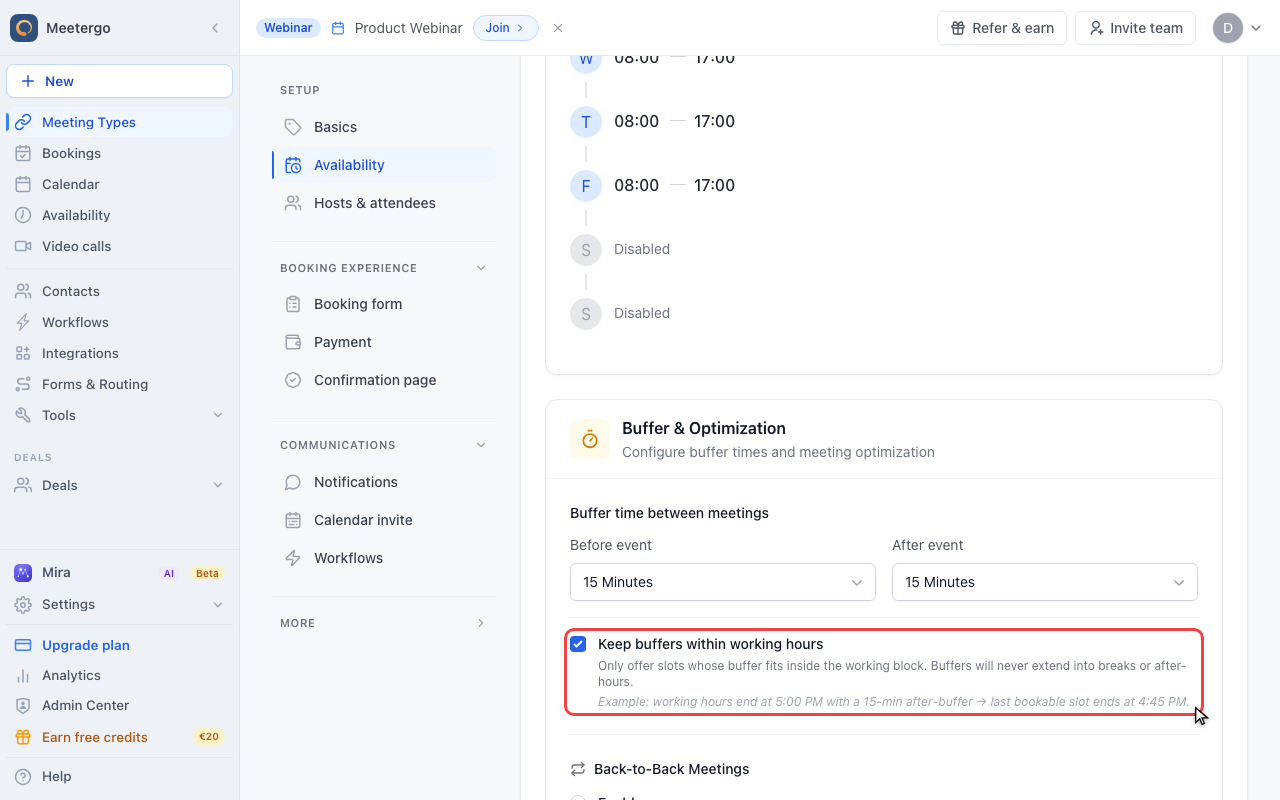
1 / 1Enable Keep buffers within working hours so meetergo only offers slots whose buffer still fits inside the availability block.
Keep buffers inside availability
Keep buffers within working hours
Enable Keep buffers within working hours so meetergo only offers slots whose buffer still fits inside the availability block.
The toggle sits in Buffer & Optimization on the meeting type's Availability tab, directly under the before and after buffers. It only has an effect once at least one of those buffers is set.
How This Changes Availability
Without this setting, a meeting can be bookable as long as the meeting itself fits into your availability; the buffer may extend into a break or after your working hours. With Keep buffers within working hours enabled, the full meeting-plus-buffer block has to fit inside the available time.
For example, if your working hours end at 5:00 PM and a meeting type has a 15-minute after-buffer, the last bookable slot must end at 4:45 PM. This prevents the buffer from being placed after hours.
When to Use It
Use this setting when your availability blocks are strict: for example office hours, service windows, staffed shifts, or days where you do not want preparation or follow-up time to spill into breaks.
You can keep the setting off when it is fine for buffers to protect time directly before or after a meeting, even if that protected time falls outside your bookable availability.
Important Limitations
This setting can reduce the number of visible slots because meetergo must find enough room for the meeting and the buffer inside the same working block. Longer buffers and shorter availability windows make this more noticeable.
Existing calendar events and confirmed bookings are still respected. If the meeting plus buffer would overlap another commitment, that slot is not offered.
FAQ
What happens if the buffer does not fit inside my working hours?
The meeting slot is not offered. meetergo only shows times where the meeting and required buffer fit into the available block.
Do buffers move to another day?
No. This setting keeps buffers inside the working block for the booking. It does not move buffer time to a later day.
Will this affect meetings I've already scheduled?
No, changing this setting only affects new availability checks and future bookings.
Can I use this differently for each Meeting Type?
Yes. Each Meeting Type has its own buffer settings, so you can enable this for strict appointment types and leave it off for more flexible links.
What if I change my availability later?
meetergo uses your current availability when checking future slots. If you shorten a working block, some slots may disappear because the buffer no longer fits.
Was this article helpful?
Let us know if this article answered your questions.
Related articles
- Add availability from calendar eventsOpen up bookable slots by creating titled events in your connected calendar, and use the right event status so other events at the same time still block correctly
- AvailabilityConfigure your weekly schedule, exceptions, holidays, and connected calendars that together determine when your booking link is bookable.
- Availability ExceptionsCreate date-specific blocking or available rules and learn the rule precedence between your schedule, exceptions, and calendar events.
- Configure availability for a specific time spanLearn how to adjust your bookability within a defined date range