
Understanding Meeting Type Buffers
Learn how meeting type buffers block protected time before and after bookings.
Meeting buffers automatically block time before and after your meetings to give you breathing room between appointments. This article explains how buffer settings work, their benefits, and how they protect your schedule from being overbooked.
 1 / 1
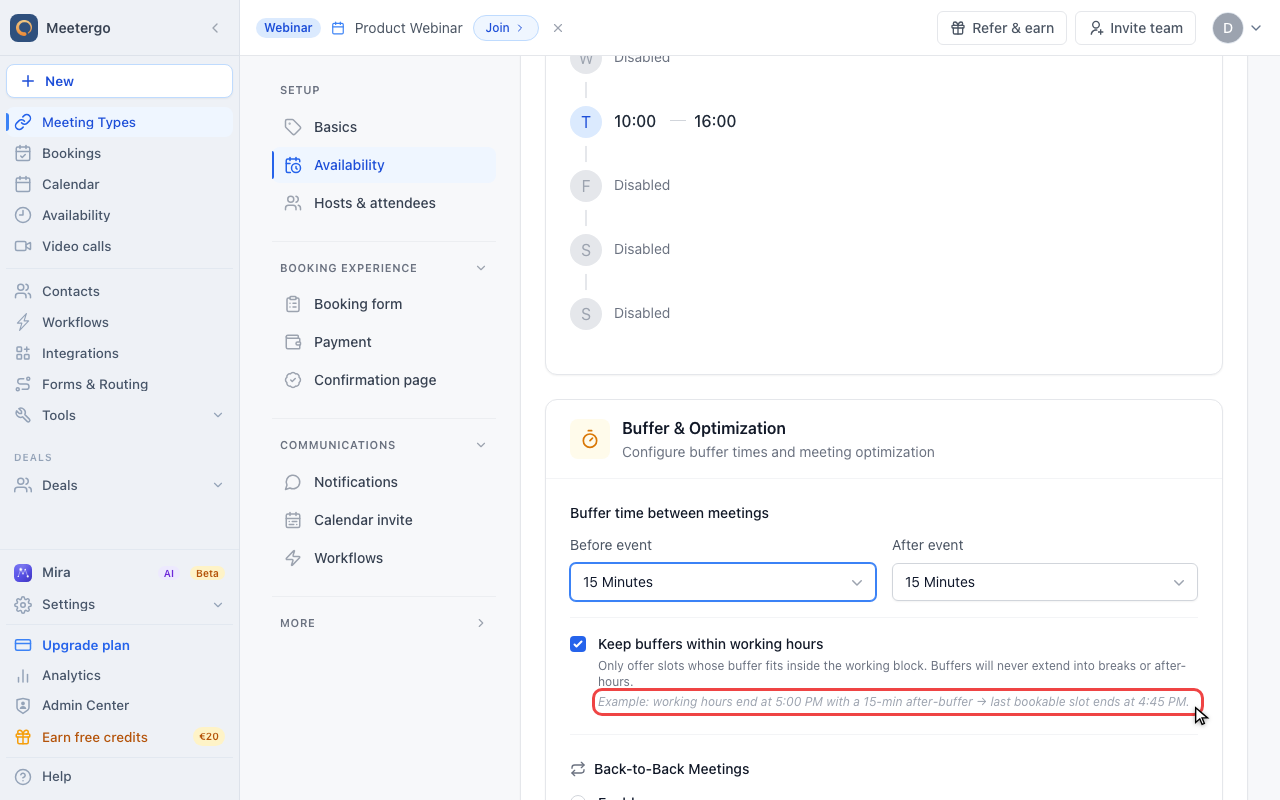
1 / 1The example shows how an after-buffer can move the last bookable slot earlier so the protected time still fits.
Understand buffer behavior
Review the booking effect
The example shows how an after-buffer can move the last bookable slot earlier so the protected time still fits.
This article explains what buffers do and how to choose a duration. For the setup steps, see How to use buffers.
How Buffers Work Behind the Scenes
Buffers attach directly to your scheduled meetings. When someone books a 60-minute meeting at 2:00 PM with 15-minute buffers, the system blocks 1:45 PM to 3:15 PM on your calendar. This ensures the time immediately before and after stays completely free.
Here's the important part: buffers ignore your weekly availability schedule. Even if you normally accept meetings from 1:00 PM to 5:00 PM, the buffer will still block 1:45 PM regardless of your stated availability. The buffer's job is to protect the meeting, not to respect your general schedule preferences.
Why Meeting Buffers Are Essential
Buffers solve the common problem of back-to-back meetings that leave you rushed and unprepared. Without buffers, you might finish a client call at 2:00 PM and immediately jump into another meeting at 2:00 PM, creating stress and reducing your effectiveness.
The buffer time gives you space to decompress, review notes, use the restroom, grab water, or simply transition mentally between different topics and people. This small investment in time pays dividends in your energy levels and meeting quality throughout the day.
Common Use Cases for Different Buffer Times
5-minute buffers work well for quick internal check-ins or when you're doing similar meetings throughout the day. 15-minute buffers are perfect for client calls, interviews, or any meeting where you need time to prepare or follow up. 30-minute buffers make sense for high-stakes meetings, lengthy sessions, or when you know you'll need significant prep time.
Consider your meeting type's intensity and your personal transition needs when setting buffer duration. You can always adjust these settings as you learn what works best for your schedule.
If you want the buffer to stay inside your working hours instead of reaching past them, see Flexible buffer scheduling within your availability.
FAQ
Will buffers prevent people from booking meetings during my available hours?
Yes, if the buffer extends beyond your stated availability. For example, if you're available 9:00 AM to 5:00 PM but someone books a 9:00 AM meeting with a 15-minute buffer, the system blocks 8:45 AM to 9:15 AM. The 8:45 AM portion falls outside your availability, but the buffer still reserves it.
What happens if my buffers conflict with existing calendar events?
The system respects existing calendar events and won't allow bookings that would cause buffer conflicts. If you have a personal appointment at 3:00 PM, someone cannot book a 2:30 PM meeting with a 30-minute buffer because it would overlap.
Was this article helpful?
Let us know if this article answered your questions.
Related articles
- Add availability from calendar eventsOpen up bookable slots by creating titled events in your connected calendar, and use the right event status so other events at the same time still block correctly
- AvailabilityConfigure your weekly schedule, exceptions, holidays, and connected calendars that together determine when your booking link is bookable.
- Availability ExceptionsCreate date-specific blocking or available rules and learn the rule precedence between your schedule, exceptions, and calendar events.
- Configure availability for a specific time spanLearn how to adjust your bookability within a defined date range